🎉NEWCapSolver for AI agents-MCP, agent tools, and SDK integrations

Ethan Collins
AI Agent Workflow Engineer
Published Dec 04, 2025
Updated Dec 04, 2025 · min read
Web scraping has become an essential tool for data collection, market research, and competitive analysis. However, as scraping techniques have evolved, so have the defenses websites use to protect their data. Among the most common obstacles scrapers face are captchas — those annoying challenges designed to distinguish humans from bots.
If you've ever tried to scrape a website only to be met with a "Please verify you're human" message, you know the frustration. The good news? There's a powerful combination that can help: Scrapling for intelligent web scraping and CapSolver for automated captcha solving.
In this guide, we'll walk through everything you need to know to integrate these tools and successfully scrape captcha-protected websites. Whether you're dealing with Google's ReCaptcha v2, the invisible ReCaptcha v3, or Cloudflare's Turnstile, we've got you covered.
Scrapling is a modern Python web scraping library that describes itself as "the first adaptive scraping library that learns from website changes and evolves with them." It's designed to make data extraction easy while providing powerful anti-bot capabilities.
For basic parsing capabilities:
pip install scraplingFor full features including browser automation:
pip install "scrapling[fetchers]"
scrapling install
For everything including AI features:
pip install "scrapling[all]"
scrapling installScrapling uses class methods for HTTP requests:
from scrapling import Fetcher

# GET request
response = Fetcher.get("https://example.com")

# POST request with data
response = Fetcher.post("https://example.com/api", data={"key": "value"})

# Access response
print(response.status)       # HTTP status code
print(response.body)         # Raw bytes
print(response.body.decode()) # Decoded textCapSolver is a captcha solving service that uses advanced AI to automatically solve various types of captchas. It provides a simple API that integrates seamlessly with any programming language or scraping framework.
Boost your automation budget instantly!
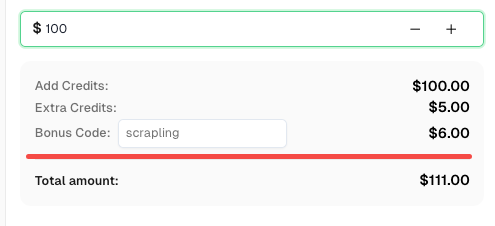
Use bonus code SCRAPLING when topping up your CapSolver account to get an extra 6% bonus on every recharge — specially for Scrapling integration users.
Redeem it now in your CapSolver Dashboard
CapSolver uses two main endpoints:
POST https://api.capsolver.com/createTaskPOST https://api.capsolver.com/getTaskResultBefore diving into specific captcha types, let's create a reusable helper function that handles the CapSolver API workflow:
import requests
import time

CAPSOLVER_API_KEY = "YOUR_API_KEY"

def solve_captcha(task_type, website_url, website_key, **kwargs):
    """
    Generic captcha solver using CapSolver API.

    Args:
        task_type: The type of captcha task (e.g., "ReCaptchaV2TaskProxyLess")
        website_url: The URL of the page with the captcha
        website_key: The site key for the captcha
        **kwargs: Additional parameters specific to the captcha type

    Returns:
        dict: The solution containing the token and other data
    """
    payload = {
        "clientKey": CAPSOLVER_API_KEY,
        "task": {
            "type": task_type,
            "websiteURL": website_url,
            "websiteKey": website_key,
            **kwargs
        }
    }

    # Create the task
    response = requests.post(
        "https://api.capsolver.com/createTask",
        json=payload
    )
    result = response.json()

    if result.get("errorId") != 0:
        raise Exception(f"Task creation failed: {result.get('errorDescription')}")

    task_id = result.get("taskId")
    print(f"Task created: {task_id}")

    # Poll for the result
    max_attempts = 60  # Maximum 2 minutes of polling
    for attempt in range(max_attempts):
        time.sleep(2)

        response = requests.post(
            "https://api.capsolver.com/getTaskResult",
            json={
                "clientKey": CAPSOLVER_API_KEY,
                "taskId": task_id
            }
        )
        result = response.json()

        if result.get("status") == "ready":
            print(f"Captcha solved in {(attempt + 1) * 2} seconds")
            return result.get("solution")

        if result.get("errorId") != 0:
            raise Exception(f"Error: {result.get('errorDescription')}")

        print(f"Waiting... (attempt {attempt + 1})")

    raise Exception("Timeout: Captcha solving took too long")
This function handles the complete workflow: creating a task, polling for results, and returning the solution. We'll use it throughout the rest of this guide.
ReCaptcha v2 is the classic "I'm not a robot" checkbox captcha. When triggered, it may ask users to identify objects in images (traffic lights, crosswalks, etc.). For scrapers, we need to solve this programmatically.
The site key is usually found in the page HTML:
<div class="g-recaptcha" data-sitekey="6LcxxxxxxxxxxxxxxxxxxxxxxxxxxxxxxxxxxxxABCD"></div>Or in a script tag:
<script src="https://www.google.com/recaptcha/api.js?render=6LcxxxxxxxxxxxxxxxxxxxxxxxxxxxxxxxxxxxxABCD"></script>from scrapling import Fetcher
def scrape_with_recaptcha_v2(target_url, site_key, form_url=None):
"""
Scrape a page protected by ReCaptcha v2.
Args:
target_url: The URL of the page with the captcha
site_key: The ReCaptcha site key
form_url: The URL to submit the form to (defaults to target_url)
Returns:
The response from the protected page
"""
# Solve the captcha using CapSolver
print("Solving ReCaptcha v2...")
solution = solve_captcha(
task_type="ReCaptchaV2TaskProxyLess",
website_url=target_url,
website_key=site_key
)
captcha_token = solution["gRecaptchaResponse"]
print(f"Got token: {captcha_token[:50]}...")
# Submit the form with the captcha token using Scrapling
# Note: Use Fetcher.post() as a class method (not instance method)
submit_url = form_url or target_url
response = Fetcher.post(
submit_url,
data={
"g-recaptcha-response": captcha_token,
# Add any other form fields required by the website
}
)
return response
# Example usage
if __name__ == "__main__":
url = "https://example.com/protected-page"
site_key = "6LcxxxxxxxxxxxxxxxxxxxxxxxxxxxxxxxxxxxxABCD"
result = scrape_with_recaptcha_v2(url, site_key)
print(f"Status: {result.status}")
print(f"Content length: {len(result.body)}") # Use .body for raw bytesFor invisible ReCaptcha v2 (no checkbox, triggered on form submission), add the isInvisible parameter:
solution = solve_captcha(
    task_type="ReCaptchaV2TaskProxyLess",
    website_url=target_url,
    website_key=site_key,
    isInvisible=True
)For ReCaptcha v2 Enterprise, use a different task type:
solution = solve_captcha(
    task_type="ReCaptchaV2EnterpriseTaskProxyLess",
    website_url=target_url,
    website_key=site_key,
    enterprisePayload={
        "s": "payload_s_value_if_needed"
    }
)ReCaptcha v3 is different from v2 — it runs invisibly in the background and assigns a score (0.0 to 1.0) based on user behavior. A score closer to 1.0 indicates likely human activity.
| Aspect | ReCaptcha v2 | ReCaptcha v3 |
|---|---|---|
| User Interaction | Checkbox/image challenges | None (invisible) |
| Output | Pass/fail | Score (0.0-1.0) |
| Action Parameter | Not required | Required |
| When to use | Forms, logins | All page loads |
The action is specified in the website's JavaScript:
grecaptcha.execute('6LcxxxxxxxxxxxxxxxxABCD', {action: 'submit'})Common actions include: submit, login, register, homepage, contact.
from scrapling import Fetcher

def scrape_with_recaptcha_v3(target_url, site_key, page_action="submit", min_score=0.7):
    """
    Scrape a page protected by ReCaptcha v3.

    Args:
        target_url: The URL of the page with the captcha
        site_key: The ReCaptcha site key
        page_action: The action parameter (found in grecaptcha.execute)
        min_score: Minimum score to request (0.1-0.9)

    Returns:
        The response from the protected page
    """
    print(f"Solving ReCaptcha v3 (action: {page_action})...")

    solution = solve_captcha(
        task_type="ReCaptchaV3TaskProxyLess",
        website_url=target_url,
        website_key=site_key,
        pageAction=page_action
    )

    captcha_token = solution["gRecaptchaResponse"]
    print(f"Got token with score: {solution.get('score', 'N/A')}")

    # Submit the request with the token using Scrapling class method
    response = Fetcher.post(
        target_url,
        data={
            "g-recaptcha-response": captcha_token,
        },
        headers={
            "User-Agent": solution.get("userAgent", "Mozilla/5.0")
        }
    )

    return response

# Example usage
if __name__ == "__main__":
    url = "https://example.com/api/data"
    site_key = "6LcxxxxxxxxxxxxxxxxxxxxxxxxxxxxxxxxxxxxABCD"

    result = scrape_with_recaptcha_v3(url, site_key, page_action="getData")
print(f"Response: {result.body.decode()[:200]}") # Use .body for contentsolution = solve_captcha(
task_type="ReCaptchaV3EnterpriseTaskProxyLess",
website_url=target_url,
website_key=site_key,
pageAction=page_action,
enterprisePayload={
"s": "optional_s_parameter"
}
)Cloudflare Turnstile is a newer captcha alternative designed as a "user-friendly, privacy-preserving" replacement for traditional captchas. It's increasingly common on websites using Cloudflare.
Turnstile comes in three modes:
The good news? CapSolver handles all three automatically.
Look for Turnstile in the page HTML:
<div class="cf-turnstile" data-sitekey="0x4xxxxxxxxxxxxxxxxxxxxxxxxxx"></div>Or in JavaScript:
turnstile.render('#container', {
    sitekey: '0x4xxxxxxxxxxxxxxxxxxxxxxxxxx',
    callback: function(token) { ... }
});from scrapling import Fetcher
def scrape_with_turnstile(target_url, site_key, action=None, cdata=None):
"""
Scrape a page protected by Cloudflare Turnstile.
Args:
target_url: The URL of the page with the captcha
site_key: The Turnstile site key (starts with 0x4...)
action: Optional action parameter
cdata: Optional cdata parameter
Returns:
The response from the protected page
"""
print("Solving Cloudflare Turnstile...")
# Build metadata if provided
metadata = {}
if action:
metadata["action"] = action
if cdata:
metadata["cdata"] = cdata
task_params = {
"task_type": "AntiTurnstileTaskProxyLess",
"website_url": target_url,
"website_key": site_key,
}
if metadata:
task_params["metadata"] = metadata
solution = solve_captcha(**task_params)
turnstile_token = solution["token"]
user_agent = solution.get("userAgent", "")
print(f"Got Turnstile token: {turnstile_token[:50]}...")
# Submit with the token using Scrapling class method
headers = {}
if user_agent:
headers["User-Agent"] = user_agent
response = Fetcher.post(
target_url,
data={
"cf-turnstile-response": turnstile_token,
},
headers=headers
)
return response
# Example usage
if __name__ == "__main__":
url = "https://example.com/protected"
site_key = "0x4AAAAAAAxxxxxxxxxxxxxx"
result = scrape_with_turnstile(url, site_key)
print(f"Success! Got {len(result.body)} bytes") # Use .body for contentSome implementations require additional parameters:
solution = solve_captcha(
    task_type="AntiTurnstileTaskProxyLess",
    website_url=target_url,
    website_key=site_key,
    metadata={
        "action": "login",
        "cdata": "session_id_or_custom_data"
    }
)Sometimes basic HTTP requests aren't enough. Websites may use sophisticated bot detection that checks:
Scrapling's StealthyFetcher provides browser-level anti-detection by using a real browser engine with stealth modifications.
StealthyFetcher uses a modified Firefox browser with:
| Scenario | Use Fetcher | Use StealthyFetcher |
|---|---|---|
| Simple forms with captcha | Yes | No |
| Heavy JavaScript pages | No | Yes |
| Multiple anti-bot layers | No | Yes |
| Speed is critical | Yes | No |
| Cloudflare Under Attack mode | No | Yes |
Here's how to use both together for maximum effectiveness:
from scrapling import StealthyFetcher
import asyncio

async def scrape_with_stealth_and_recaptcha(target_url, site_key, captcha_type="v2"):
    """
    Combines StealthyFetcher's anti-bot features with CapSolver for ReCaptcha.

    Args:
        target_url: The URL to scrape
        site_key: The captcha site key
        captcha_type: "v2" or "v3"

    Returns:
        The page content after solving the captcha
    """

    # First, solve the captcha using CapSolver
    print(f"Solving ReCaptcha {captcha_type}...")

    if captcha_type == "v2":
        solution = solve_captcha(
            task_type="ReCaptchaV2TaskProxyLess",
            website_url=target_url,
            website_key=site_key
        )
        token = solution["gRecaptchaResponse"]

    elif captcha_type == "v3":
        solution = solve_captcha(
            task_type="ReCaptchaV3TaskProxyLess",
            website_url=target_url,
            website_key=site_key,
            pageAction="submit"
        )
        token = solution["gRecaptchaResponse"]

    else:
        raise ValueError(f"Unknown captcha type: {captcha_type}")

    print(f"Got token: {token[:50]}...")

    # Use StealthyFetcher for browser-like behavior
    fetcher = StealthyFetcher()

    # Navigate to the page
    page = await fetcher.async_fetch(target_url)

    # Inject the ReCaptcha solution using JavaScript
    await page.page.evaluate(f'''() => {{
        // Find the g-recaptcha-response field and set its value
        let field = document.querySelector('textarea[name="g-recaptcha-response"]');
        if (!field) {{
            field = document.createElement('textarea');
            field.name = "g-recaptcha-response";
            field.style.display = "none";
            document.body.appendChild(field);
        }}
        field.value = "{token}";
    }}''')

    # Find and click the submit button
    submit_button = page.css('button[type="submit"], input[type="submit"]')
    if submit_button:
        await submit_button[0].click()
        # Wait for navigation
        await page.page.wait_for_load_state('networkidle')

    # Get the final page content
    content = await page.page.content()

    return content

# Synchronous wrapper for easier usage
def scrape_stealth(target_url, site_key, captcha_type="v2"):
    """Synchronous wrapper for the async stealth scraper."""
    return asyncio.run(
        scrape_with_stealth_and_recaptcha(target_url, site_key, captcha_type)
    )

# Example usage
if __name__ == "__main__":
    url = "https://example.com/highly-protected-page"
    site_key = "6LcxxxxxxxxxxxxxxxxxxxxxxxxxxxxxxxxxxxxABCD"

    content = scrape_stealth(url, site_key, captcha_type="v2")
print(f"Got {len(content)} bytes of content")from scrapling import StealthyFetcher
import asyncio
class StealthScraper:
"""A scraper that maintains session across multiple pages."""
def __init__(self, api_key):
self.api_key = api_key
self.fetcher = None
async def __aenter__(self):
self.fetcher = StealthyFetcher()
return self
async def __aexit__(self, *args):
if self.fetcher:
await self.fetcher.close()
async def solve_and_access(self, url, site_key, captcha_type="v2"):
"""Solve ReCaptcha and access the page."""
global CAPSOLVER_API_KEY
CAPSOLVER_API_KEY = self.api_key
# Solve the ReCaptcha
task_type = f"ReCaptcha{captcha_type.upper()}TaskProxyLess"
solution = solve_captcha(
task_type=task_type,
website_url=url,
website_key=site_key
)
token = solution["gRecaptchaResponse"]
# Navigate and inject token
page = await self.fetcher.async_fetch(url)
# ... continue with page interaction
return page
# Usage
async def main():
async with StealthScraper("your_api_key") as scraper:
page1 = await scraper.solve_and_access(
"https://example.com/login",
"site_key_here",
"v2"
)
# Session is maintained for subsequent requests
page2 = await scraper.solve_and_access(
"https://example.com/dashboard",
"another_site_key",
"v3"
)
asyncio.run(main())Don't hammer websites with requests. Implement delays between requests:
import time
import random

def polite_scrape(urls, min_delay=2, max_delay=5):
    """Scrape with random delays to appear more human-like."""
    results = []
    for url in urls:
        result = scrape_page(url)
        results.append(result)

        # Random delay between requests
        delay = random.uniform(min_delay, max_delay)
        time.sleep(delay)

return resultsAlways handle potential failures gracefully:
def robust_solve_captcha(task_type, website_url, website_key, max_retries=3, **kwargs):
    """Solve captcha with automatic retries."""
    for attempt in range(max_retries):
        try:
            return solve_captcha(task_type, website_url, website_key, **kwargs)
        except Exception as e:
            print(f"Attempt {attempt + 1} failed: {e}")
            if attempt < max_retries - 1:
                time.sleep(5)  # Wait before retry
            else:
raiseCheck the website's robots.txt before scraping:
from urllib.robotparser import RobotFileParser

def can_scrape(url):
    """Check if scraping is allowed by robots.txt."""
    rp = RobotFileParser()
    rp.set_url(f"{url}/robots.txt")
    rp.read()
return rp.can_fetch("*", url)When scraping at scale, rotate proxies to avoid IP blocks:
# CapSolver supports proxy-enabled tasks
solution = solve_captcha(
    task_type="ReCaptchaV2Task",  # Note: no "ProxyLess"
    website_url=target_url,
    website_key=site_key,
    proxy="http://user:pass@proxy.example.com:8080"
)Captcha tokens are typically valid for 1-2 minutes. If you need to make multiple requests, reuse the token:
import time

class CaptchaCache:
    def __init__(self, ttl=120):  # 2 minute default TTL
        self.cache = {}
        self.ttl = ttl

    def get_or_solve(self, key, solve_func):
        """Get cached token or solve new one."""
        if key in self.cache:
            token, timestamp = self.cache[key]
            if time.time() - timestamp < self.ttl:
                return token

        token = solve_func()
        self.cache[key] = (token, time.time())
return token| Feature | ReCaptcha v2 | ReCaptcha v3 | Cloudflare Turnstile |
|---|---|---|---|
| User Interaction | Checkbox + possible challenge | None | Minimal or none |
| Site Key Format | 6L... |
6L... |
0x4... |
| Response Field | g-recaptcha-response |
g-recaptcha-response |
cf-turnstile-response |
| Action Parameter | No | Yes (required) | Optional |
| Solve Time | 1-10 seconds | 1-10 seconds | 1-20 seconds |
| CapSolver Task | ReCaptchaV2TaskProxyLess |
ReCaptchaV3TaskProxyLess |
AntiTurnstileTaskProxyLess |
| Feature | Fetcher | StealthyFetcher |
|---|---|---|
| Speed | Very fast | Slower |
| JavaScript Support | No | Yes |
| Browser Fingerprint | None | Real Firefox |
| Memory Usage | Low | Higher |
| Cloudflare Bypass | No | Yes |
| Best For | Simple requests | Complex anti-bot |
Check the CapSolver pricing page for current rates.
Search the page source (Ctrl+U) for:
data-sitekey attributegrecaptcha.execute JavaScript callsrender= parameter in reCaptcha script URLsclass="cf-turnstile" for TurnstileTokens typically expire after 1-2 minutes. Solve the captcha as close to form submission as possible. If you get validation errors, solve again with a fresh token.
Yes! Wrap the solve function in an async executor:
import asyncio

async def async_solve_captcha(*args, **kwargs):
    loop = asyncio.get_event_loop()
    return await loop.run_in_executor(
        None,
        lambda: solve_captcha(*args, **kwargs)
)Solve each captcha separately and include all tokens in your submission:
# Solve multiple ReCaptchas
solution_v2 = solve_captcha("ReCaptchaV2TaskProxyLess", url, key1)
solution_v3 = solve_captcha("ReCaptchaV3TaskProxyLess", url, key2, pageAction="submit")

# Submit with tokens using Scrapling class method
response = Fetcher.post(url, data={
    "g-recaptcha-response": solution_v2["gRecaptchaResponse"],
    "g-recaptcha-response-v3": solution_v3["gRecaptchaResponse"],
})Combining Scrapling and CapSolver provides a powerful solution for scraping captcha-protected websites. Here's a quick summary:
Remember to always scrape responsibly:
Ready to start scraping? Get your CapSolver API key at CapSolver and install Scrapling with pip install "scrapling[all]".
Ethan Collins
AI Agent Workflow Engineer
Building clearer handoffs between AI agents and tools.
ABOUT THE AUTHOR
Learn scalable Rust web scraping architecture with reqwest, scraper, async scraping, headless browser scraping, proxy rotation, and compliant CAPTCHA handling.

Learn the best techniques to scrape job listings without getting blocked. Master Indeed scraping, Google Jobs API, and web scraping API with CapSolver.