🎉NEWCapSolver for AI agents-MCP, agent tools, and SDK integrations

Lucas Mitchell
Automation Engineer
Published Apr 17, 2026
Updated Apr 17, 2026 · min read
curl_cffi.Web scraping job listings has become a cornerstone for recruitment agencies, market researchers, and job aggregators. However, major job boards have deployed sophisticated security check measures that can halt your data collection in seconds. If you have ever faced immediate IP bans or endless verification loops while trying to scrape job postings, you are not alone. The challenge lies in making your automated scripts indistinguishable from human browsing behavior. This guide provides a comprehensive technical roadmap to help you scrape job listings effectively while maintaining a low detection profile.
Job platforms and professional networking sites invest heavily in security to protect their proprietary data and ensure site stability. They primarily use four layers of detection to identify and block scrapers.
Most job boards track the number of requests coming from a single IP address. If you exceed a certain threshold, your IP is temporarily or permanently blacklisted. Datacenter IPs are particularly vulnerable because they are easily identified as belonging to server farms rather than real users.
Modern anti-bot systems like Cloudflare and DataDome look beyond your User-Agent. They analyze your TLS (Transport Layer Security) handshake, checking for specific cipher suites and extensions. If your Python script uses the default requests library, its JA3 fingerprint will immediately signal that it is a bot.
Human users do not click links every 0.5 seconds or navigate in perfectly linear patterns. Scrapers that exhibit robotic behavior—such as fixed request intervals or missing CSS/image loads—are quickly flagged by behavioral analysis engines.
When a site is suspicious but not certain, it will trigger a challenge. This could be a simple JavaScript execution check or a complex CAPTCHA. Without an automated way to resolve these, your scraping workflow will come to a complete standstill.
To build a resilient scraper, you must address each detection layer with specific technical countermeasures.
Using a single IP is the fastest way to get blocked. Instead, you should use a pool of residential proxies. Unlike datacenter IPs, residential IPs are assigned by Internet Service Providers (ISPs) to real households, making them much harder to distinguish from legitimate traffic.
| Proxy Type | Detection Risk | Cost | Best Use Case |
|---|---|---|---|
| Datacenter | High | Low | Low-security sites, testing |
| Residential | Low | Medium | High-security job boards and search engines |
| Mobile (4G/5G) | Very Low | High | Highly aggressive anti-bot systems |
When you scrape job listings, ensure your proxy provider supports automatic rotation. This ensures that every request—or every session—originates from a different geographic location and IP.
As mentioned earlier, standard libraries like requests or urllib have distinct TLS fingerprints. To solve this, you should use curl_cffi, which allows your script to impersonate the TLS handshake of a real browser like Chrome or Firefox.
from curl_cffi import requests

# Impersonating Chrome 120 TLS fingerprint
response = requests.get(
    "https://www.target-job-board.com/jobs?q=software+engineer",
    impersonate="chrome120",
    headers={
        "User-Agent": "Mozilla/5.0 (Windows NT 10.0; Win64; x64) AppleWebKit/537.36 (KHTML, like Gecko) Chrome/120.0.0.0 Safari/537.36",
        "Accept-Language": "en-US,en;q=0.9",
    }
)
print(response.status_code)
By matching your User-Agent with the corresponding TLS profile, you significantly reduce the chances of being blocked by Cloudflare or Akamai.
Even with perfect headers and proxies, you will eventually encounter a challenge. Job boards frequently use Cloudflare Turnstile or reCAPTCHA to verify users. Manually solving these is impossible at scale. This is where CapSolver becomes an essential part of your automation stack.
CapSolver provides a seamless API to solve various CAPTCHA types. For instance, if you encounter a Cloudflare Turnstile challenge while using a job search API or scraping major employment platforms, you can use the following official implementation:
import requests
import time

api_key = "YOUR_CAPSOLVER_API_KEY"
site_key = "0x4XXXXXXXXXXXXXXXXX"  # Found in the target site's HTML
site_url = "https://www.target-job-board.com"

def solve_turnstile():
    payload = {
        "clientKey": api_key,
        "task": {
            "type": 'AntiTurnstileTaskProxyLess',
            "websiteKey": site_key,
            "websiteURL": site_url
        }
    }
    res = requests.post("https://api.capsolver.com/createTask", json=payload)
    task_id = res.json().get("taskId")

    if not task_id:
        return None

    while True:
        time.sleep(1)
        result_res = requests.post("https://api.capsolver.com/getTaskResult", json={"clientKey": api_key, "taskId": task_id})
        result = result_res.json()
        if result.get("status") == "ready":
            return result.get("solution", {}).get('token')
        if result.get("status") == "failed":
            return None

token = solve_turnstile()
Integrating this into your workflow ensures that your scraper can continue its task without human intervention, effectively maintaining your data pipeline's uptime.
Redeem Your CapSolver Bonus Code
Boost your automation budget instantly!
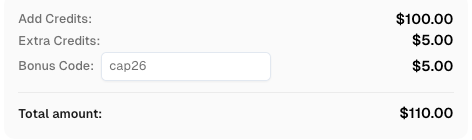
Use bonus code CAP26 when topping up your CapSolver account to get an extra 5% bonus on every recharge — with no limits.
Redeem it now in your CapSolver Dashboard
A common mistake is sending "naked" requests. Real browsers always send a Referer header and various Sec-CH-UA (Client Hints) headers. When you scrape job listings, always set the referer to the site's homepage or a previous search results page.
https://www.google.com/ or the site's own domain.gzip, deflate, br (ensure your code can decompress these).| Strategy | Effectiveness | Implementation Effort | Recommended For |
|---|---|---|---|
| Basic Python Requests | Very Low | Low | Non-protected personal blogs |
| Headless Browsers (Selenium) | Medium | Medium | Sites with heavy JavaScript |
| Stealth Browsers + Proxies | High | High | High-security employment platforms |
| Web Scraping API | Very High | Low | Enterprise-scale job data extraction |
While technical success is important, you must also prioritize ethical scraping. Always check the site's robots.txt file and terms of service. According to guidelines from the World Wide Web Consortium (W3C ), ethical data collection involves respecting the target server's health by not overwhelming it with excessive requests. Furthermore, the Electronic Frontier Foundation emphasizes that scraping publicly available data is generally protected, but you should avoid accessing private user information or solving login walls without permission.
Successfully scraping job listings without getting blocked requires a multi-layered approach. By combining residential proxy rotation, TLS fingerprinting, and automated CAPTCHA solving via CapSolver, you can build a robust system that mimics human behavior. Remember that the web scraping landscape is constantly evolving; staying updated with the latest security management trends is key to maintaining your competitive edge.
Generally, scraping publicly available job listings is legal in many jurisdictions, provided you do not violate the Computer Fraud and Abuse Act (CFAA) or copyright laws. Always consult with legal counsel for specific use cases.
For high-security sites, it is best to rotate your IP for every request or every few minutes to avoid pattern detection.
Many professional platforms are highly restrictive. While some public profiles and jobs are visible, most data is behind a login wall. Scraping behind a login carries higher legal and technical risks.
Standard headless browsers like Puppeteer or Selenium leave "fingerprints" such as navigator.webdriver = true. You should use plugins like stealth to hide these properties.
The most effective way to avoid IP bans is a combination of residential proxies and randomized request intervals (jitter).
Lucas Mitchell
Automation Engineer
Helping browser automation recover and continue.
ABOUT THE AUTHOR
Learn scalable Rust web scraping architecture with reqwest, scraper, async scraping, headless browser scraping, proxy rotation, and compliant CAPTCHA handling.
Understand why Chrome blocks websites, from security features like Safe Browsing and SSL checks to common errors like ERR_CONNECTION_REFUSED. Learn how these impact automation and strategies for legitimate access, including CAPTCHA solving with CapSolver.