🎉NEWCapSolver for AI agents-MCP, agent tools, and SDK integrations

Lucas Mitchell
Automation Engineer
Published Dec 29, 2025
Updated Dec 30, 2025 · min read
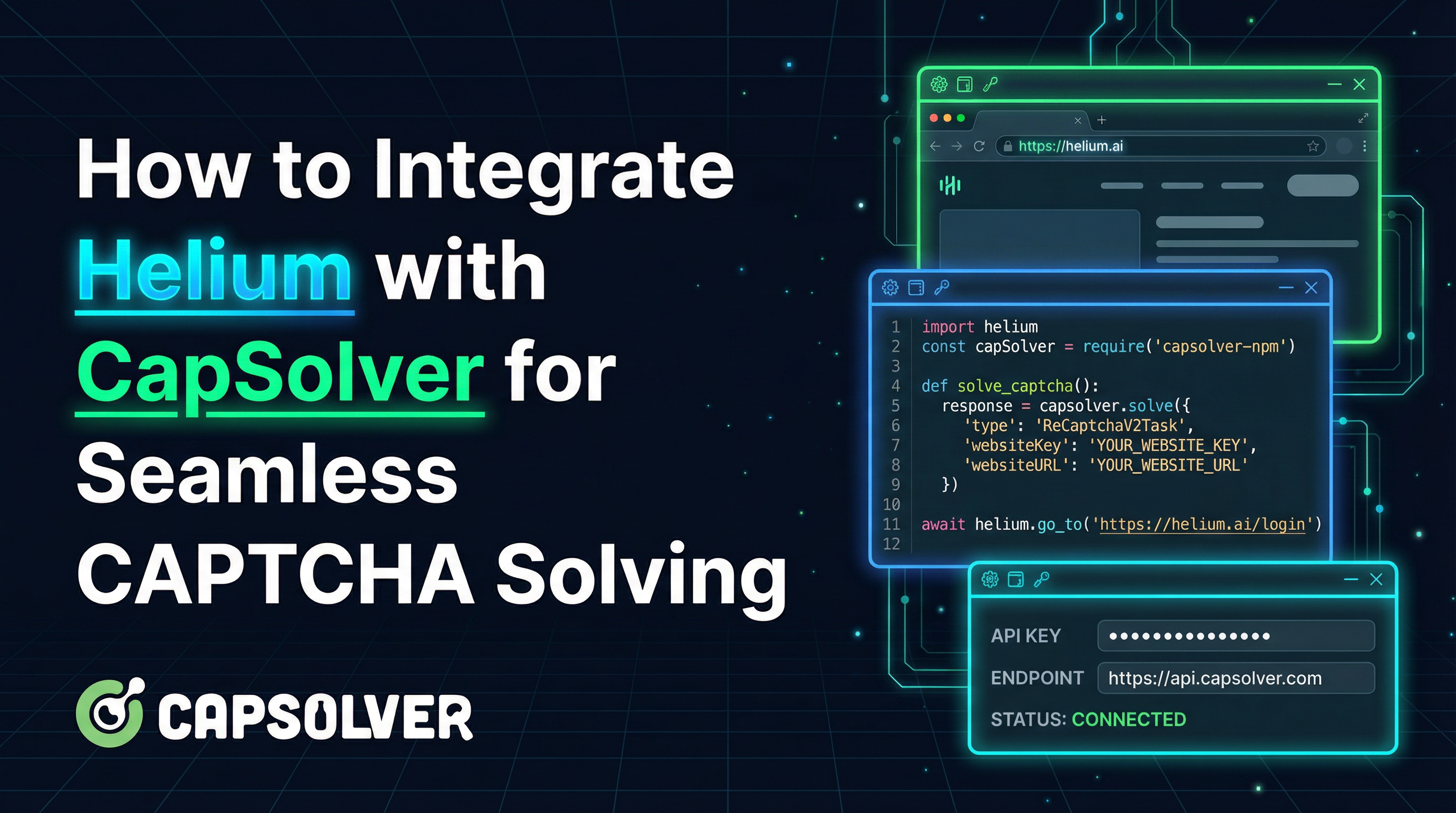
Web automation requires tools that are both powerful and easy to use. However, modern websites deploy sophisticated anti-bot measures and CAPTCHAs that can halt automation scripts.
The combination of Helium and CapSolver provides an elegant solution:
Together, these tools enable seamless web automation that handles CAPTCHA challenges automatically.
This guide will help you achieve three core goals:
Helium is a Python library that makes Selenium much easier to use. It provides a high-level API that lets you write browser automation in plain English.
click("Submit") instead of complex XPath selectorswrite("Hello", into="Search")# Install Helium
pip install helium
# Install requests library for CapSolver API
pip install requestsfrom helium import *
# Start browser and navigate
start_chrome("https://wikipedia.org")
# Type into search box
write("Python programming", into=S("input[name='search']"))
# Click search button
click(Button("Search"))
# Check if text exists
if Text("Python").exists():
print("Found Python article!")
# Close browser
kill_browser()CapSolver is an AI-powered automatic CAPTCHA solving service that supports a wide range of CAPTCHA types. It provides a simple API that allows you to submit CAPTCHA challenges and receive solutions within seconds.
Bonus: Use code
HELIUMwhen registering to receive bonus credits!
https://api.capsolver.comhttps://api-stable.capsolver.comBefore combining Helium with CapSolver, web automation faced several challenges:
| Challenge | Impact |
|---|---|
| CAPTCHA challenges | Manual solving required, breaking automation |
| Complex selectors | Selenium requires verbose XPath/CSS selectors |
| Timing issues | Elements not ready when accessed |
| Code readability | Automation scripts become hard to maintain |
The Helium + CapSolver integration solves these challenges with clean, readable code.
The API integration approach gives you full control over the CAPTCHA solving process and works with any CAPTCHA type.
pip install helium requestsimport time
import requests
from helium import *
CAPSOLVER_API_KEY = "YOUR_API_KEY"
CAPSOLVER_API = "https://api.capsolver.com"
def create_task(task_payload: dict) -> str:
"""Create a CAPTCHA solving task and return the task ID."""
response = requests.post(
f"{CAPSOLVER_API}/createTask",
json={
"clientKey": CAPSOLVER_API_KEY,
"task": task_payload
}
)
result = response.json()
if result.get("errorId") != 0:
raise Exception(f"CapSolver error: {result.get('errorDescription')}")
return result["taskId"]
def get_task_result(task_id: str, max_attempts: int = 120) -> dict:
"""Poll for task result until solved or timeout."""
for _ in range(max_attempts):
response = requests.post(
f"{CAPSOLVER_API}/getTaskResult",
json={
"clientKey": CAPSOLVER_API_KEY,
"taskId": task_id
}
)
result = response.json()
if result.get("status") == "ready":
return result["solution"]
elif result.get("status") == "failed":
raise Exception(f"Task failed: {result.get('errorDescription')}")
time.sleep(1)
raise TimeoutError("CAPTCHA solving timed out")
def solve_captcha(task_payload: dict) -> dict:
"""Complete CAPTCHA solving workflow."""
task_id = create_task(task_payload)
return get_task_result(task_id)You can also use the CapSolver browser extension with Helium for automatic CAPTCHA detection and solving.
config.js file:// In the extension folder, edit: assets/config.js
var defined = {
apiKey: "YOUR_CAPSOLVER_API_KEY", // Replace with your actual API key
enabledForBlacklistControl: false,
blackUrlList: [],
enabledForRecaptcha: true,
enabledForRecaptchaV3: true,
enabledForTurnstile: true,
// ... other settings
}from helium import *
from selenium.webdriver import ChromeOptions
options = ChromeOptions()
options.add_argument('--load-extension=/path/to/capsolver-extension')
start_chrome(options=options)
# The extension will automatically detect and solve CAPTCHAsNote: The extension must have a valid API key configured before it can solve CAPTCHAs automatically.
This example solves reCAPTCHA v2 on Google's demo page with automatic site key detection:
import time
import requests
from helium import *
from selenium.webdriver import ChromeOptions

CAPSOLVER_API_KEY = "YOUR_API_KEY"
CAPSOLVER_API = "https://api.capsolver.com"


def solve_recaptcha_v2(site_key: str, page_url: str) -> str:
    """Solve reCAPTCHA v2 and return the token."""
    # Create the task
    response = requests.post(
        f"{CAPSOLVER_API}/createTask",
        json={
            "clientKey": CAPSOLVER_API_KEY,
            "task": {
                "type": "ReCaptchaV2TaskProxyLess",
                "websiteURL": page_url,
                "websiteKey": site_key,
            }
        }
    )
    result = response.json()

    if result.get("errorId") != 0:
        raise Exception(f"Error: {result.get('errorDescription')}")

    task_id = result["taskId"]
    print(f"Task created: {task_id}")

    # Poll for result
    while True:
        result = requests.post(
            f"{CAPSOLVER_API}/getTaskResult",
            json={
                "clientKey": CAPSOLVER_API_KEY,
                "taskId": task_id
            }
        ).json()

        if result.get("status") == "ready":
            return result["solution"]["gRecaptchaResponse"]
        elif result.get("status") == "failed":
            raise Exception(f"Failed: {result.get('errorDescription')}")

        print("  Waiting for solution...")
        time.sleep(1)


def main():
    target_url = "https://www.google.com/recaptcha/api2/demo"

    # Configure browser with anti-detection
    options = ChromeOptions()
    options.add_experimental_option('excludeSwitches', ['enable-automation'])
    options.add_experimental_option('useAutomationExtension', False)
    options.add_argument('--disable-blink-features=AutomationControlled')

    print("Starting browser...")
    start_chrome(target_url, options=options)
    driver = get_driver()

    try:
        time.sleep(2)

        # Auto-detect site key from page
        recaptcha_element = driver.find_element("css selector", ".g-recaptcha")
        site_key = recaptcha_element.get_attribute("data-sitekey")
        print(f"Detected site key: {site_key}")

        # Solve the CAPTCHA
        print("\nSolving reCAPTCHA v2 with CapSolver...")
        token = solve_recaptcha_v2(site_key, target_url)
        print(f"Got token: {token[:50]}...")

        # Inject the token
        print("\nInjecting token...")
        driver.execute_script(f'''
            var responseField = document.getElementById('g-recaptcha-response');
            responseField.style.display = 'block';
            responseField.value = '{token}';
        ''')
        print("Token injected!")

        # Submit using Helium's simple syntax
        print("\nSubmitting form...")
        click("Submit")

        time.sleep(3)

        # Check for success
        if "Verification Success" in driver.page_source:
            print("\n=== SUCCESS! ===")
            print("reCAPTCHA was solved and form was submitted!")

    finally:
        kill_browser()


if __name__ == "__main__":
    main()
Test it yourself:
python demo_recaptcha_v2.pyCloudflare Turnstile is one of the most common CAPTCHA challenges. Here's how to solve it:
import time
import requests
from helium import *
from selenium.webdriver import ChromeOptions

CAPSOLVER_API_KEY = "YOUR_API_KEY"
CAPSOLVER_API = "https://api.capsolver.com"


def solve_turnstile(site_key: str, page_url: str) -> str:
    """Solve Cloudflare Turnstile and return the token."""
    response = requests.post(
        f"{CAPSOLVER_API}/createTask",
        json={
            "clientKey": CAPSOLVER_API_KEY,
            "task": {
                "type": "AntiTurnstileTaskProxyLess",
                "websiteURL": page_url,
                "websiteKey": site_key,
            }
        }
    )
    result = response.json()

    if result.get("errorId") != 0:
        raise Exception(f"Error: {result.get('errorDescription')}")

    task_id = result["taskId"]

    while True:
        result = requests.post(
            f"{CAPSOLVER_API}/getTaskResult",
            json={
                "clientKey": CAPSOLVER_API_KEY,
                "taskId": task_id
            }
        ).json()

        if result.get("status") == "ready":
            return result["solution"]["token"]
        elif result.get("status") == "failed":
            raise Exception(f"Failed: {result.get('errorDescription')}")

        time.sleep(1)


def main():
    target_url = "https://your-target-site.com"
    turnstile_site_key = "0x4XXXXXXXXXXXXXXXXX"  # Find in page source

    # Configure browser
    options = ChromeOptions()
    options.add_argument('--disable-blink-features=AutomationControlled')

    start_chrome(target_url, options=options)
    driver = get_driver()

    try:
        # Wait for Turnstile to load
        time.sleep(3)

        # Solve the CAPTCHA
        print("Solving Turnstile...")
        token = solve_turnstile(turnstile_site_key, target_url)
        print(f"Got token: {token[:50]}...")

        # Inject the token
        driver.execute_script(f'''
            document.querySelector('input[name="cf-turnstile-response"]').value = "{token}";

            // Trigger callback if present
            const callback = document.querySelector('[data-callback]');
            if (callback) {{
                const callbackName = callback.getAttribute('data-callback');
                if (window[callbackName]) {{
                    window[callbackName]('{token}');
                }}
            }}
        ''')

        # Submit the form using Helium
        if Button("Submit").exists():
            click("Submit")

        print("Turnstile bypassed!")

    finally:
        kill_browser()


if __name__ == "__main__":
main()reCAPTCHA v3 is score-based and doesn't require user interaction:
import time
import requests
from helium import *
from selenium.webdriver import ChromeOptions

CAPSOLVER_API_KEY = "YOUR_API_KEY"
CAPSOLVER_API = "https://api.capsolver.com"


def solve_recaptcha_v3(
    site_key: str,
    page_url: str,
    action: str = "verify",
    min_score: float = 0.7
) -> str:
    """Solve reCAPTCHA v3 with specified action and minimum score."""
    response = requests.post(
        f"{CAPSOLVER_API}/createTask",
        json={
            "clientKey": CAPSOLVER_API_KEY,
            "task": {
                "type": "ReCaptchaV3TaskProxyLess",
                "websiteURL": page_url,
                "websiteKey": site_key,
                "pageAction": action,
                "minScore": min_score
            }
        }
    )
    result = response.json()

    if result.get("errorId") != 0:
        raise Exception(f"Error: {result.get('errorDescription')}")

    task_id = result["taskId"]

    while True:
        result = requests.post(
            f"{CAPSOLVER_API}/getTaskResult",
            json={
                "clientKey": CAPSOLVER_API_KEY,
                "taskId": task_id
            }
        ).json()

        if result.get("status") == "ready":
            return result["solution"]["gRecaptchaResponse"]
        elif result.get("status") == "failed":
            raise Exception(f"Failed: {result.get('errorDescription')}")

        time.sleep(1)


def main():
    target_url = "https://your-target-site.com"
    recaptcha_v3_key = "6LcXXXXXXXXXXXXXXXXXXXXXXXXX"

    # Setup headless browser for v3
    options = ChromeOptions()
    options.add_argument('--headless')

    start_chrome(target_url, options=options)
    driver = get_driver()

    try:
        # Solve reCAPTCHA v3 with "login" action
        print("Solving reCAPTCHA v3...")
        token = solve_recaptcha_v3(
            recaptcha_v3_key,
            target_url,
            action="login",
            min_score=0.9
        )

        # Inject the token
        driver.execute_script(f'''
            var responseField = document.querySelector('[name="g-recaptcha-response"]');
            if (responseField) {{
                responseField.value = '{token}';
            }}
            // Call callback if exists
            if (typeof onRecaptchaSuccess === 'function') {{
                onRecaptchaSuccess('{token}');
            }}
        ''')

        print("reCAPTCHA v3 bypassed!")

    finally:
        kill_browser()


if __name__ == "__main__":
main()Configure Chrome to appear more like a regular browser:
from helium import *
from selenium.webdriver import ChromeOptions

options = ChromeOptions()
options.add_experimental_option('excludeSwitches', ['enable-automation'])
options.add_experimental_option('useAutomationExtension', False)
options.add_argument('--disable-blink-features=AutomationControlled')
options.add_argument('--window-size=1920,1080')

start_chrome(options=options)Use Helium's simple syntax for most operations, but access Selenium when needed:
from helium import *

start_chrome("https://target-site.com")

# Use Helium for simple interactions
write("username", into="Email")
write("password", into="Password")

# Access Selenium driver for complex operations
driver = get_driver()
driver.execute_script("window.scrollTo(0, document.body.scrollHeight)")

# Back to Helium
click("Login")Avoid triggering rate limits by adding random delays:
import random
import time

def human_delay(min_sec=1.0, max_sec=3.0):
    """Random delay to mimic human behavior."""
    time.sleep(random.uniform(min_sec, max_sec))

# Use between actions
click("Next")
human_delay()
write("data", into="Input")Always implement proper error handling for CAPTCHA solving:
def solve_with_retry(task_payload: dict, max_retries: int = 3) -> dict:
    """Solve CAPTCHA with retry logic."""
    for attempt in range(max_retries):
        try:
            return solve_captcha(task_payload)
        except TimeoutError:
            if attempt < max_retries - 1:
                print(f"Timeout, retrying... ({attempt + 1}/{max_retries})")
                time.sleep(5)
            else:
                raise
        except Exception as e:
            if "balance" in str(e).lower():
                raise  # Don't retry balance errors
            if attempt < max_retries - 1:
                time.sleep(2)
            else:
raiseUse headless mode for background automation:
from helium import *
from selenium.webdriver import ChromeOptions

options = ChromeOptions()
options.add_argument('--headless')
options.add_argument('--disable-gpu')

start_chrome("https://target-site.com", options=options)| Operation | Selenium | Helium |
|---|---|---|
| Click button | driver.find_element(By.XPATH, "//button[text()='Submit']").click() |
click("Submit") |
| Type text | driver.find_element(By.NAME, "email").send_keys("test@test.com") |
write("test@test.com", into="Email") |
| Press Enter | element.send_keys(Keys.ENTER) |
press(ENTER) |
| Check text exists | "Welcome" in driver.page_source |
Text("Welcome").exists() |
The integration of Helium and CapSolver creates an elegant toolkit for web automation:
Whether you're building web scrapers, automated testing systems, or data collection pipelines, this combination provides simplicity and power.
Bonus: Use code
HELIUMwhen signing up at CapSolver to receive bonus credits!
Helium makes Selenium easier to use:
CapSolver supports all major CAPTCHA types. Cloudflare Turnstile and reCAPTCHA v2/v3 have the highest success rates. The integration works seamlessly with any CAPTCHA that CapSolver supports.
Yes! Helium supports headless mode via ChromeOptions. For reCAPTCHA v3 and token-based CAPTCHAs, headless mode works perfectly. For v2 visible CAPTCHAs, headed mode may provide better results.
Look in the page source for:
data-sitekey attribute or cf-turnstile elementsdata-sitekey attribute on g-recaptcha divCommon solutions:
Yes! Call get_driver() to access the underlying Selenium WebDriver for any operation Helium doesn't cover directly.
Lucas Mitchell
Automation Engineer
Helping browser automation recover and continue.
ABOUT THE AUTHOR
Learn scalable Rust web scraping architecture with reqwest, scraper, async scraping, headless browser scraping, proxy rotation, and compliant CAPTCHA handling.
Learn the best techniques to scrape job listings without getting blocked. Master Indeed scraping, Google Jobs API, and web scraping API with CapSolver.