🎉NEWCapSolver for AI agents-MCP, agent tools, and SDK integrations

Ethan Collins
AI Agent Workflow Engineer
Published Apr 03, 2026
Updated Apr 03, 2026 · min read
If you've ever tried to scrape prices, product data, or protected page content, you already know the hard part is not just loading the URL. The workflow also has to solve the site's captchas, submit the solved token the way that site expects, and then extract the right data from the protected response.
That is why simple “solve captchas and done” examples are not enough for real automation. A site may expect the token in a header, form body, JSON payload, query string, cookie, or another app-specific field. It may use reCAPTCHA, Turnstile, or another captcha challenge entirely. And once the protected response comes back, the selectors and output logic still need to match your goal.
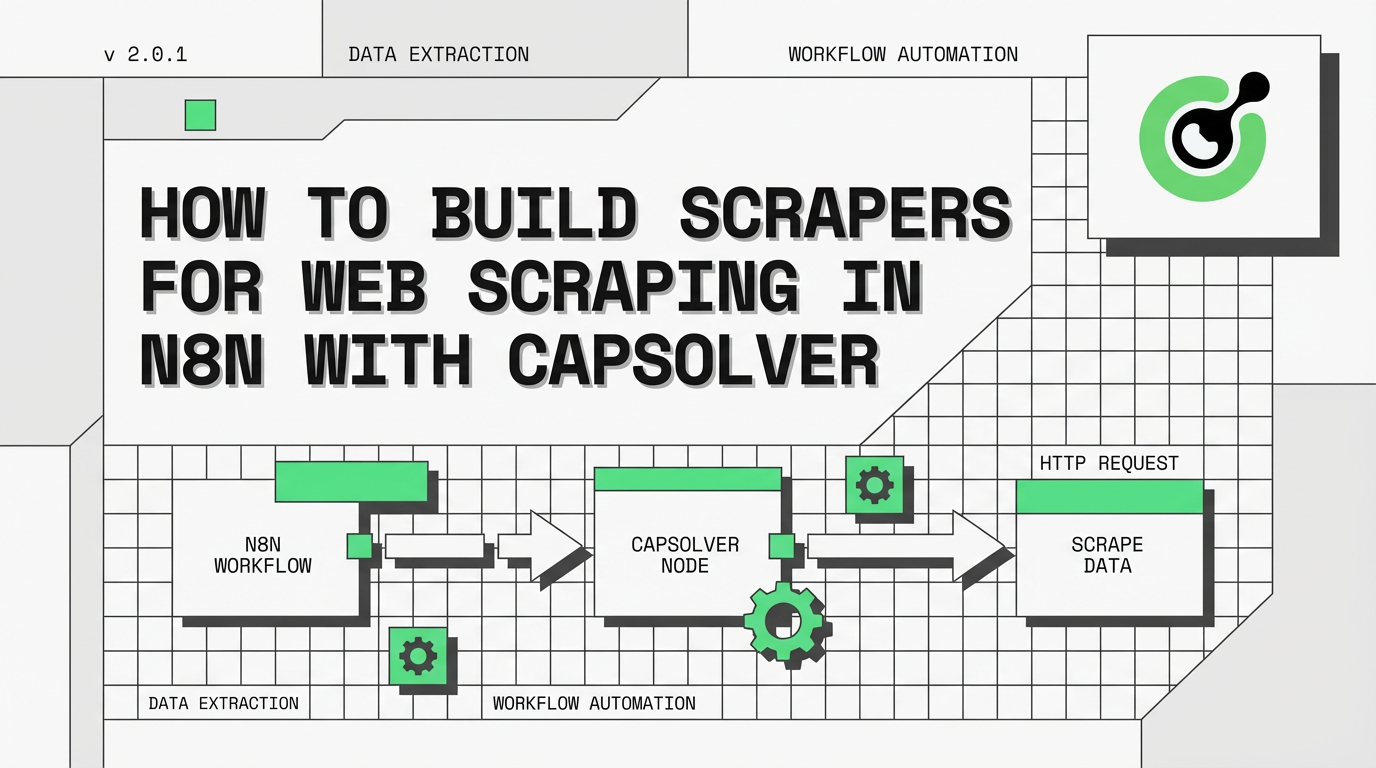
In this guide, you'll learn how to build scrapers for captcha-protected sites in n8n using CapSolver. The main walkthrough is based on the repo workflow Scraping — Price & Product Details — CapSolver + Schedule + Webhook, but the same template can be adapted for:
This article is about practical, authorized automation on targets you own, manage, or are allowed to test.
Important: These workflows are examples and starting templates, not universal drop-in recipes. You should expect to modify the captcha settings, token submission method, request payload, headers, cookies, extraction selectors, and output logic to match each specific site.
The main example in this article is a fixed-target scraper template that now supports two activation modes:
In the default repo template, that workflow:
x-recaptcha-token headerprice and productName$workflow.staticDataThe same pattern can become:
These repo templates all follow the same reusable skeleton:
trigger -> solve captchas -> submit protected request -> extract result -> compare/store/output
That structure fits several legitimate use cases:
| Use case | What changes |
|---|---|
| Scraping | Extract price fields and compare them over time |
| Product data scraping | Extract fields like title, SKU, seller, stock, or description |
| Stock checks | Compare availability text, quantity, or buy-button state |
| Logging into your own account | Submit the solved token with your login request and verify login success |
| Protected content retrieval | Fetch gated content and return the extracted fields |
| Webhook-triggered scraping | Let another service activate the fixed configured target on demand |
The structure stays reusable, but the real implementation details can be different on every site. In practice, users should treat each workflow here as an example and then adapt the solve configuration, request shape, token placement, and extraction logic to the target they are automating.
The main scraper workflow above retrieves raw page content and compares prices. The following workflows extend the same captcha-solve pattern — Trigger → Solve Captcha → Submit Protected Request → Evaluate Result — to specific use cases. Each requires the same prerequisites: an n8n instance, a CapSolver credential, and the target's captcha parameters.
| Workflow | Purpose |
|---|---|
Scraping — Price & Product Details — CapSolver + Schedule + Webhook |
Fixed-target schedule + webhook template that solves reCAPTCHA v3, submits the token in x-recaptcha-token, extracts price and productName, compares values with $workflow.staticData, and can be used for scraping, product details extraction, or similar protected product-page checks |
Activation note: This template imports as
active: false. The webhook path is not live until you configure the placeholders, choose your CapSolver credential, and activate the workflow in n8n.
Before you start, make sure you have:
For the main example in this article, the target is assumed to use reCAPTCHA, so the key values are:
websiteURLwebsiteKeypageAction for reCAPTCHA v3Important: The parameter-identification walkthrough below is intentionally scoped to reCAPTCHA examples. Real targets may use a different challenge type entirely — such as Cloudflare Turnstile, Cloudflare Challenge, GeeTest, DataDome, AWS WAF, or MTCaptcha — and in that case the solve node configuration, required fields, and protected request pattern will be different.
For reCAPTCHA-protected pages, the core values are usually:
| Parameter | What it means |
|---|---|
websiteURL |
The URL where the captcha is shown or required |
websiteKey |
The public site key used by the page |
pageAction |
The action string expected by reCAPTCHA v3 |
In the repo’s price-monitor template, the CapSolver node is configured with:
operation: reCAPTCHA v3websiteURL: https://YOUR-TARGET-SITE.com/product-pagewebsiteKey: YOUR_SITE_KEY_HEREpageAction: view_productWhen you inspect a reCAPTCHA target, verify:
pageAction is requiredImportant: This is not a universal captcha detector section. If the target uses a different challenge type — such as Cloudflare Turnstile, Cloudflare Challenge, GeeTest, DataDome, AWS WAF, or MTCaptcha — you will need to change both the CapSolver settings and the HTTP request that submits the solved token.
The repo workflow Scraping — Price & Product Details — CapSolver + Schedule + Webhook now supports two fixed-target activation paths:
Every 6 Hours for recurring checksWebhook Trigger for on-demand runsBoth paths use the same target placeholders and the same scraper logic. The webhook version simply ends in Respond to Webhook so the caller gets the final alert or no-change payload back as JSON.
The schedule path uses these nodes:
Every 6 HoursSolve reCAPTCHA v3Fetch Product PageExtract DataCompare DataData Changed?Build AlertNo ChangeThe webhook path duplicates the same logic for the same fixed target:
Webhook TriggerSolve reCAPTCHA v3 [Webhook]Fetch Product Page [Webhook]Extract Data [Webhook]Compare Data [Webhook]Data Changed? [Webhook]Build Alert [Webhook]No Change [Webhook]Respond to WebhookUse schedule when you want recurring checks, such as scraping or stock checks.
Use webhook when another workflow, service, or application should activate the same configured target on demand.
The template uses:
| Setting | Value |
|---|---|
| Operation | reCAPTCHA v3 |
websiteURL |
https://YOUR-TARGET-SITE.com/product-page |
websiteKey |
YOUR_SITE_KEY_HERE |
pageAction |
view_product |
The solved token is submitted in a request header:
| Header | Value |
|---|---|
user-agent |
Browser-style user agent |
x-recaptcha-token |
{{ $json.data.solution.gRecaptchaResponse }} |
This is one of the most important details in the workflow. The repo template does not assume the token always belongs in g-recaptcha-response. In this example, it goes into a custom header.
price and productNameThe HTML node extracts:
| Key | CSS Selector |
|---|---|
price |
.product-price, [data-price], .price |
productName |
h1, .product-title |
The Code node stores and compares values using:
$workflow.staticData.lastPrice$workflow.staticData.lastCheckedThat lets the workflow tell the difference between:
The IF node checks {{ $json.changed }}.
If the price changed, the workflow goes to Build Alert.
If not, it goes to No Change.
On the webhook path, either branch then goes into Respond to Webhook.
Although the main example includes price-comparison logic, it is more useful to think of it as a protected product-page scraper template with comparison logic.
The reusable parts are:
That is why the same structure can power:
This is the part that matters most on a real target.
For most real sites, you should assume that almost everything here is adjustable: the challenge type, solve parameters, where the token is submitted, the request body, cookies, headers, selectors, and even the final success criteria. These repo workflows are examples of workable patterns, not fixed recipes that will fit every site unchanged.
The repo’s use-case workflows now support schedule + webhook.
Use:
The webhook paths in these templates are fixed-target activators, not public APIs for arbitrary user-supplied targets.
The main price-monitor example uses reCAPTCHA v3, but your target may use:
If that changes, you will need to update the solve step accordingly.
Even when two sites both use reCAPTCHA, the settings can still differ.
You may need to change:
operation or task typewebsiteURLwebsiteKeypageActionThe scraper template exposes these as placeholder config fields because they are expected to change.
Do not assume the token always goes in the same place.
This repo already shows several patterns:
| Pattern | Repo example |
|---|---|
| Request header | Scraping — CapSolver + Schedule uses x-recaptcha-token |
| Form body | Login workflows typically use g-recaptcha-response in a form-urlencoded body |
On real sites, the solved token may belong in:
This repo example is one submission pattern, not a universal one.
The protected request may require more than just the captcha or challenge token.
You may need to adjust:
That is especially common for:
The main scraper template extracts:
priceproductNameBut you can swap that for:
The current price-monitor code compares numeric values, but the same pattern can be adapted for:
The JSON below is the current importable version of Scraping — Price & Product Details — CapSolver + Schedule + Webhook from this repo, including the schedule + webhook activation paths.
{
"nodes": [
{
"parameters": {
"content": "## Scraping \u2014 Price & Product Monitor\n\n### How it works\n\n1. Triggers either by schedule or webhook input to start price monitoring.\n2. Solves reCAPTCHA to access the targeted product page.\n3. Retrieves and extracts data from the product page for further analysis.\n4. Compares newly fetched data with previously stored data to detect changes.\n5. Determines if changes occurred and prepares alerts if needed.\n6. Sends responses based on data analysis through designated channels.\n\n### Setup steps\n\n- [ ] Configure scheduled trigger interval in 'Every 6 Hours' node.\n- [ ] Set target website details in 'Set Target Config [Schedule]'.\n- [ ] Configure reCAPTCHA solver with API key in 'Solve reCAPTCHA v3' nodes.\n- [ ] Set up Webhook URL and path in 'Webhook Trigger'.\n- [ ] Define alert criteria and destination in 'Build Alert' nodes.\n\n### Customization\n\nAdjust the extraction pattern in 'Extract Data' nodes to fit specific product details.",
"height": 896,
"width": 480
},
"type": "n8n-nodes-base.stickyNote",
"typeVersion": 1,
"position": [
-1328,
-304
],
"id": "52c7808e-d2bc-4779-85e6-909a51066338",
"name": "Sticky Note"
},
{
"parameters": {
"content": "## Scheduled trigger setup\n\nInitializes the data monitoring process every 6 hours using a schedule trigger and sets the target configuration for scraping.",
"height": 320,
"width": 496,
"color": 7
},
"type": "n8n-nodes-base.stickyNote",
"typeVersion": 1,
"position": [
-752,
-160
],
"id": "3c5cee67-552d-48ea-8717-7c5126269e2e",
"name": "Sticky Note1"
},
{
"parameters": {
"content": "## Scheduled scraping process\n\nSolves reCAPTCHA, fetches the product page, extracts data, and compares it to previous records to identify changes, following a scheduled trigger.",
"height": 496,
"width": 1680,
"color": 7
},
"type": "n8n-nodes-base.stickyNote",
"typeVersion": 1,
"position": [
-144,
-304
],
"id": "d0315be2-111c-4893-bf42-2f2cc2eb186f",
"name": "Sticky Note2"
},
{
"parameters": {
"content": "## Webhook trigger setup\n\nHandles manually triggered data monitoring via an incoming webhook and solves reCAPTCHA to proceed.",
"height": 304,
"width": 816,
"color": 7
},
"type": "n8n-nodes-base.stickyNote",
"typeVersion": 1,
"position": [
-768,
336
],
"id": "a78f1606-07fb-40fd-af82-e1dc9b766206",
"name": "Sticky Note3"
},
{
"parameters": {
"content": "## Webhook scraping process\n\nProcesses webhook-triggered requests by fetching the product page, extracting data, and determining changes.",
"height": 272,
"width": 1088,
"color": 7
},
"type": "n8n-nodes-base.stickyNote",
"typeVersion": 1,
"position": [
160,
320
],
"id": "1a677fd9-a3a8-404f-ba9a-2b087d7bfe11",
"name": "Sticky Note4"
},
{
"parameters": {
"rule": {
"interval": [
{
"field": "hours",
"hoursInterval": 6
}
]
}
},
"type": "n8n-nodes-base.scheduleTrigger",
"typeVersion": 1.3,
"position": [
-704,
0
],
"id": "sc-901",
"name": "Every 6 Hours"
},
{
"parameters": {
"assignments": {
"assignments": [
{
"id": "cfg-001",
"name": "websiteURL",
"value": "https://YOUR-TARGET-SITE.com/product-page",
"type": "string"
},
{
"id": "cfg-002",
"name": "websiteKey",
"value": "YOUR_SITE_KEY_HERE",
"type": "string"
}
]
},
"options": {}
},
"type": "n8n-nodes-base.set",
"typeVersion": 3.4,
"position": [
-400,
0
],
"id": "sc-900",
"name": "Set Target Config [Schedule]"
},
{
"parameters": {
"operation": "reCAPTCHA v3",
"websiteURL": "={{ $json.websiteURL }}",
"websiteKey": "={{ $json.websiteKey }}",
"optional": {
"pageAction": "view_product"
}
},
"type": "n8n-nodes-capsolver.capSolver",
"typeVersion": 1,
"position": [
-96,
0
],
"id": "sc-902",
"name": "Solve reCAPTCHA v3",
"credentials": {
"capSolverApi": {
"id": "BeBFMAsySMsMGeE9",
"name": "CapSolver account"
}
}
},
{
"parameters": {
"method": "POST",
"url": "={{ $('Set Target Config [Schedule]').first().json.websiteURL }}",
"sendHeaders": true,
"headerParameters": {
"parameters": [
{
"name": "user-agent",
"value": "Mozilla/5.0 (Windows NT 10.0; Win64; x64) AppleWebKit/537.36 (KHTML, like Gecko) Chrome/125.0.0.0 Safari/537.36"
},
{
"name": "x-recaptcha-token",
"value": "={{ $json.data.solution.gRecaptchaResponse }}"
}
]
},
"options": {
"response": {
"response": {}
}
}
},
"type": "n8n-nodes-base.httpRequest",
"typeVersion": 4.3,
"position": [
208,
0
],
"id": "sc-903",
"name": "Fetch Product Page"
},
{
"parameters": {
"operation": "extractHtmlContent",
"extractionValues": {
"values": [
{
"key": "price",
"cssSelector": ".product-price, [data-price], .price"
},
{
"key": "productName",
"cssSelector": "h1, .product-title"
}
]
},
"options": {}
},
"type": "n8n-nodes-base.html",
"typeVersion": 1.2,
"position": [
512,
0
],
"id": "sc-904",
"name": "Extract Data"
},
{
"parameters": {
"jsCode": "const staticData = $workflow.staticData;\nconst currentPrice = $input.first().json.price;\nconst previousPrice = staticData.lastPrice;\nconst productName = $input.first().json.productName || 'Product';\nconst parsePrice = (str) => { if (!str) return null; const match = str.match(/[\\d,]+\\.?\\d*/); return match ? parseFloat(match[0].replace(',', '')) : null; };\nconst currentNum = parsePrice(currentPrice);\nconst previousNum = parsePrice(previousPrice);\nstaticData.lastPrice = currentPrice;\nstaticData.lastChecked = new Date().toISOString();\nconst changed = previousNum !== null && currentNum !== null && currentNum !== previousNum;\nconst direction = changed ? (currentNum < previousNum ? 'dropped' : 'increased') : 'unchanged';\nconst diff = changed ? Math.abs(currentNum - previousNum).toFixed(2) : '0';\nreturn [{ json: { productName, currentPrice, previousPrice: previousPrice || 'first check', changed, direction, diff: changed ? `$${diff}` : null, checkedAt: new Date().toISOString() } }];"
},
"type": "n8n-nodes-base.code",
"typeVersion": 2,
"position": [
800,
0
],
"id": "sc-905",
"name": "Compare Data"
},
{
"parameters": {
"conditions": {
"options": {
"caseSensitive": true,
"leftValue": "",
"typeValidation": "strict",
"version": 2
},
"conditions": [
{
"id": "if-1",
"leftValue": "={{ $json.changed }}",
"operator": {
"type": "boolean",
"operation": "true",
"singleValue": true
}
}
],
"combinator": "and"
},
"options": {}
},
"type": "n8n-nodes-base.if",
"typeVersion": 2.2,
"position": [
1104,
0
],
"id": "sc-906",
"name": "Data Changed?"
},
{
"parameters": {
"assignments": {
"assignments": [
{
"id": "a1",
"name": "alert",
"value": "=Price {{ $json.direction }} for {{ $json.productName }}: {{ $json.previousPrice }} \u2192 {{ $json.currentPrice }}",
"type": "string"
},
{
"id": "a2",
"name": "severity",
"value": "={{ $json.direction === 'dropped' ? 'deal' : 'info' }}",
"type": "string"
},
{
"id": "a3",
"name": "checkedAt",
"value": "={{ $json.checkedAt }}",
"type": "string"
}
]
},
"options": {}
},
"type": "n8n-nodes-base.set",
"typeVersion": 3.4,
"position": [
1392,
-192
],
"id": "sc-907",
"name": "Build Alert"
},
{
"parameters": {
"assignments": {
"assignments": [
{
"id": "n1",
"name": "status",
"value": "no_change",
"type": "string"
},
{
"id": "n2",
"name": "currentPrice",
"value": "={{ $json.currentPrice }}",
"type": "string"
},
{
"id": "n3",
"name": "checkedAt",
"value": "={{ $json.checkedAt }}",
"type": "string"
}
]
},
"options": {}
},
"type": "n8n-nodes-base.set",
"typeVersion": 3.4,
"position": [
1392,
32
],
"id": "sc-908",
"name": "No Change"
},
{
"parameters": {
"httpMethod": "POST",
"path": "price-monitor",
"responseMode": "responseNode",
"options": {}
},
"type": "n8n-nodes-base.webhook",
"typeVersion": 2.1,
"position": [
-720,
464
],
"id": "sc-909",
"name": "Webhook Trigger",
"webhookId": "sc-909-webhook",
"onError": "continueRegularOutput"
},
{
"parameters": {
"operation": "reCAPTCHA v3",
"websiteURL": "={{ $json.body.websiteURL }}",
"websiteKey": "={{ $json.body.websiteKey }}",
"optional": {
"pageAction": "={{ $json.body.pageAction || 'view_product' }}"
}
},
"type": "n8n-nodes-capsolver.capSolver",
"typeVersion": 1,
"position": [
-96,
464
],
"id": "sc-910",
"name": "Solve reCAPTCHA v3 [Webhook]",
"credentials": {
"capSolverApi": {
"id": "BeBFMAsySMsMGeE9",
"name": "CapSolver account"
}
}
},
{
"parameters": {
"method": "POST",
"url": "={{ $('Webhook Trigger').item.json.body.websiteURL }}",
"sendHeaders": true,
"headerParameters": {
"parameters": [
{
"name": "user-agent",
"value": "Mozilla/5.0 (Windows NT 10.0; Win64; x64) AppleWebKit/537.36 (KHTML, like Gecko) Chrome/125.0.0.0 Safari/537.36"
},
{
"name": "x-recaptcha-token",
"value": "={{ $json.data.solution.gRecaptchaResponse }}"
}
]
},
"options": {
"response": {
"response": {}
}
}
},
"type": "n8n-nodes-base.httpRequest",
"typeVersion": 4.3,
"position": [
208,
432
],
"id": "sc-911",
"name": "Fetch Product Page [Webhook]"
},
{
"parameters": {
"operation": "extractHtmlContent",
"extractionValues": {
"values": [
{
"key": "price",
"cssSelector": ".product-price, [data-price], .price"
},
{
"key": "productName",
"cssSelector": "h1, .product-title"
}
]
},
"options": {}
},
"type": "n8n-nodes-base.html",
"typeVersion": 1.2,
"position": [
512,
432
],
"id": "sc-912",
"name": "Extract Data [Webhook]"
},
{
"parameters": {
"jsCode": "const staticData = $workflow.staticData;\nconst currentPrice = $input.first().json.price;\nconst previousPrice = staticData.lastPrice;\nconst productName = $input.first().json.productName || 'Product';\nconst parsePrice = (str) => { if (!str) return null; const match = str.match(/[\\d,]+\\.?\\d*/); return match ? parseFloat(match[0].replace(',', '')) : null; };\nconst currentNum = parsePrice(currentPrice);\nconst previousNum = parsePrice(previousPrice);\nstaticData.lastPrice = currentPrice;\nstaticData.lastChecked = new Date().toISOString();\nconst changed = previousNum !== null && currentNum !== null && currentNum !== previousNum;\nconst direction = changed ? (currentNum < previousNum ? 'dropped' : 'increased') : 'unchanged';\nconst diff = changed ? Math.abs(currentNum - previousNum).toFixed(2) : '0';\nreturn [{ json: { productName, currentPrice, previousPrice: previousPrice || 'first check', changed, direction, diff: changed ? `$${diff}` : null, checkedAt: new Date().toISOString() } }];"
},
"type": "n8n-nodes-base.code",
"typeVersion": 2,
"position": [
800,
432
],
"id": "sc-913",
"name": "Compare Data [Webhook]"
},
{
"parameters": {
"conditions": {
"options": {
"caseSensitive": true,
"leftValue": "",
"typeValidation": "strict",
"version": 2
},
"conditions": [
{
"id": "if-2",
"leftValue": "={{ $json.changed }}",
"operator": {
"type": "boolean",
"operation": "true",
"singleValue": true
}
}
],
"combinator": "and"
},
"options": {}
},
"type": "n8n-nodes-base.if",
"typeVersion": 2.2,
"position": [
1104,
432
],
"id": "sc-914",
"name": "Data Changed? [Webhook]"
},
{
"parameters": {
"assignments": {
"assignments": [
{
"id": "a4",
"name": "alert",
"value": "=Price {{ $json.direction }} for {{ $json.productName }}: {{ $json.previousPrice }} \u2192 {{ $json.currentPrice }}",
"type": "string"
},
{
"id": "a5",
"name": "severity",
"value": "={{ $json.direction === 'dropped' ? 'deal' : 'info' }}",
"type": "string"
},
{
"id": "a6",
"name": "checkedAt",
"value": "={{ $json.checkedAt }}",
"type": "string"
}
]
},
"options": {}
},
"type": "n8n-nodes-base.set",
"typeVersion": 3.4,
"position": [
1424,
384
],
"id": "sc-915",
"name": "Build Alert [Webhook]"
},
{
"parameters": {
"assignments": {
"assignments": [
{
"id": "n4",
"name": "status",
"value": "no_change",
"type": "string"
},
{
"id": "n5",
"name": "currentPrice",
"value": "={{ $json.currentPrice }}",
"type": "string"
},
{
"id": "n6",
"name": "checkedAt",
"value": "={{ $json.checkedAt }}",
"type": "string"
}
]
},
"options": {}
},
"type": "n8n-nodes-base.set",
"typeVersion": 3.4,
"position": [
1440,
592
],
"id": "sc-916",
"name": "No Change [Webhook]"
},
{
"parameters": {
"respondWith": "json",
"responseBody": "={{ JSON.stringify($json) }}",
"options": {}
},
"type": "n8n-nodes-base.respondToWebhook",
"typeVersion": 1.5,
"position": [
1712,
512
],
"id": "sc-917",
"name": "Respond to Webhook"
}
],
"connections": {
"Every 6 Hours": {
"main": [
[
{
"node": "Set Target Config [Schedule]",
"type": "main",
"index": 0
}
]
]
},
"Set Target Config [Schedule]": {
"main": [
[
{
"node": "Solve reCAPTCHA v3",
"type": "main",
"index": 0
}
]
]
},
"Solve reCAPTCHA v3": {
"main": [
[
{
"node": "Fetch Product Page",
"type": "main",
"index": 0
}
]
]
},
"Fetch Product Page": {
"main": [
[
{
"node": "Extract Data",
"type": "main",
"index": 0
}
]
]
},
"Extract Data": {
"main": [
[
{
"node": "Compare Data",
"type": "main",
"index": 0
}
]
]
},
"Compare Data": {
"main": [
[
{
"node": "Data Changed?",
"type": "main",
"index": 0
}
]
]
},
"Data Changed?": {
"main": [
[
{
"node": "Build Alert",
"type": "main",
"index": 0
}
],
[
{
"node": "No Change",
"type": "main",
"index": 0
}
]
]
},
"Webhook Trigger": {
"main": [
[
{
"node": "Solve reCAPTCHA v3 [Webhook]",
"type": "main",
"index": 0
}
]
]
},
"Solve reCAPTCHA v3 [Webhook]": {
"main": [
[
{
"node": "Fetch Product Page [Webhook]",
"type": "main",
"index": 0
}
]
]
},
"Fetch Product Page [Webhook]": {
"main": [
[
{
"node": "Extract Data [Webhook]",
"type": "main",
"index": 0
}
]
]
},
"Extract Data [Webhook]": {
"main": [
[
{
"node": "Compare Data [Webhook]",
"type": "main",
"index": 0
}
]
]
},
"Compare Data [Webhook]": {
"main": [
[
{
"node": "Data Changed? [Webhook]",
"type": "main",
"index": 0
}
]
]
},
"Data Changed? [Webhook]": {
"main": [
[
{
"node": "Build Alert [Webhook]",
"type": "main",
"index": 0
}
],
[
{
"node": "No Change [Webhook]",
"type": "main",
"index": 0
}
]
]
},
"Build Alert [Webhook]": {
"main": [
[
{
"node": "Respond to Webhook",
"type": "main",
"index": 0
}
]
]
},
"No Change [Webhook]": {
"main": [
[
{
"node": "Respond to Webhook",
"type": "main",
"index": 0
}
]
]
}
},
"pinData": {},
"meta": {
"instanceId": "962ff0267b713be0344b866fa54daae28de8ed2144e2e6867da355dae193ea1f"
}
}Once you've configured the placeholders and activated the workflow, trigger the webhook path:
curl -X POST https://your-n8n-instance.com/webhook/price-monitor \
  -H "Content-Type: application/json" \
  -d '{}'
Expected response (first check):
{
  "status": "no_change",
  "currentPrice": "$29.99",
  "checkedAt": "2026-03-11T08:00:00.000Z"
}
Expected response (price changed):
{
  "alert": "Price dropped for Widget Pro: $39.99 → $29.99 (-$10.00)",
  "severity": "deal",
  "checkedAt": "2026-03-11T14:00:00.000Z"
}
A response with actual price data confirms the full pipeline worked — captcha solved, protected page fetched, data extracted, and comparison logic ran.
If CapSolver returns a token but the site still blocks the request, the problem is often not the solve itself. Common causes:
pageActionIf the target uses a non-reCAPTCHA challenge — such as Cloudflare Turnstile, Cloudflare Challenge, GeeTest, DataDome, AWS WAF, or MTCaptcha — the main example will not work unchanged. You need to update:
If the HTML node does not extract the fields you expect:
The repo templates import as inactive. Until you:
the webhook path will not be live.
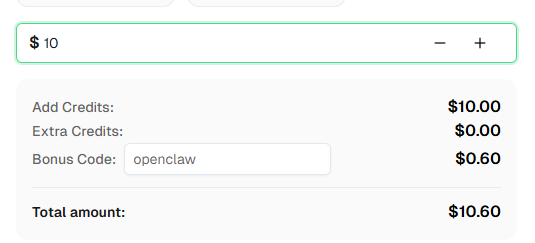
Build Alert or the auth success/failure nodes.Ready to get started? Sign up for CapSolver and use bonus code OPENCLAW for an extra 6% bonus on your first recharge!
The main takeaway is simple: solving captchas is only one step in the workflow. The real scraper still has to submit the token correctly, send the right request shape, and extract the fields that matter to your use case.
That is also why these templates should be treated as examples. A different site may use a different captcha type, expect the token somewhere else, need extra cookies or fields, return a different response shape, and require different extraction or validation logic.
This template gives you a starting point for:
It uses the broad pattern:
trigger -> solve captchas -> submit protected request -> extract or verify result -> output
Configure the placeholders, keep the workflows inactive until they match your target, then activate the schedule or webhook path that fits your use case.
The scraper template can be adapted for login flows by changing the HTTP Request node to POST credentials along with the solved token. See the dedicated captcha-type guides (reCAPTCHA, Turnstile, etc.) for ready-made login workflow templates.
Then you must modify the workflow. The main example’s reCAPTCHA settings and request pattern are not universal. CapSolver supports Cloudflare Turnstile, Cloudflare Challenge, GeeTest V3/V4, DataDome, AWS WAF, MTCaptcha, and others. Update the CapSolver solve step and the protected request to match the actual challenge type and token-submission pattern used by the target.
Where the target site expects it. That might be:
The price-monitor template uses a header. Other sites will differ.
Usually, yes. Even sites using the same captcha family can require different websiteURL, websiteKey, pageAction, invisible settings, or other task options.
Yes. Swap the selectors and output logic for whatever you need, such as stock, title, SKU, description, protected content, login status, or site-health signals.
Start by checking the protected response returned by the HTTP Request node.
Debug the workflow in that order: solve -> submit -> inspect response -> extract.
Ethan Collins
AI Agent Workflow Engineer
Building clearer handoffs between AI agents and tools.
ABOUT THE AUTHOR
Learn how to use the CapSolver n8n template to monitor AWS WAF-protected product pages, solve challenges, extract prices, compare changes, and trigger alerts automatically.
Learn how to integrate CapSolver with n8n to solve CAPTCHAs and build reliable automation workflows with ease.