
🎉NEWCapSolver for AI agents-MCP, agent tools, and SDK integrations

Lucas Mitchell
Automation Engineer
Published Oct 31, 2023
Updated Oct 31, 2023 · min read

Various types of CAPTCHAs like reCaptcha, cloudflare exist in the online space. Identifying their parameters can be essential when seeking to understand how to solve them. This blog will guide you on how to easily identify these CAPTCHA parameters using the Capsolver Extension Utility.
Installation:
Capsolver Setup:

Detection:

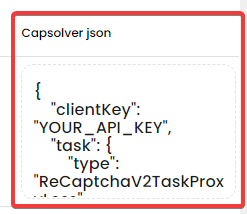

Keep the panel open and simply head to the site to activate the captcha. Closing the panel will erase previous identifications, and you'd need to reopen it and refresh the page.
Identifying CAPTCHA parameters can be straightforward with the right tools. CapSolver makes it easy to not only identify these parameters but also provides a seamless integration JSON to submit the detected parameters. Remember always to use such tools responsibly and ethically. Ensure you respect the terms of service of websites and services you interact with.
Lucas Mitchell
Automation Engineer
Helping browser automation recover and continue.
ABOUT THE AUTHOR
Learn how to set up a browser extension for automatic CAPTCHA solving. Boost your web automation efficiency with step-by-step instructions and code examples.

Discover the best CAPTCHA solver Chrome extension in 2026. Compare top tools like CapSolver and AZcaptcha for speed, accuracy, and AI-powered bypass of reCAPTCHA and Cloudflare.