Solving reCAPTCHA v2 Invisible Challenges: Identification and Parameters
Ethan Collins
AI Agent Workflow Engineer
Published Aug 29, 2024
Updated Aug 29, 2024 · min read
Overview
reCaptcha v2 Invisible is a type of CAPTCHA designed to provide security without disrupting the user experience. Unlike traditional CAPTCHAs, reCaptcha v2 Invisible does not require user interaction unless a suspicious activity is detected. This guide will walk you through the process of identifying and solving reCaptcha v2 Invisible challenges using CapSolver API.
What is reCaptcha v2 Invisible?
reCaptcha v2 Invisible is a security challenge provided by Google that helps protect websites from bots and automated abuse while minimizing disruption to legitimate users. Here's a breakdown of its key features:
Invisible by Default: The CAPTCHA challenge does not appear unless the system detects unusual behavior. For most users, the CAPTCHA is seamlessly integrated and unobtrusive.
Trigger Mechanism: It activates based on user interactions that might indicate suspicious activity, such as an unusual browsing pattern or behavior that deviates from normal usage.
Token-Based Verification: Once triggered, the CAPTCHA generates a token that must be verified by the website to confirm that the user is a human.
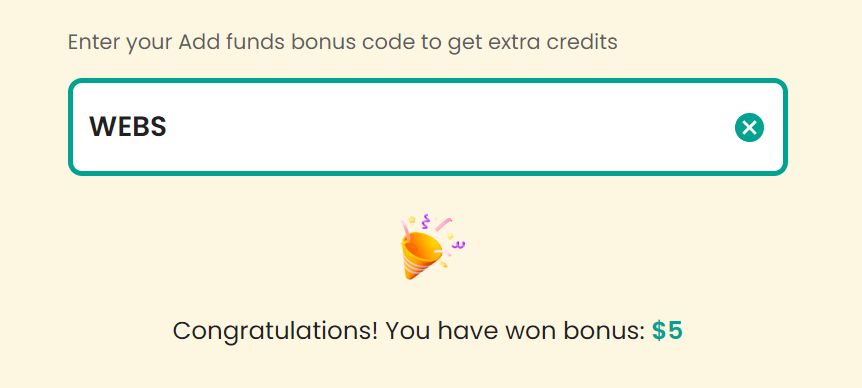
Claim Your Bonus Code for top captcha solutions; CapSolver: WEBS. After redeeming it, you will get an extra 5% bonus after each recharge, Unlimited
Identifying the Correct reCaptcha Version and Parameters
Before solving reCaptcha v2 Invisible, it’s essential to identify the correct version and parameters. This ensures that you are using the appropriate solving method.
Step 1: Use the CapSolver Browser Extension
The CapSolver Browser Extension is a user-friendly tool designed to accurately detect the version and parameters of reCaptcha challenges. It guarantees 100% accuracy in identifying CAPTCHA details.
Install the Extension: Follow your browser's installation instructions to add the extension.
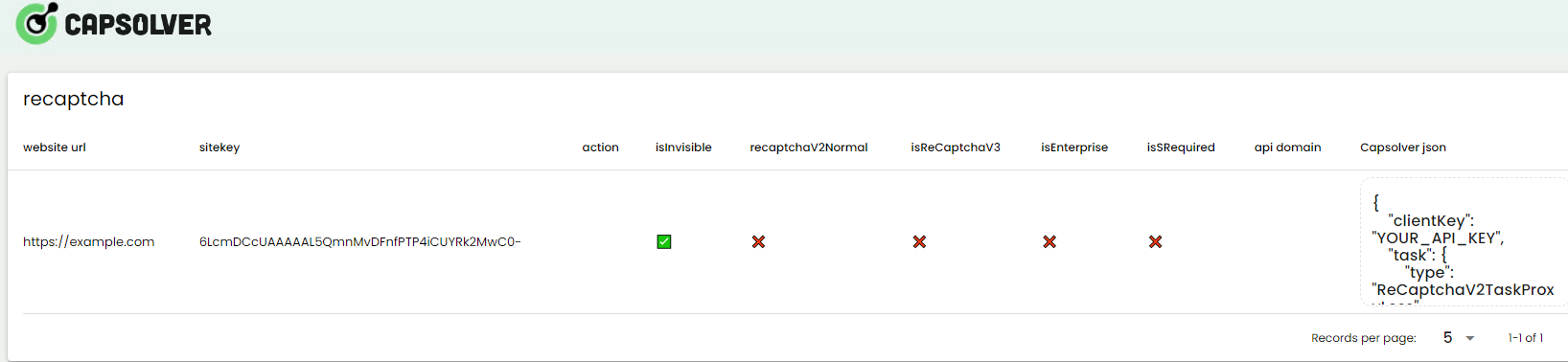
Activate and Identify: Navigate to the page with the reCaptcha challenge. The extension will automatically identify the reCaptcha version and display its parameters.
websiteURL: The URL where the reCaptcha challenge is located.
websiteKey: The site key of the reCaptcha challenge (obtained from the page source).
isInvisible: Set this to true to specify that the reCaptcha is invisible.
Step 4: Retrieve the Result
After creating the task, you need to retrieve the result using the following request:
jsonCopy
POST https://api.capsolver.com/getTaskResult
Host: api.capsolver.com
Content-Type: application/json
{
    "clientKey": "YOUR_API_KEY",
    "taskId": "TASK_ID" // ID returned by the createTask request
}
Important Notes:
Replace TASK_ID with the ID obtained from the createTask request.
Monitor the task status and handle errors accordingly.
Troubleshooting and Support
If you encounter issues where the CAPTCHA token is not functioning or if you need further assistance, please contact our customer support team. Our team is available to provide solutions and support for any challenges you may face.
Conclusion
By following these instructions, you can efficiently solve reCaptcha v2 Invisible challenges using CapSolver. For additional details and advanced configurations, refer to the CapSolver Documentation.
Note on Compliance
Important: When engaging in web scraping, it's crucial to adhere to legal and ethical guidelines. Always ensure that you have permission to scrape the target website, and respect the site's robots.txt file and terms of service. CapSolver firmly opposes the misuse of our services for any non-compliant activities. Misuse of automated tools to bypass CAPTCHAs without proper authorization can lead to legal consequences. Make sure your scraping activities are compliant with all applicable lcaptcha and regulations to avoid potential issues.
Ethan Collins
AI Agent Workflow Engineer
Building clearer handoffs between AI agents and tools.