🎉NEWCapSolver for AI agents-MCP, agent tools, and SDK integrations

Rajinder Singh
Deep Learning Researcher
Published Apr 16, 2026
Updated Apr 16, 2026 · min read
In today's digital landscape, distinguishing between legitimate users and automated bots is paramount for website security and user experience. reCAPTCHA, Google's widely adopted security service, plays a critical role in this defense. Specifically, reCAPTCHA v3 operates silently in the background, assigning a reCAPTCHA score to each user interaction. This score is a powerful indicator of trustworthiness, ranging from 0.0 to 1.0. This article will delve into the intricacies of the reCAPTCHA score, explaining its range, meaning, and offering practical strategies to improve it, ensuring your website remains secure without hindering genuine users. We aim to clarify the underlying mechanisms and provide actionable insights for developers and website administrators alike.
reCAPTCHA v3 represents a significant evolution in bot detection, moving away from explicit challenges like image puzzles to a more subtle, score-based system. Instead of asking users to prove they are human, reCAPTCHA v3 observes user behavior in the background and assigns a numerical reCAPTCHA score. This score reflects the likelihood that an interaction is legitimate (human) or fraudulent (bot). The core idea is to provide a frictionless experience for real users while still offering robust protection against automated threats. This invisible approach helps maintain website usability, a key factor in modern web design.
At its heart, reCAPTCHA v3 is a risk analysis engine. It continuously monitors interactions on your website, collecting telemetry data about how users engage with pages. This data is then fed into Google's adaptive risk analysis engine, which uses machine learning to identify patterns indicative of human or bot behavior. The output of this analysis is the reCAPTCHA score, a real-time assessment of risk. This system is designed to be dynamic, learning and adapting to new threats as they emerge, making it a powerful tool in the ongoing battle against malicious automation.
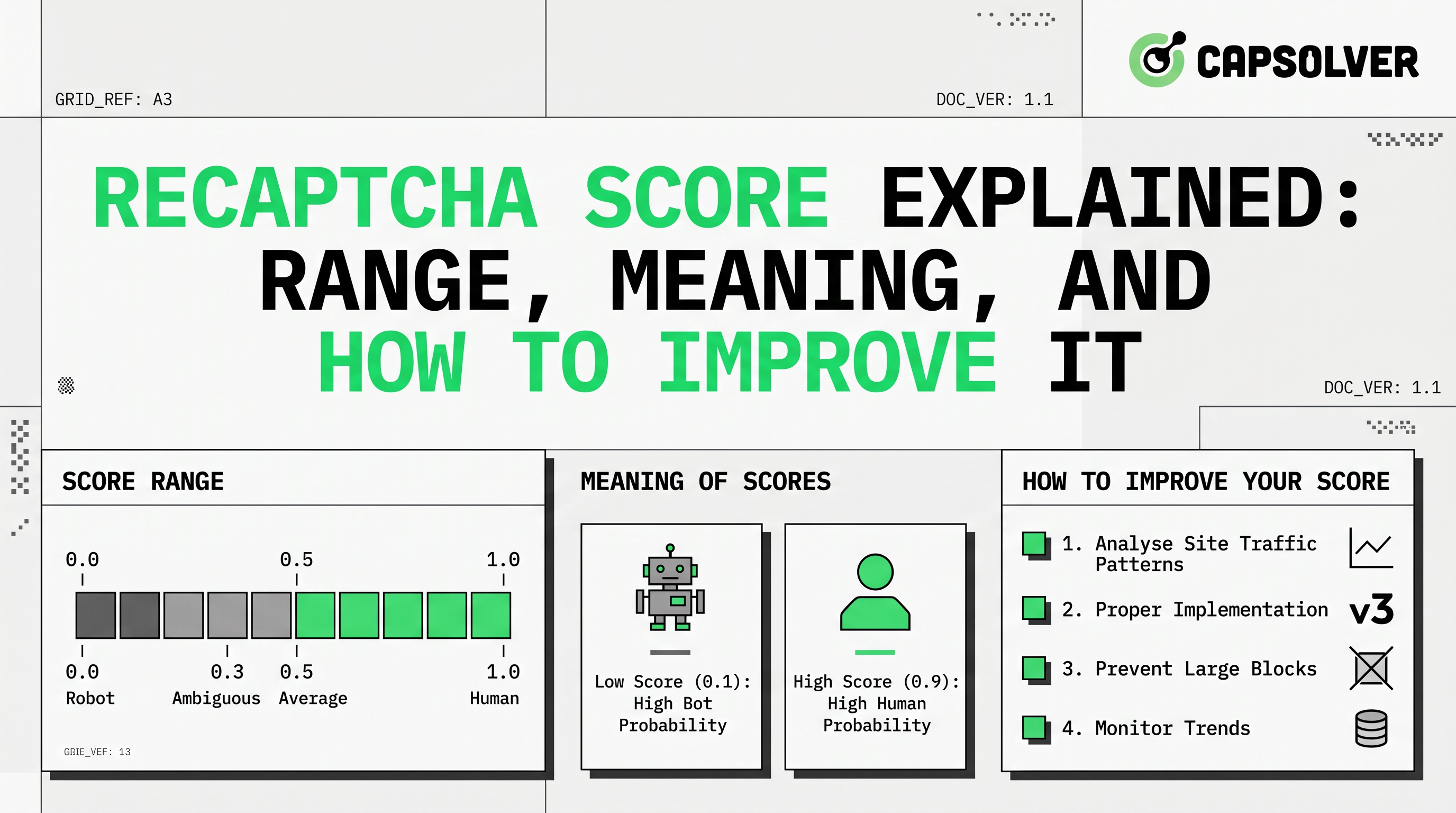
The reCAPTCHA score is a floating-point number between 0.0 and 1.0, where each end of the spectrum signifies a different level of risk. Understanding this range is fundamental to effectively utilizing reCAPTCHA v3 for your website's security. The scale is intuitive: a higher score indicates a lower risk, suggesting the interaction is very likely legitimate, while a lower score points to a higher risk, indicating a potential bot or malicious activity.
It's important to note that for projects without a billing account enabled, reCAPTCHA typically provides only four score levels: 0.1, 0.3, 0.7, and 0.9. Access to the full 11-level granularity requires enabling a billing account as detailed in the Google Cloud reCAPTCHA Guide. This granular reCAPTCHA score allows website owners to implement a flexible security strategy, tailoring responses based on the perceived risk level.
reCAPTCHA v3's effectiveness stems from its ability to analyze user behavior without explicit interaction. This invisible operation is powered by a sophisticated blend of machine learning and behavioral analytics. When a user visits a website integrated with reCAPTCHA v3, a JavaScript API is loaded in the background. This API then observes various user interactions and environmental factors without interrupting the user's journey.
The core of reCAPTCHA v3's operation lies in its continuous monitoring of user behavior. This includes, but is not limited to:
All this telemetry data is sent to Google's reCAPTCHA backend, where it undergoes real-time analysis by a powerful machine learning engine. This engine compares the observed behavior against a vast dataset of known human and bot patterns. The result of this complex analysis is the reCAPTCHA score, which is then returned to the website's backend for further action. This continuous, adaptive learning process allows reCAPTCHA v3 to evolve with new bot techniques, providing a dynamic defense mechanism as outlined in the Google reCAPTCHA v3 Documentation.
A low reCAPTCHA score can be a cause for concern, but it doesn't always mean the user is a malicious bot. Several factors can contribute to a low score, even for legitimate users. Understanding these reasons is crucial for diagnosing issues and implementing appropriate mitigation strategies.
Google's reCAPTCHA documentation also lists specific reason codes that can accompany a low score, such as AUTOMATION (interaction matches automated agent behavior) or UNEXPECTED_ENVIRONMENT (event originated from an illegitimate environment). These codes provide further insights into why a particular reCAPTCHA score was assigned.
To fully appreciate the advancements of reCAPTCHA v3, it's helpful to compare it with its predecessors and other CAPTCHA types. This table highlights the key differences in user experience, detection methods, and overall approach to bot mitigation. For a deeper dive, you can read about the reCAPTCHA v2 vs v3 key differences.
| Feature | reCAPTCHA v2 (Checkbox) | reCAPTCHA v2 (Invisible) | reCAPTCHA v3 (Score-based) | Cloudflare Turnstile (Managed Challenge) |
|---|---|---|---|---|
| User Interaction | Requires user to click a checkbox, sometimes solve a puzzle | No initial checkbox, may present a challenge if suspicious | No user interaction, completely invisible | No user interaction, invisible challenge |
| Detection Method | Analyzes user behavior before/after checkbox, presents challenges | Analyzes user behavior, presents challenges if needed | Continuous background behavioral analysis, assigns a score | Non-intrusive JavaScript challenges, machine learning |
| Output | Pass/Fail (sometimes with challenge) | Pass/Fail (sometimes with challenge) | Score (0.0 to 1.0) | Pass/Fail (no user interaction) |
| User Experience | Can be disruptive with puzzles | Less disruptive, but challenges can interrupt | Seamless, completely frictionless | Seamless, completely frictionless |
| Primary Goal | Block bots with challenges | Block bots with challenges, improve UX | Differentiate human/bot with a score, enable adaptive actions | Verify human without challenges, privacy-focused |
| Use Case | Forms, logins where explicit verification is acceptable | Forms, logins where less friction is desired | All website interactions, adaptive risk management | Any website interaction, privacy-conscious bot mitigation |
As explained by Cloudflare: What is a CAPTCHA?, the goal of these systems is to provide a challenge-response test to determine whether or not the user is human.
Improving your reCAPTCHA score involves a multi-faceted approach, focusing on both your website's implementation and user experience. The goal is to ensure that legitimate human interactions are clearly distinguishable from automated ones.
grecaptcha.execute(), always specify an action name (e.g., login, signup, purchase). This helps reCAPTCHA understand the context of the user's interaction and provides more accurate scores. Always verify that the action returned in the assessment matches your expectedAction.While users have less direct control over their reCAPTCHA score, certain browsing habits can help:
In the realm of web automation, data scraping, and bot development, encountering reCAPTCHA is a common hurdle. When automated scripts interact with websites, they often receive low reCAPTCHA scores (e.g., 0.0 to 0.3) due to their non-human behavioral patterns. This leads to blocks, challenges, or outright denial of access, hindering automated processes. This is where specialized CAPTCHA solving services become invaluable. Instead of trying to mimic human behavior perfectly, which is increasingly difficult, these services provide a reliable way to obtain high reCAPTCHA scores for automated tasks.
CapSolver is a leading solution in this domain, designed to help overcome reCAPTCHA challenges in automated workflows. It acts as an intermediary, providing tokens with high reCAPTCHA scores (typically 0.7-0.9) that allow automated scripts to proceed seamlessly. This is particularly useful for tasks such as:
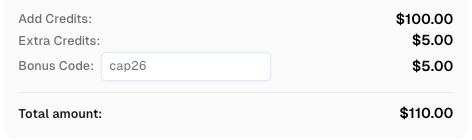
Redeem Your CapSolver Bonus Code
Boost your automation budget instantly!
Use bonus code CAP26 when topping up your CapSolver account to get an extra 5% bonus on every recharge — with no limits.
Redeem it now in your CapSolver Dashboard
CapSolver integrates with your automation scripts, allowing you to submit reCAPTCHA v3 tasks and receive high-score tokens. The process typically involves:
websiteURL, websiteKey, pageAction).This approach ensures that your automated tasks can run smoothly and efficiently, without being flagged as malicious. CapSolver emphasizes compliance and ethical use, focusing on legitimate automation needs while adhering to terms of service. For detailed implementation, refer to the CapSolver reCAPTCHA v3 documentation. You can also learn more about how to solve reCAPTCHA v3 with high score on the CapSolver blog.
The reCAPTCHA score is a critical component of modern web security, offering a nuanced approach to distinguishing between human users and automated threats. By understanding its range, the underlying mechanisms of reCAPTCHA v3, and the factors influencing scores, website owners and developers can implement more effective bot mitigation strategies. While legitimate users may occasionally encounter low scores due to various factors, proper implementation and continuous monitoring can significantly improve their experience. For those engaged in legitimate web automation, services like CapSolver provide a compliant and efficient means to navigate reCAPTCHA challenges, ensuring uninterrupted workflows. Ultimately, a well-managed reCAPTCHA strategy balances robust security with a seamless user experience, safeguarding your digital assets in an increasingly automated world.
A good reCAPTCHA score is typically considered to be 0.7 or higher. A score of 1.0 indicates the lowest risk, while scores closer to 0.0 suggest higher risk or automated activity. Many websites set their threshold at 0.7, allowing interactions with scores above this to proceed without additional verification.
Several factors can lead to a low reCAPTCHA score for legitimate users, including using VPNs or proxy servers, certain browser extensions, unusual browsing patterns, or interacting with a website too quickly. reCAPTCHA v3 analyzes various behavioral and environmental signals, and deviations from typical human patterns can result in a lower score.
As a user, you can improve your chances of getting a higher reCAPTCHA score by using a reputable, updated browser, avoiding excessive use of VPNs/proxies on trusted sites, clearing browser data periodically, and interacting with websites at a natural, human pace. For website owners, proper implementation and continuous monitoring are key.
reCAPTCHA v3 operates entirely in the background, assigning a reCAPTCHA score without requiring any user interaction (like clicking a checkbox or solving a puzzle). reCAPTCHA v2, on the other hand, often presents a checkbox or a visual challenge to verify humanity. v3 focuses on frictionless user experience while v2 can be more intrusive.
Based on the reCAPTCHA score, you can implement adaptive actions. For high scores (e.g., 0.7-1.0), allow the interaction to proceed normally. For medium scores (e.g., 0.3-0.7), you might introduce additional verification steps like multi-factor authentication (MFA) or email verification. For low scores (e.g., 0.0-0.3), you could block the interaction, flag it for manual review, or present a more traditional CAPTCHA challenge.
Rajinder Singh
Deep Learning Researcher
Making CAPTCHA solving more reliable in automated workflows.
ABOUT THE AUTHOR
Facing "reCAPTCHA Invalid Site Key" or "invalid reCAPTCHA token" errors? Discover common causes, step-by-step fixes, and troubleshooting tips to resolve reCAPTCHA verification failed issues. Learn how to fix reCAPTCHA verification failed please try again.

Fix reCAPTCHA verification failed errors fast. Step-by-step manual fixes for users and a Python API guide for developers using CapSolver. Covers v2, v3, and Enterprise.