
🎉NEWCapSolver for AI agents-MCP, agent tools, and SDK integrations

Ethan Collins
AI Agent Workflow Engineer
Published Aug 16, 2024
Updated Aug 16, 2024 · min read
reCAPTCHA is a common obstacle in web scraping and browser automation workflows, often blocking Puppeteer scripts from progressing. Puppeteer itself cannot solve reCAPTCHA challenges, but when combined with third-party CAPTCHA-solving services like CapSolver, it becomes possible to handle reCAPTCHA programmatically. This guide explains what Puppeteer is, why reCAPTCHA poses a challenge, and how to integrate CapSolver into a Puppeteer workflow to reliably solve reCAPTCHA and keep automation tasks running smoothly.
CAPTCHAs, especially reCAPTCHAs, are common security measures used by websites to distinguish between human users and automated bots. While CAPTCHAs serve an essential purpose, they can be a hindrance for developers involved in web scraping or automated testing. Thankfully, tools like Puppeteer, in conjunction with CAPTCHA solving services, make it possible to bypass these challenges efficiently. So today, we'll explore how to use Puppeteer as a reCAPTCHA solver and the various methods available to integrate it into your workflow.
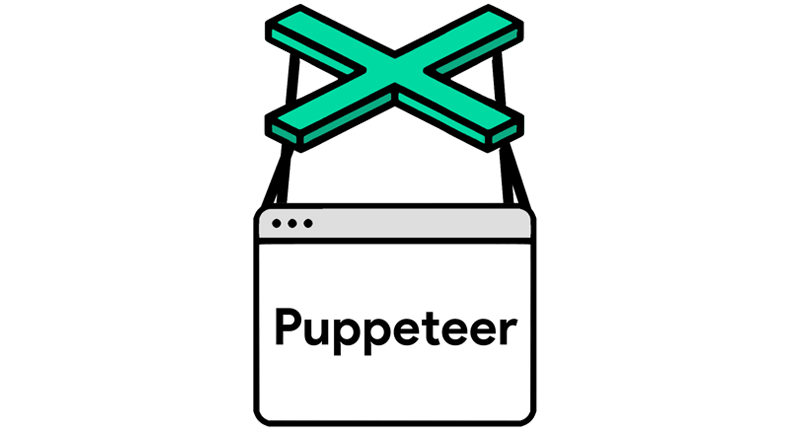
Puppeteer is a Node.js library that provides a high-level API to control Chrome or Chromium browsers. It's primarily used for tasks such as automated testing, scraping, and generating PDFs from web pages. Puppeteer is well-suited for navigating websites, clicking on buttons, and even handling complex JavaScript applications.
reCAPTCHA is a more sophisticated CAPTCHA designed to prevent bots from accessing web services. It often requires users to identify objects in images or simply click on a checkbox. For a bot, these tasks are challenging without the appropriate tools.
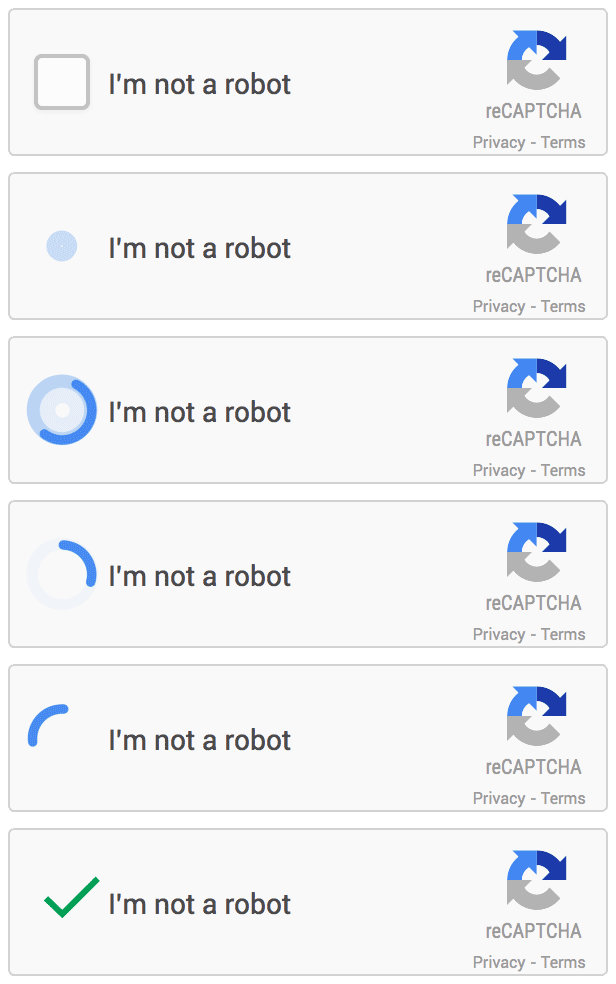
When using Puppeteer for web scraping or automation, encountering a reCAPTCHA can halt the entire process. To continue, you need a way to solve the reCAPTCHA programmatically.
Redeem Your CapSolver Bonus Code
Boost your automation budget instantly!
Use bonus code CAPN when topping up your CapSolver account to get an extra 5% bonus on every recharge — with no limits.
Redeem it now in your CapSolver Dashboard
.
To solve reCAPTCHAs using Puppeteer, you can follow several approaches. Here’s an overview of the most effective methods:
This method involves manually solving the CAPTCHA using Puppeteer’s interactive mode. This is feasible for testing, but not practical for large-scale automation.
The most efficient way to handle reCAPTCHAs programmatically is to use third-party CAPTCHA solving services like CapSolver. These services provide APIs that can solve reCAPTCHAs for you and return the response token that you can submit to the website.
For advanced users, creating a custom reCAPTCHA solving system using machine learning models is possible. However, this requires substantial resources and expertise.
Let’s focus on integrating a third-party CAPTCHA solver with Puppeteer. Below is a step-by-step guide to solve reCAPTCHA using CapSolver.
First, ensure you have Puppeteer and the axios library installed, which will be used for making HTTP requests to the CAPTCHA solving service.
npm install puppeteer axiosLaunch Puppeteer and navigate to the target website where the reCAPTCHA needs to be solved.
const puppeteer = require('puppeteer');

async function solveRecaptcha(url) {
    const browser = await puppeteer.launch({ headless: false });
    const page = await browser.newPage();
    await page.goto(url);

    // Additional Puppeteer logic here
}

solveRecaptcha('https://example.com');Use axios to send a request to CapSolver's API to solve the reCAPTCHA.
const axios = require('axios');

async function getCaptchaSolution(siteKey, pageUrl, apiKey) {
    const response = await axios.post('https://api.capsolver.com/createTask', {
        clientKey: apiKey,
        task: {
            type: 'ReCaptchaV2Task',
            websiteURL: pageUrl,
            websiteKey: siteKey,
        },
    });

    const taskId = response.data.taskId;
    let solution = '';

    // Polling for the solution
    while (!solution) {
        const result = await axios.post('https://api.capsolver.com/getTaskResult', {
            clientKey: apiKey,
            taskId: taskId,
        });

        if (result.data.status === 'ready') {
            solution = result.data.solution.gRecaptchaResponse;
        } else {
            await new Promise((resolve) => setTimeout(resolve, 5000)); // Wait for 5 seconds before retrying
        }
    }

    return solution;
}
Inject the CAPTCHA Solution:
const siteKey = 'SITE_KEY';
const pageUrl = 'https://example.com';
const apiKey = 'YOUR_CAPSOLVER_API_KEY';

const captchaSolution = await getCaptchaSolution(siteKey, pageUrl, apiKey);

await page.evaluate((captchaSolution) => {
    document.querySelector('#g-recaptcha-response').innerHTML = captchaSolution;
    document.querySelector('form').submit();
}, captchaSolution);
Complete the Process:
await browser.close();For more advanced use cases, consider integrating Puppeteer with tools like undetected-chromedriver to avoid detection or using the Playwright library as an alternative. Playwright offers similar functionality to Puppeteer but provides more advanced browser automation features, including support for multiple browsers and better handling of web scraping challenges like dynamic content and CAPTCHAs.
Solving reCAPTCHA with Puppeteer can significantly streamline your automation and web scraping tasks. By leveraging third-party CAPTCHA solvers like CapSolver, you can bypass these security measures efficiently. Whether you're scraping data or automating interactions, this guide provides the foundation you need to integrate reCAPTCHA solving into your Puppeteer projects.
Remember, it's essential to use these tools responsibly and ensure that your activities comply with the legal and ethical standards of the websites you're interacting with.
No. Puppeteer is a browser automation library and does not have built-in capabilities to solve reCAPTCHA challenges. To handle reCAPTCHA, it must be combined with external CAPTCHA-solving services or manual intervention.
By integrating CapSolver, Puppeteer can handle multiple reCAPTCHA types, including reCAPTCHA v2 (checkbox and invisible) and other supported CAPTCHA challenges, depending on the configuration and site implementation.
Yes. Third-party solvers automate the CAPTCHA-solving process and return valid response tokens, making them far more efficient and scalable than manual solving, especially for large-scale scraping or automated testing.
Improper usage—such as high request rates, poor browser fingerprinting, or ignoring website policies—can still lead to blocks. Best practices include realistic browser behavior, controlled request frequency, and compliance with legal and ethical guidelines.
Ethan Collins
AI Agent Workflow Engineer
Building clearer handoffs between AI agents and tools.
ABOUT THE AUTHOR
Understand reCAPTCHA v3 score range (0.0 to 1.0), its meaning, and how to improve your score. Learn how to handle low scores and optimize user experience.

Facing "reCAPTCHA Invalid Site Key" or "invalid reCAPTCHA token" errors? Discover common causes, step-by-step fixes, and troubleshooting tips to resolve reCAPTCHA verification failed issues. Learn how to fix reCAPTCHA verification failed please try again.


