🎉NEWCapSolver for AI agents-MCP, agent tools, and SDK integrations

Lucas Mitchell
Automation Engineer
Published Feb 12, 2026
Updated Feb 12, 2026 · min read
Web scraping is a vital process for data-driven businesses, yet it is frequently hindered by advanced security measures. One of the most persistent challenges is the appearance of reCAPTCHA, which is designed to distinguish between human users and automated bots. Encountering a common recaptcha error can halt your data collection, leading to incomplete datasets and delayed insights. This guide is designed for developers and data scientists who need to understand why these issues occur and how to implement reliable fixes. We will explore the technical nuances of reCAPTCHA v2 and v3, providing official code implementations and strategic advice to ensure your scraping operations remain efficient and uninterrupted in 2026. For a deeper dive into reCAPTCHA's functionality, refer to the Google reCAPTCHA Documentation.
reCAPTCHA has evolved from simple text recognition to complex behavioral analysis. Most scrapers fail because they do not account for the invisible signals Google monitors. When a website detects a high volume of requests from a single IP, it naturally suspects automated activity. This often leads to the dreaded "Try again later" message or a continuous loop of image challenges. A common recaptcha error is frequently triggered by inconsistent TLS fingerprints or missing session cookies that a real browser would typically possess.
The core issue is often a mismatch between the scraper's behavior and what reCAPTCHA expects from a legitimate user. For instance, reCAPTCHA v3 assigns a score between 0.0 and 1.0. If your scraper consistently scores low, you will face more frequent challenges. Addressing these issues requires a combination of behavioral mimicry and technical integration with professional solving services. A common recaptcha error can be avoided by ensuring your request headers match those of a modern web browser. For general strategies on handling CAPTCHAs in scraping, consider insights from ScrapingBee: Handling CAPTCHAs in Scraping.
Identifying the specific common recaptcha error you are facing is the first step toward a resolution. Below is a summary of frequent problems encountered during web scraping.
| Error Type | Likely Cause | Impact on Scraping |
|---|---|---|
| Invalid Site Key | Incorrect configuration in the scraping script. | Total failure to load the CAPTCHA. |
| Rate Limited | Too many requests from a single IP address. | Temporary ban and increased challenge difficulty. |
| Low V3 Score | Poor browser fingerprinting or suspicious IP history. | Silent blocking or redirection to v2 challenges. |
| Connection Timeout | Network issues or proxy failure. | Interrupted data extraction process. |
Sometimes the problem is as simple as a typo. An "Invalid Site Key" error means the public key provided to the reCAPTCHA API does not match the domain. This is common when scrapers are tested on a local environment but deployed on a different production domain without updating the configuration. This common recaptcha error is easily fixed by double-checking the site key in the target website's source code. If you're struggling to find the correct site key, CapSolver offers a powerful parameter detection tool that can automatically identify the necessary parameters for various CAPTCHA types.
reCAPTCHA v2 often uses a checkbox that, when clicked, analyzes your mouse movements and browser history. If these movements are perfectly linear or if the browser lacks cookies, the system will trigger a secondary image classification challenge. This is where most basic scrapers get stuck, as they cannot solve the visual puzzles without manual intervention. A common recaptcha error in this stage often indicates that your automation tool is being detected by its driver properties. Understanding general web scraping errors can also provide context, as detailed in How to Fix Common Web Scraping Errors in 2026
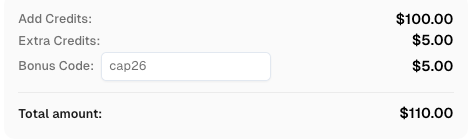
Use code
CAP26when signing up at CapSolver to receive bonus credits!
Choosing the right approach depends on your scale and technical requirements.
| Feature | Manual Solving | Basic Scripting | Professional API (CapSolver) |
|---|---|---|---|
| Scalability | Extremely Low | Medium | High |
| Cost Efficiency | Low (Time-intensive) | Variable | High (Pay-per-solve) |
| Success Rate | 100% | < 30% | > 99% |
| Implementation | None | High Complexity | Low (Plug-and-play) |
To effectively handle reCAPTCHA v2, you should use the official CapSolver API. This service allows you to submit the site key and URL to receive a valid token that can be submitted with your form. This is the most reliable way to fix a common recaptcha error in a production environment. CapSolver's infrastructure is designed to handle high-concurrency requests while maintaining high success rates. For comprehensive guidance on solving various reCAPTCHA versions, refer to How to solve reCAPTCHA v2, invisible v2, v3, v3 Enterprise.
The following Python code demonstrates how to solve a v2 challenge using the CapSolver service.
import requests
import time

# Configuration for CapSolver
api_key = "YOUR_API_KEY"
site_key = "6Le-wvkSAAAAAPBMRTvw0Q4Muexq9bi0DJwx_mJ-"
site_url = "https://www.google.com/recaptcha/api2/demo"

def solve_recaptcha_v2():
    payload = {
        "clientKey": api_key,
        "task": {
            "type": "ReCaptchaV2TaskProxyLess",
            "websiteKey": site_key,
            "websiteURL": site_url
        }
    }
    res = requests.post("https://api.capsolver.com/createTask", json=payload)
    task_id = res.json().get("taskId")

    if not task_id:
        return None

    while True:
        time.sleep(1)
        result_payload = {"clientKey": api_key, "taskId": task_id}
        result_res = requests.post("https://api.capsolver.com/getTaskResult", json=result_payload)
        result_resp = result_res.json()
        if result_resp.get("status") == "ready":
            return result_resp.get("solution", {}).get("gRecaptchaResponse")
        if result_resp.get("status") == "failed":
            return None

token = solve_recaptcha_v2()
print(f"Solved Token: {token}")reCAPTCHA v3 is invisible and works by providing a score. If you encounter a common recaptcha error where your requests are silently rejected, it is likely due to a low score. To fix this, you must ensure your requests are sent with high-quality headers and, if necessary, use a service to generate high-score tokens. CapSolver specializes in providing tokens that satisfy the most stringent score requirements.
Using CapSolver for v3 ensures that you get a token with a high score (typically 0.9), which is necessary for bypassing strict security filters. This approach resolves the common recaptcha error where the website refuses to process your automated submission due to perceived bot activity.
import requests
import time

api_key = "YOUR_API_KEY"
site_key = "6Le-wvkSAAAAAPBMRTvw0Q4Muexq9bi0DJwx_kl-"
site_url = "https://www.google.com"

def solve_recaptcha_v3():
    payload = {
        "clientKey": api_key,
        "task": {
            "type": 'ReCaptchaV3TaskProxyLess',
            "websiteKey": site_key,
            "websiteURL": site_url,
            "pageAction": "login",
        }
    }
    res = requests.post("https://api.capsolver.com/createTask", json=payload)
    task_id = res.json().get("taskId")

    while True:
        time.sleep(1)
        result = requests.post("https://api.capsolver.com/getTaskResult",
                               json={"clientKey": api_key, "taskId": task_id}).json()
        if result.get("status") == "ready":
return result.get("solution", {}).get('gRecaptchaResponse')In some cases, you might want to solve the image challenges directly. This is common when using browser automation tools like Selenium or Playwright. A common recaptcha error here is the inability of the bot to "see" and click the correct tiles. Using an image recognition API allows your scraper to interact with the page just like a human would.
CapSolver provides a specialized task type for image classification, allowing your bot to understand which images to click based on the question provided by Google. This is particularly useful for fixing a common recaptcha error during interactive browsing sessions. For more information on accessibility guidelines, you can consult the W3C CAPTCHA Accessibility Guidelines.
import capsolver

capsolver.api_key = "YOUR_API_KEY"
solution = capsolver.solve({
    "type": "ReCaptchaV2Classification",
    "image": "BASE64_IMAGE_STRING",
    "question": "/m/0k4j", # Example: "taxis"
})
print(solution)Prevention is often better than a cure. To minimize the occurrence of a common recaptcha error, you should implement the following strategies in your scraping architecture. These practices ensure that your bot maintains a high trust score across different web platforms.
Data center proxies are easily identified and blocked. Instead, use residential or mobile proxies that rotate frequently. This makes your traffic appear as if it is coming from multiple unique, legitimate users rather than a single server. A common recaptcha error is often a direct result of using blacklisted IP ranges.
Websites look at more than just your IP. They check your User-Agent, screen resolution, and even your GPU information. Tools that help you avoid IP bans and manage fingerprints are essential for long-term scraping success. This prevents the common recaptcha error associated with inconsistent browser environments. For further reading on managing user agents, refer to Best User-Agent for Web Scraping.
Avoid sending requests at fixed intervals. Use a randomized "jitter" between requests to mimic human browsing behavior. This reduces the likelihood of triggering the behavioral analysis components of reCAPTCHA. A common recaptcha error can often be traced back to overly aggressive request patterns that no human could replicate. For detailed HTTP protocol standards, refer to IETF HTTP/1.1 Protocol Standards.
Fixing a common recaptcha error in web scraping requires a deep understanding of how these security systems operate. By combining proper technical configurations with professional solving services like CapSolver, you can overcome even the most stubborn reCAPTCHA v2 and v3 challenges. Remember that the landscape of web security is always changing, so staying updated with the latest Choosing the Best CAPTCHA Solver in 2026 techniques is vital for your project's longevity. Implementing these official solutions will not only save you time but also ensure that your data extraction remains robust and scalable. A common recaptcha error should no longer be a barrier to your data acquisition goals in 2026.
1. Why does my reCAPTCHA v3 always return a low score?
A low score is typically caused by a suspicious IP address or an inconsistent browser fingerprint. Using high-quality residential proxies and rotating your User-Agent can help improve your score. Additionally, services like CapSolver can provide tokens with guaranteed high scores, effectively fixing this common recaptcha error.
2. Can I use the same site key for different domains?
No, a reCAPTCHA site key is tied to a specific domain or a list of domains. Using it on an unauthorized domain will result in an "Invalid Site Key" error. This is a common recaptcha error for developers moving from staging to production.
3. Is it possible to solve reCAPTCHA without a third-party service?
While possible for very simple versions, modern reCAPTCHA v2 and v3 are extremely difficult to solve using standard OCR or basic scripts. Professional services use advanced AI models to ensure high success rates and reliability, preventing the common recaptcha error of failed submissions.
4. How often should I rotate my proxies to avoid reCAPTCHA?
It depends on the target site's strictness. For high-security sites, rotating your proxy every few requests or even every request is recommended to avoid being flagged as a bot. This is a key strategy in avoiding a common recaptcha error.
5. Does reCAPTCHA affect SEO?
While reCAPTCHA itself doesn't directly impact SEO, poor implementation that hinders user experience can lead to higher bounce rates, which may indirectly affect your site's ranking. Ensuring a smooth solving process is essential.
Lucas Mitchell
Automation Engineer
Helping browser automation recover and continue.
ABOUT THE AUTHOR
Understand reCAPTCHA v3 score range (0.0 to 1.0), its meaning, and how to improve your score. Learn how to handle low scores and optimize user experience.

Facing "reCAPTCHA Invalid Site Key" or "invalid reCAPTCHA token" errors? Discover common causes, step-by-step fixes, and troubleshooting tips to resolve reCAPTCHA verification failed issues. Learn how to fix reCAPTCHA verification failed please try again.