Guide to Solving reCAPTCHA v3 with High Scores in Python
Lucas Mitchell
Automation Engineer
Published Sep 18, 2024
Updated Sep 18, 2024 · min read
reCAPTCHA v3 stands as one of the most challenging hurdles for automated systems. As websites increasingly implement advanced CAPTCHA systems to fend off bots, achieving high scores in reCAPTCHA v3 becomes crucial for successful automation. This guide will walk you through effective strategies and Python techniques to solve reCAPTCHA v3 with high scores, ensuring your automation tasks run smoothly.
Understanding reCAPTCHA v3
reCAPTCHA v3, developed by Google, differs significantly from its predecessors. Unlike reCAPTCHA v2, which requires direct user interaction (such as solving puzzles), reCAPTCHA v3 operates in the background, analyzing user behavior to determine whether the user is human or a bot. This system assigns a score based on user interactions, which helps websites assess the risk of a particular request.
The scoring ranges from 0.0 (very likely a bot) to 1.0 (very likely a human). Achieving a high score is critical for bypassing restrictions and ensuring successful interactions with websites that implement this security measure.
Struggling with the repeated failure to completely solve the irritating captcha?
Discover seamless automatic captcha solving with Capsolver AI-powered Auto Web Unblock technology!
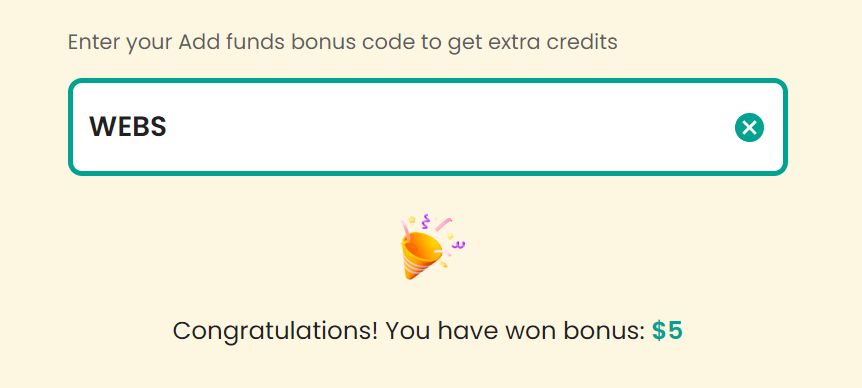
Claim Your Bonus Code for top captcha solutions; CapSolver: WEBS. After redeeming it, you will get an extra 5% bonus after each recharge, Unlimited
Key Strategies for Achieving High Scores
To maximize your chances of achieving a high score in reCAPTCHA v3, it's essential to mimic human behavior as closely as possible. Here are several strategies to enhance your Python automation efforts:
Using CapSolver for reCAPTCHA v3
1. Environment Setup
Before diving into solving reCAPTCHA v3 challenges, ensure that your environment is properly configured:
Python: You need to have Python installed, and it is recommended to use version 3 or above, as older versions are no longer supported for many libraries.
First, install the necessary libraries. The requests library is used to send HTTP requests, while the capsolver library is the official SDK provided by CapSolver.
You can install them using the following commands:
bashCopy
pip install requests
pip install capsolver
2. Finding the Website Key (siteKey)
To work with reCAPTCHA v3, you need to obtain the siteKey for the website where the CAPTCHA is implemented. For example, let's use this demo page: https://recaptcha-demo.appspot.com/recaptcha-v3-request-scores.php. This page allows you to request a reCAPTCHA token and check the score it returns.
To find the siteKey, inspect the webpage's source code and search for the api.js script. The value following render= is the siteKey. Here's what it looks like:
CapSolver provides an easy-to-use API that can generate the necessary token for reCAPTCHA v3 challenges. Once you obtain the token, you can use it to verify the score by sending it to the verification endpoint.
Below is an example of how to use the CapSolver Python SDK to solve a reCAPTCHA v3 challenge and retrieve the score:
pythonCopy
import requests
import capsolver

# Set your CapSolver API key
capsolver.api_key = "YOUR_API_KEY"

# Request a solution for reCAPTCHA v3
solution = capsolver.solve({
    "type": "ReCaptchaV3TaskProxyLess",
    "websiteURL": "https://recaptcha-demo.appspot.com/recaptcha-v3-request-scores.php",
    "websiteKey": "6LdKlZEpAAAAAAOQjzC2v_d36tWxCl6dWsozdSy9",
    "pageAction": "examples/v3scores",  # Action associated with this page
})

# Get the response token from CapSolver
token = solution["gRecaptchaResponse"]

# Verify the token with the verification endpoint
url = "https://recaptcha-demo.appspot.com/recaptcha-v3-verify.php"
params = {
    "action": "examples/v3scores",  # Same action parameter
    "token": token,
}
response = requests.get(url, params=params)

# Extract and print the score from the verification response
score = response.json()["score"]
print("reCAPTCHA score:", score)
In this example, the token returned from CapSolver is sent to the reCAPTCHA verification endpoint (recaptcha-v3-verify.php). The score, which indicates how human-like the interaction is, is returned as part of the response. By using CapSolver's service, you can consistently achieve a score of 0.9 or higher, which is typically considered a human-like score.
4. CapSolver Browser Extensions (Optional)
If you're using CapSolver within automation tools, the service also provides browser extensions to streamline the process further. For more information on these extensions and additional advanced features, you can refer to CapSolver official documentation.
Conclusion
Solving reCAPTCHA v3 effectively is crucial for smooth automation, especially when websites are increasingly relying on CAPTCHA systems to prevent bots. By understanding how reCAPTCHA v3 works and using the right tools and strategies, like simulating human behavior and integrating reliable services such as CapSolver, you can consistently achieve high scores and ensure seamless interactions with secured websites.
This guide provides a practical, step-by-step approach to solving reCAPTCHA v3 challenges using Python. By following the methods outlined above and leveraging CapSolver’s API, you can automate tasks with high accuracy while overcoming reCAPTCHA v3 obstacles.
Note on Compliance
Important: When engaging in web scraping, it's crucial to adhere to legal and ethical guidelines. Always ensure that you have permission to scrape the target website, and respect the site's robots.txt file and terms of service. CapSolver firmly opposes the misuse of our services for any non-compliant activities. Misuse of automated tools to bypass CAPTCHAs without proper authorization can lead to legal consequences. Make sure your scraping activities are compliant with all applicable lcaptcha and regulations to avoid potential issues.