
🎉NEWCapSolver for AI agents-MCP, agent tools, and SDK integrations

Ethan Collins
AI Agent Workflow Engineer
Published Jan 03, 2025
Updated Jan 03, 2025 · min read

If you’ve spent any time browsing the internet, you’ve likely encountered a CAPTCHA. They’re those little puzzles that ask you to identify traffic lights, click on all the boats, or decipher wavy, distorted text. For the average user, CAPTCHAs are a minor inconvenience. For web scraping use like in business? CAPTCHAs are often the bane of their existence.
So, what exactly are CAPTCHAs, and why do they exist? More importantly, how do you deal with them when working on a web scraping project? Let’s dive into this topic from multiple angles—breaking down what CAPTCHAs are, why they’re used, and what strategies you can employ to handle them effectively.
Captcha, short for Completely Automated Public Turing test to tell Computers and Humans Apart, is a security mechanism designed to determine whether the user attempting to access a website or service is a real human or an automated bot.
In simpler terms, a CAPTCHA is like a small test or puzzle that humans can solve relatively easily but bots (at least in theory) cannot. These challenges may involve recognizing distorted text, identifying specific objects in images, or solving simple puzzles.
The origins of CAPTCHAs go back to the early 2000s when the need to differentiate between humans and bots became a pressing issue for websites. Over the years, CAPTCHAs have evolved dramatically, with newer versions relying on behavioral analysis, advanced machine learning, and minimal user interaction.
CAPTCHAs are widely used across the internet for a variety of purposes, from securing login forms to preventing automated attacks. While their primary goal is to protect websites from malicious bots, they often feel like a frustrating speed bump for legitimate users.
Fed up with those annoying captchas? Try CapSolver’s AI-powered auto-solving tool and use the code "WEBS" to get an extra 5% bonus on every recharge—no limits!

CAPTCHAs play a critical role in maintaining the security and functionality of websites by ensuring that users are human. Here are some of the most common reasons why CAPTCHAs are used:
1. Preventing Spam
One of the most widespread uses of CAPTCHAs is to block bots from submitting forms or leaving spam comments on websites. Without CAPTCHAs, bots could flood contact forms, guestbooks, or comment sections with irrelevant or malicious content, overwhelming website administrators and affecting the user experience. By requiring users to complete a CAPTCHA, websites can effectively filter out automated spam while allowing real users to interact with the platform.
2. Protecting Against Brute-Force Attacks
Hackers often use automated tools to perform brute-force attacks, where they repeatedly try different username-password combinations to gain unauthorized access to accounts. CAPTCHAs add a human verification step to the login process, slowing down or completely halting these automated attacks. This simple yet effective barrier ensures that only humans can continue attempts, significantly increasing the difficulty for malicious actors to breach systems.
These two applications highlight how CAPTCHAs help maintain the security and integrity of online platforms, safeguarding both users and administrators from malicious activities.
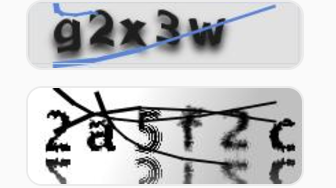
1. ImagetoText Captcha
ImagetoText Captcha are the traditional form of CAPTCHA where users are shown distorted or scrambled text and must type the characters they see. These were designed to be simple for humans but difficult for bots. However, with advancements in optical character recognition (OCR) technology, bots are now able to solve these with increasing ease.
2. Images Recognize Captcha
Images recognize Captcha, such as those used by Google’s reCAPTCHA, ask users to identify specific objects in a series of images (e.g., "Select all the bicycles"). These rely on the user’s ability to understand visual context, which makes them more challenging for bots to bypass.
3. reCAPTCHA v2
reCAPTCHA v2 is widely recognized for its “I’m not a robot” checkbox. It also includes image challenges if additional verification is needed. This system combines simplicity for users with advanced techniques to detect automated bots.

4.reCAPTCHA v3
Unlike its predecessor, reCAPTCHA v3 operates invisibly in the background. It assigns a "human score" to users based on their behavior, such as mouse movements and interaction patterns, to determine whether they’re genuine users or bots.
5. Cloudflare Turnstile/ Challenge
Cloudflare Turnstile is a CAPTCHA solution that focuses on user convenience by analyzing behavioral and environmental data to verify human users without requiring any direct interaction. It provides a seamless experience by operating in the background, ensuring security without interrupting the user flow. On the other hand, Cloudflare Challenges are interactive tests that ask users to complete tasks such as identifying images or solving puzzles. These challenges are used when extra verification is needed, providing a more traditional approach to CAPTCHA verification. Both methods are designed to prevent bot access while maintaining a smooth user experience.

When building web scraping projects, encountering CAPTCHAs is almost inevitable. While their primary goal is to prevent automated access, there are legitimate scenarios where scraping is necessary, such as data analysis or competitive research. Here's how you can approach solving CAPTCHAs effectively.
The simplest method is to manually solve CAPTCHAs as they appear. While impractical for large-scale scraping, this approach is suitable for projects requiring minimal automation.
For large-scale projects, leveraging CAPTCHA-solving services is the most efficient option. These services use AI or human solvers to handle CAPTCHAs. Here's an example using CapSolver, a service known for its reliable CAPTCHA-solving solutions.
To get started with Requests, ensure it’s installed:
pip install requests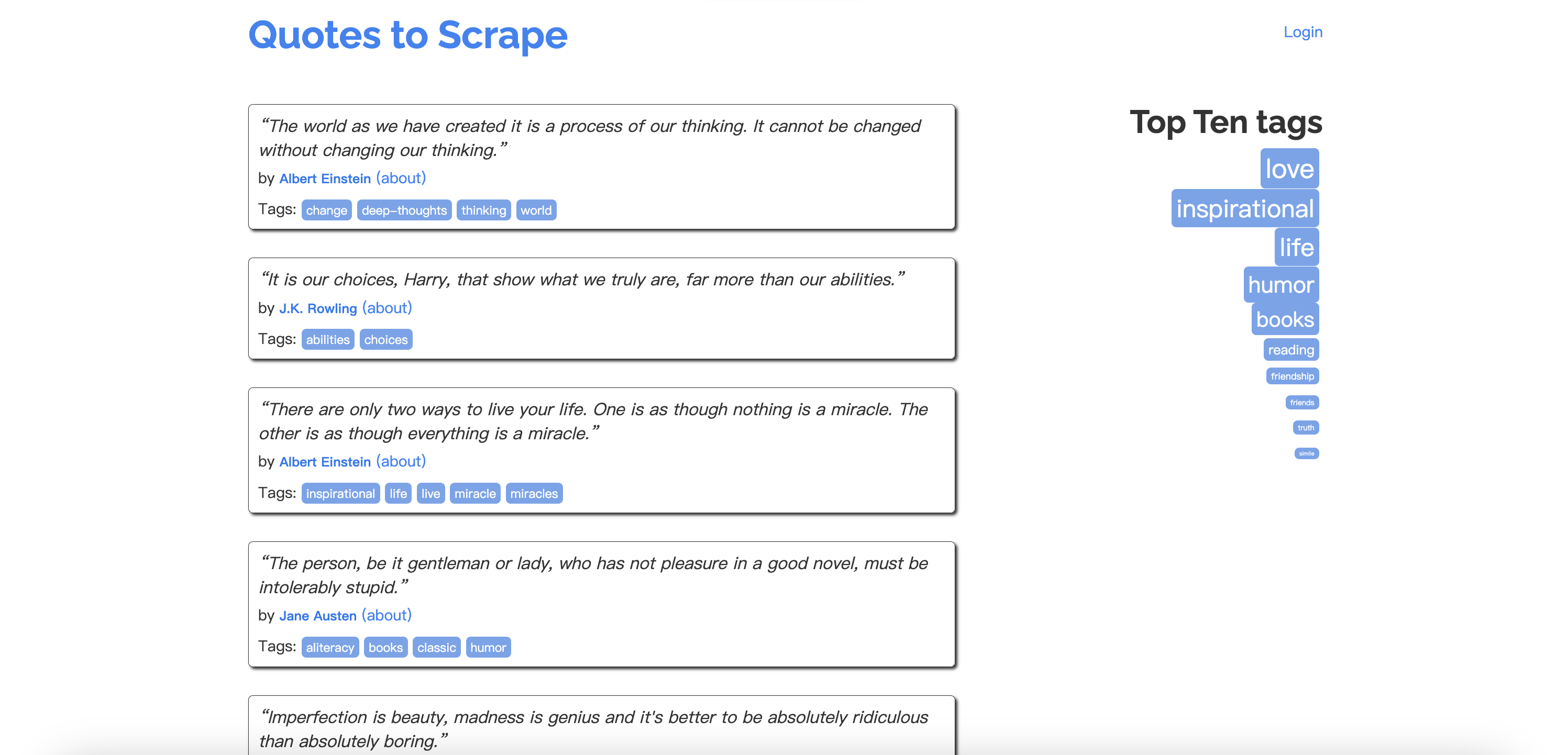
Here’s a foundational example of using Requests to scrape quotes from the Quotes to Scrape website.
import requests
from bs4 import BeautifulSoup

# URL of the page to scrape
url = 'http://quotes.toscrape.com/'

# Send a GET request
response = requests.get(url)

# Check if the request was successful
if response.status_code == 200:
    soup = BeautifulSoup(response.text, 'html.parser')
    quotes = soup.find_all('span', class_='text')
    for quote in quotes:
        print(quote.text)
else:
print(f"Failed to retrieve the page. Status Code: {response.status_code}")When scraping websites protected by CAPTCHAs like reCAPTCHA v2, Requests alone isn’t enough. This is where CapSolver can help by automating CAPTCHA-solving, making it possible to bypass these challenges.
Install both Requests and Capsolver libraries:
pip install capsolver requestsThis example demonstrates how to solve a reCAPTCHA v2 challenge and fetch a protected page.
import capsolver
import requests

capsolver.api_key = "Your Capsolver API Key"
PAGE_URL = "https://example.com"
PAGE_KEY = "Your-Site-Key"
PROXY = "http://username:password@host:port"

def solve_recaptcha_v2(url, key):
    solution = capsolver.solve({
        "type": "ReCaptchaV2Task",
        "websiteURL": url,
        "websiteKey": key,
        "proxy": PROXY
    })
    return solution['solution']['gRecaptchaResponse']

def main():
    print("Solving reCAPTCHA...")
    token = solve_recaptcha_v2(PAGE_URL, PAGE_KEY)

    headers = {
        'User-Agent': 'Mozilla/5.0 (Windows NT 10.0; Win64; x64) AppleWebKit/537.36 (KHTML, like Gecko) Chrome/91.0.4472.124 Safari/537.36'
    }
    data = {'g-recaptcha-response': token}

    response = requests.get(PAGE_URL, headers=headers, data=data, proxies={"http": PROXY, "https": PROXY})

    if response.status_code == 200:
        print("Successfully bypassed CAPTCHA!")
        print(response.text[:500])  # Print the first 500 characters
    else:
        print(f"Failed to fetch the page. Status Code: {response.status_code}")

if __name__ == "__main__":
main()In addition to solving CAPTCHAs directly, using residential or datacenter proxies alongside headless browsers (e.g., Puppeteer or Selenium) can reduce the frequency of CAPTCHAs. Proxies ensure your requests appear as if they’re from different locations, while headless browsers mimic real user behavior.
Many CAPTCHAs, like reCAPTCHA v3, rely on behavior analysis. Ensuring your scraper mimics real user activity—such as mouse movements or varied request intervals—can help avoid triggering CAPTCHAs.
CAPTCHAs might seem like a hassle, but with the right tools and techniques, they’re just another part of the web scraping process. Whether you’re solving them manually, using services like CapSolver, or optimizing your scraper to avoid them, there’s always a way forward. Master these skills, and CAPTCHAs will no longer be roadblocks but simple stepping stones in your scraping journey.
Ethan Collins
AI Agent Workflow Engineer
Building clearer handoffs between AI agents and tools.
ABOUT THE AUTHOR
Explore three enterprise uses of CAPTCHA solving for SERP API providers: scheduled ranking feeds, market-research batches, and interactive search-data delivery.

Fix common Selenium CAPTCHA integration problems by checking test configuration, extensions, waits, iframe context, solver responses, and application results.

