🎉NEWCapSolver for AI agents-MCP, agent tools, and SDK integrations

Lucas Mitchell
Automation Engineer
Published Mar 24, 2026
Updated Mar 26, 2026 · min read
When AI agents automate browsers to complete real-world tasks, CAPTCHAs are the number one obstacle. Protected pages block the agent, forms can't be submitted, and entire workflows stall out waiting for human intervention.
Vibium is a next-generation browser automation tool built for AI agents and humans alike. Powered by the WebDriver BiDi protocol and created by the people behind Selenium and Appium, it gives agents a fast, standards-based way to control browsers. But like any automation tool, it gets stuck on CAPTCHAs.
Here's the catch: Vibium hardcodes --disable-extensions in its Go launcher. You cannot pass custom Chrome flags. That means the Chrome extension approach used by tools like Playwright and Puppeteer simply does not work here.
CapSolver solves this with a different strategy. Instead of relying on a browser extension, you call the CapSolver REST API directly to solve the CAPTCHA, then inject the resulting token into the page using Vibium's JavaScript evaluation capability. This API-based approach gives you full control and works perfectly with Vibium's architecture.
Vibium is a browser automation platform designed for AI agents and human operators. It ships as a single Go binary with zero-config installation, and uses the modern WebDriver BiDi protocol for fast, bidirectional communication with browsers.
Vibium's MCP server lets AI agents issue browser commands through a standardized protocol. The agent can:
#btn-login)browser_evaluateThink of it as giving your AI agent a browser it can talk to in natural language.
CapSolver is a leading CAPTCHA solving service that provides AI-powered solutions for bypassing various CAPTCHA challenges. With support for multiple CAPTCHA types and fast response times, CapSolver integrates seamlessly into automated workflows.
Most browser automation tools (Playwright, Puppeteer, OpenClaw, NanoClaw) solve CAPTCHAs by loading the CapSolver Chrome extension directly into the browser. The extension detects CAPTCHAs automatically, solves them in the background, and injects tokens invisibly.
Vibium cannot use this approach. The Go launcher hardcodes --disable-extensions when spawning Chrome. There is no configuration option or workaround to load extensions.
Instead, the integration uses the CapSolver REST API directly:
| Extension Approach (Playwright, etc.) | API Approach (Vibium) | |
|---|---|---|
| How it works | Extension detects and solves CAPTCHAs invisibly | Your code calls the API, gets a token, injects it |
| Extension required | Yes (Chrome extension loaded via --load-extension) |
No (pure HTTP API calls) |
| Agent awareness | Agent does not need to know about CAPTCHAs | Agent (or script) actively manages the solve flow |
| Chrome flags | Requires --load-extension support |
Works with any Chrome flags, including --disable-extensions |
| Control | Automatic, opaque | Explicit, full control over every step |
| Flexibility | Limited to what the extension supports | Can customize detection, retry logic, token injection per site |
| Best for | Tools that allow custom Chrome args | Tools like Vibium that restrict Chrome args |
The key insight: The API approach is actually more powerful. You control when to detect, when to solve, and exactly how to inject the token. It works with any browser automation tool regardless of its Chrome flag restrictions.
Before setting up the integration, make sure you have:
# macOS / Linux — single binary, zero dependencies
curl -fsSL https://vibium.dev/install.sh | bash

# Or download directly from GitHub releases
# https://github.com/VibiumDev/vibium/releases
Verify the installation:
vibium --versionVibium manages its own browser lifecycle. You do not need to install Chrome for Testing, Playwright's bundled Chromium, or any special browser variant. Vibium handles browser download and management internally.
CAP-)Set it as an environment variable:
export CAPSOLVER_API_KEY="CAP-XXXXXXXXXXXXXXXXXXXXXXXXXXXXXXXX"JavaScript:
npm install vibiumPython:
pip install vibium requestsJava (Gradle):
implementation 'com.vibium:vibium:26.3.18'Before solving a CAPTCHA, you need to know what type it is and extract the site key. Use Vibium's browser_evaluate to inspect the page.
The detection JavaScript is the same across all three languages — only the host call differs:
JavaScript:
const { browser } = require('vibium/sync')

function detectCaptcha(page) {
  return page.evaluate(`(() => {
    const v2 = document.querySelector('.g-recaptcha');
    if (v2) return { type: 'recaptcha-v2', siteKey: v2.getAttribute('data-sitekey') };

    for (const s of document.querySelectorAll('script[src*="recaptcha/api.js"]')) {
      const m = s.src.match(/render=([^&]+)/);
      if (m && m[1] !== 'explicit') return { type: 'recaptcha-v3', siteKey: m[1] };
    }

    const t = document.querySelector('.cf-turnstile');
    if (t) return { type: 'turnstile', siteKey: t.getAttribute('data-sitekey') };

    return { type: 'none', siteKey: null };
  })()`)
}
Python:
from vibium import browser

def detect_captcha(page) -> dict:
    return page.evaluate("""(() => {
        const v2 = document.querySelector('.g-recaptcha');
        if (v2) return { type: 'recaptcha-v2', siteKey: v2.getAttribute('data-sitekey') };

        for (const s of document.querySelectorAll('script[src*="recaptcha/api.js"]')) {
            const m = s.src.match(/render=([^&]+)/);
            if (m && m[1] !== 'explicit') return { type: 'recaptcha-v3', siteKey: m[1] };
        }

        const t = document.querySelector('.cf-turnstile');
        if (t) return { type: 'turnstile', siteKey: t.getAttribute('data-sitekey') };

        return { type: 'none', siteKey: null };
    })()""")
Java:
var result = page.evaluate("""
    (() => {
        const v2 = document.querySelector('.g-recaptcha');
        if (v2) return { type: 'recaptcha-v2', siteKey: v2.getAttribute('data-sitekey') };

        for (const s of document.querySelectorAll('script[src*="recaptcha/api.js"]')) {
            const m = s.src.match(/render=([^&]+)/);
            if (m && m[1] !== 'explicit') return { type: 'recaptcha-v3', siteKey: m[1] };
        }

        const t = document.querySelector('.cf-turnstile');
        if (t) return { type: 'turnstile', siteKey: t.getAttribute('data-sitekey') };

        return { type: 'none', siteKey: null };
    })()
    """);
String captchaType = (String) ((Map) result).get("type");
String siteKey = (String) ((Map) result).get("siteKey");Call the CapSolver API to create a task, then poll for the result.
JavaScript:
const CAPSOLVER_API = 'https://api.capsolver.com'
const API_KEY = process.env.CAPSOLVER_API_KEY

async function createTask(taskData) {
  const res = await fetch(`${CAPSOLVER_API}/createTask`, {
    method: 'POST',
    headers: { 'Content-Type': 'application/json' },
    body: JSON.stringify({ clientKey: API_KEY, task: taskData }),
  })
  const data = await res.json()
  if (data.errorId !== 0) throw new Error(`CapSolver: ${data.errorDescription}`)
  return data.taskId
}

async function getTaskResult(taskId, maxAttempts = 60) {
  for (let i = 0; i < maxAttempts; i++) {
    await new Promise(r => setTimeout(r, 2000))
    const res = await fetch(`${CAPSOLVER_API}/getTaskResult`, {
      method: 'POST',
      headers: { 'Content-Type': 'application/json' },
      body: JSON.stringify({ clientKey: API_KEY, taskId }),
    })
    const data = await res.json()
    if (data.status === 'ready') return data
    if (data.status === 'failed') throw new Error(`Failed: ${data.errorDescription}`)
  }
  throw new Error('Timeout')
}

async function solveCaptcha(captchaInfo, pageUrl) {
  const taskTypes = {
    'recaptcha-v2': { type: 'ReCaptchaV2TaskProxyLess', websiteURL: pageUrl, websiteKey: captchaInfo.siteKey },
    'recaptcha-v3': { type: 'ReCaptchaV3TaskProxyLess', websiteURL: pageUrl, websiteKey: captchaInfo.siteKey, pageAction: 'submit' },
    'turnstile':    { type: 'AntiTurnstileTaskProxyLess', websiteURL: pageUrl, websiteKey: captchaInfo.siteKey },
  }
  const taskData = taskTypes[captchaInfo.type]
  if (!taskData) throw new Error(`Unsupported: ${captchaInfo.type}`)

  const taskId = await createTask(taskData)
  const result = await getTaskResult(taskId)
  return result.solution.gRecaptchaResponse || result.solution.token || ''
}
Python:
import os, time, requests

CAPSOLVER_API = "https://api.capsolver.com"
API_KEY = os.environ["CAPSOLVER_API_KEY"]

def create_task(task_data: dict) -> str:
    data = requests.post(f"{CAPSOLVER_API}/createTask",
        json={"clientKey": API_KEY, "task": task_data}).json()
    if data.get("errorId", 0) != 0:
        raise Exception(f"CapSolver: {data.get('errorDescription')}")
    return data["taskId"]

def get_task_result(task_id: str, max_attempts: int = 60) -> dict:
    for _ in range(max_attempts):
        time.sleep(2)
        data = requests.post(f"{CAPSOLVER_API}/getTaskResult",
            json={"clientKey": API_KEY, "taskId": task_id}).json()
        if data["status"] == "ready":
            return data
        if data["status"] == "failed":
            raise Exception(f"Failed: {data.get('errorDescription')}")
    raise Exception("Timeout")

def solve_captcha(captcha_info: dict, page_url: str) -> str:
    task_types = {
        "recaptcha-v2": {"type": "ReCaptchaV2TaskProxyLess", "websiteURL": page_url, "websiteKey": captcha_info["siteKey"]},
        "recaptcha-v3": {"type": "ReCaptchaV3TaskProxyLess", "websiteURL": page_url, "websiteKey": captcha_info["siteKey"], "pageAction": "submit"},
        "turnstile":    {"type": "AntiTurnstileTaskProxyLess", "websiteURL": page_url, "websiteKey": captcha_info["siteKey"]},
    }
    task_data = task_types.get(captcha_info["type"])
    if not task_data:
        raise Exception(f"Unsupported: {captcha_info['type']}")

    result = get_task_result(create_task(task_data))
    solution = result.get("solution", {})
    return solution.get("gRecaptchaResponse") or solution.get("token", "")
Java:
import java.net.http.*;
import java.net.URI;
import org.json.*;

String CAPSOLVER_API = "https://api.capsolver.com";
String API_KEY = System.getenv("CAPSOLVER_API_KEY");
HttpClient http = HttpClient.newHttpClient();

String createTask(JSONObject taskData) throws Exception {
    var body = new JSONObject()
        .put("clientKey", API_KEY)
        .put("task", taskData);
    var req = HttpRequest.newBuilder(URI.create(CAPSOLVER_API + "/createTask"))
        .header("Content-Type", "application/json")
        .POST(HttpRequest.BodyPublishers.ofString(body.toString()))
        .build();
    var data = new JSONObject(http.send(req, HttpResponse.BodyHandlers.ofString()).body());
    if (data.getInt("errorId") != 0) throw new Exception("CapSolver: " + data.getString("errorDescription"));
    return data.getString("taskId");
}

JSONObject getTaskResult(String taskId) throws Exception {
    for (int i = 0; i < 60; i++) {
        Thread.sleep(2000);
        var body = new JSONObject().put("clientKey", API_KEY).put("taskId", taskId);
        var req = HttpRequest.newBuilder(URI.create(CAPSOLVER_API + "/getTaskResult"))
            .header("Content-Type", "application/json")
            .POST(HttpRequest.BodyPublishers.ofString(body.toString()))
            .build();
        var data = new JSONObject(http.send(req, HttpResponse.BodyHandlers.ofString()).body());
        if ("ready".equals(data.getString("status"))) return data;
        if ("failed".equals(data.getString("status"))) throw new Exception("Failed: " + data.getString("errorDescription"));
    }
    throw new Exception("Timeout");
}browser_evaluateOnce you have the token, inject it into the page's hidden form fields using JavaScript evaluation.
The injection JavaScript is identical across languages — the reCAPTCHA callback walk ensures the token is accepted:
JavaScript:
function injectToken(page, captchaType, token) {
  if (captchaType === 'recaptcha-v2' || captchaType === 'recaptcha-v3') {
    page.evaluate(`
      document.querySelector('textarea[name="g-recaptcha-response"]').value = "${token}";
      try {
        const clients = ___grecaptcha_cfg.clients;
        for (const id in clients) {
          const find = (o) => { for (const k in o) {
            if (typeof o[k]==='object' && o[k]!==null) {
              if (typeof o[k].callback==='function') { o[k].callback("${token}"); return true; }
              if (find(o[k])) return true;
            }
          } return false; };
          find(clients[id]);
        }
      } catch(e) {}
    `)
  } else if (captchaType === 'turnstile') {
    page.evaluate(`
      document.querySelector('input[name="cf-turnstile-response"]').value = "${token}";
      try { const cb = document.querySelector('.cf-turnstile')?.getAttribute('data-callback');
        if (cb && typeof window[cb]==='function') window[cb]("${token}");
      } catch(e) {}
    `)
  }
}
Python:
def inject_token(page, captcha_type: str, token: str):
    if captcha_type in ("recaptcha-v2", "recaptcha-v3"):
        page.evaluate(f"""
            document.querySelector('textarea[name="g-recaptcha-response"]').value = "{token}";
            try {{
                const clients = ___grecaptcha_cfg.clients;
                for (const id in clients) {{
                    const find = (o) => {{ for (const k in o) {{
                        if (typeof o[k]==='object' && o[k]!==null) {{
                            if (typeof o[k].callback==='function') {{ o[k].callback("{token}"); return true; }}
                            if (find(o[k])) return true;
                        }}
                    }} return false; }};
                    find(clients[id]);
                }}
            }} catch(e) {{}}
        """)
    elif captcha_type == "turnstile":
        page.evaluate(f"""
            document.querySelector('input[name="cf-turnstile-response"]').value = "{token}";
            try {{ const cb = document.querySelector('.cf-turnstile')?.getAttribute('data-callback');
                if (cb && typeof window[cb]==='function') window[cb]("{token}");
            }} catch(e) {{}}
        """)
Java:
void injectToken(Page page, String captchaType, String token) {
    if (captchaType.equals("recaptcha-v2") || captchaType.equals("recaptcha-v3")) {
        page.evaluate(String.format("""
            document.querySelector('textarea[name="g-recaptcha-response"]').value = "%s";
            try {
                const clients = ___grecaptcha_cfg.clients;
                for (const id in clients) {
                    const find = (o) => { for (const k in o) {
                        if (typeof o[k]==='object' && o[k]!==null) {
                            if (typeof o[k].callback==='function') { o[k].callback("%s"); return true; }
                            if (find(o[k])) return true;
                        }
                    } return false; };
                    find(clients[id]);
                }
            } catch(e) {}
            """, token, token));
    } else if (captchaType.equals("turnstile")) {
        page.evaluate(String.format("""
            document.querySelector('input[name="cf-turnstile-response"]').value = "%s";
            try { const cb = document.querySelector('.cf-turnstile')?.getAttribute('data-callback');
                if (cb && typeof window[cb]==='function') window[cb]("%s");
            } catch(e) {}
            """, token, token));
    }
}After injecting the token, submit the form using Vibium's semantic element finding or standard click.
// JavaScript
page.find('Submit').click()           // semantic find
page.evaluate(`document.querySelector('#recaptcha-demo-submit')?.click()`) // CSS# Python
page.find("Submit").click() # semantic find
page.evaluate('document.querySelector("#recaptcha-demo-submit")?.click()') # CSS// Java
page.find("Submit").click(); // semantic find
page.evaluate("document.querySelector('#recaptcha-demo-submit')?.click()"); // CSSAfter submit, treat the resulting page text or URL as the success signal. You do not need to monitor reCAPTCHA's internal /userverify request.
Here is a complete example that navigates to a reCAPTCHA v2 demo page, solves the CAPTCHA via the CapSolver API, injects the token, and submits the form.
Testing note: Use dedicated testing keys for automated tests. Use your target page as a smoke test or reference flow, not as the foundation for a long-lived automated test suite.
JavaScript:
const { browser } = require('vibium/sync')

// (include createTask, getTaskResult, solveCaptcha from Step 4)

const bro = browser.start()
const page = bro.page()

// 1. Navigate
const targetUrl = 'https://example.com/protected-page'
page.go(targetUrl)

// 2. Detect
const info = page.evaluate(`(() => {
  const el = document.querySelector('.g-recaptcha');
  return el ? { type: 'recaptcha-v2', siteKey: el.getAttribute('data-sitekey') }
             : { type: 'none', siteKey: null };
})()`)

if (info.type === 'none') { console.log('No CAPTCHA'); process.exit() }
console.log(`Detected ${info.type} — key ${info.siteKey}`)

// 3. Solve
const token = await solveCaptcha(info, targetUrl)
console.log('Solved!')

// 4. Inject + submit
page.evaluate(`
  document.querySelector('textarea[name="g-recaptcha-response"]').value = "${token}";
  try { const c = ___grecaptcha_cfg.clients; for (const id in c) {
    const f = (o) => { for (const k in o) { if (typeof o[k]==='object'&&o[k]!==null) {
      if (typeof o[k].callback==='function'){o[k].callback("${token}");return true}
      if(f(o[k]))return true}} return false}; f(c[id]) }} catch(e){}
`)
page.evaluate(`document.querySelector('#recaptcha-demo-form').submit()`)

// 5. Verify
setTimeout(() => {
  console.log('Result:', page.evaluate('document.body.innerText'))
  bro.stop()
}, 2000)
Python:
from vibium import browser
import os, time, requests

CAPSOLVER_API = "https://api.capsolver.com"
API_KEY = os.environ["CAPSOLVER_API_KEY"]

# (include create_task, get_task_result, solve_captcha from Step 4)

def main():
    bro = browser.start()
    page = bro.page()

    # 1. Navigate
    target_url = "https://example.com/protected-page"
    page.go(target_url)

    # 2. Detect
    info = page.evaluate("""(() => {
        const el = document.querySelector('.g-recaptcha');
        return el ? { type: 'recaptcha-v2', siteKey: el.getAttribute('data-sitekey') }
                   : { type: 'none', siteKey: null };
    })()""")

    if info["type"] == "none":
        print("No CAPTCHA found.")
        return

    print(f"Detected {info['type']} — key {info['siteKey']}")

    # 3. Solve
    token = solve_captcha(info, target_url)
    print("Solved!")

    # 4. Inject + submit
    page.evaluate(f"""
        document.querySelector('textarea[name="g-recaptcha-response"]').value = "{token}";
        try {{ const c = ___grecaptcha_cfg.clients; for (const id in c) {{
            const f = (o) => {{ for (const k in o) {{ if (typeof o[k]==='object'&&o[k]!==null) {{
                if (typeof o[k].callback==='function'){{o[k].callback("{token}");return true}}
                if(f(o[k]))return true}}}} return false}}; f(c[id]) }}}} catch(e){{}}
    """)
    page.evaluate('document.querySelector("#recaptcha-demo-form").submit()')

    # 5. Verify
    time.sleep(2)
    print("Result:", page.evaluate("document.body.innerText"))
    bro.stop()

main()
Java:
import com.vibium.Vibium;

// (include createTask, getTaskResult from Step 4)

var bro = Vibium.start();
var page = bro.page();

// 1. Navigate
var targetUrl = "https://example.com/protected-page";
page.go(targetUrl);

// 2. Detect
var info = (Map) page.evaluate("""
    (() => {
        const el = document.querySelector('.g-recaptcha');
        return el ? { type: 'recaptcha-v2', siteKey: el.getAttribute('data-sitekey') }
                   : { type: 'none', siteKey: null };
    })()""");

if ("none".equals(info.get("type"))) { System.out.println("No CAPTCHA"); return; }
System.out.printf("Detected %s — key %s%n", info.get("type"), info.get("siteKey"));

// 3. Solve
var taskData = new JSONObject()
    .put("type", "ReCaptchaV2TaskProxyLess")
    .put("websiteURL", targetUrl)
    .put("websiteKey", info.get("siteKey"));
var taskId = createTask(taskData);
var result = getTaskResult(taskId);
var token = result.getJSONObject("solution").getString("gRecaptchaResponse");
System.out.println("Solved!");

// 4. Inject + submit
page.evaluate(String.format("""
    document.querySelector('textarea[name="g-recaptcha-response"]').value = "%s";
    try { const c = ___grecaptcha_cfg.clients; for (const id in c) {
        const f = (o) => { for (const k in o) { if (typeof o[k]==='object'&&o[k]!==null) {
            if (typeof o[k].callback==='function'){o[k].callback("%s");return true}
            if(f(o[k]))return true}} return false}; f(c[id]) }} catch(e){}
    """, token, token));
page.evaluate("document.querySelector('#recaptcha-demo-form').submit()");

// 5. Verify
Thread.sleep(2000);
System.out.println("Result: " + page.evaluate("document.body.innerText"));
bro.stop();| CAPTCHA | CapSolver Task Type | Token Field | Typical Solve Time |
|---|---|---|---|
| reCAPTCHA v2 | ReCaptchaV2TaskProxyLess |
textarea[name="g-recaptcha-response"] |
5-15 seconds |
| reCAPTCHA v2 (invisible) | ReCaptchaV2TaskProxyLess |
textarea[name="g-recaptcha-response"] |
5-15 seconds |
| reCAPTCHA v3 | ReCaptchaV3TaskProxyLess |
input[name="g-recaptcha-response"] |
3-10 seconds |
| reCAPTCHA Enterprise | ReCaptchaV2EnterpriseTaskProxyLess |
textarea[name="g-recaptcha-response"] |
10-20 seconds |
| Cloudflare Turnstile | AntiTurnstileTaskProxyLess |
input[name="cf-turnstile-response"] |
3-10 seconds |
| AWS WAF | AntiAwsWafTaskProxyLess |
Custom (varies by site) | 5-15 seconds |
| GeeTest v3/v4 | GeeTestTaskProxyLess |
Custom (varies by site) | 5-15 seconds |
Symptom: The form submits but the server rejects the CAPTCHA response.
Cause: CAPTCHA tokens have a limited lifespan (typically 90-120 seconds for reCAPTCHA, 300 seconds for Turnstile). If your script takes too long between solving and submitting, the token expires.
Fix: Inject and submit immediately after receiving the token. Do not add unnecessary delays between Steps 5 and 7.
Symptom: The detection script returns { type: 'none' } even though you can see a CAPTCHA.
Possible causes:
time.sleep(3)Common errors:
| Error | Cause | Fix |
|---|---|---|
ERROR_KEY_DOES_NOT_EXIST |
Invalid API key | Check your CAPSOLVER_API_KEY |
ERROR_ZERO_BALANCE |
No credits remaining | Recharge at capsolver.com |
ERROR_WRONG_CAPTCHA_TYPE |
Wrong task type for this CAPTCHA | Verify the CAPTCHA type with the detection helper |
ERROR_CAPTCHA_UNSOLVABLE |
CAPTCHA could not be solved | Retry — transient failures happen |
Symptom: API calls from the browser fail with CORS errors.
Cause: You are calling the CapSolver API from within browser_evaluate (i.e., from the browser context). The CapSolver API does not allow cross-origin requests from arbitrary websites.
Fix: Always call the CapSolver API from your script (Node.js, Python, or Java process), not from within the browser. Only use browser_evaluate for detection (reading the DOM) and injection (setting form values). The API calls must happen server-side.
Symptom: Token is injected but the form does not submit or the server does not accept it.
Possible causes:
injectToken function above which walks ___grecaptcha_cfg.clients to find and invoke the callbackgRecaptchaResponse for reCAPTCHA and token for Turnstile from the CapSolver resultPoll /getTaskResult every 2 seconds. Polling more frequently wastes API calls and may trigger rate limits. Polling less frequently adds unnecessary latency.
// JavaScript: Good — 2-second interval
await new Promise(r => setTimeout(r, 2000))# Python: Good — 2-second interval
time.sleep(2)// Java: Good — 2-second interval
Thread.sleep(2000);CAPTCHA solving can occasionally fail. Wrap your solve function with retries:
JavaScript:
async function solveWithRetry(info, url, retries = 3) {
  for (let i = 0; i < retries; i++) {
    try { return await solveCaptcha(info, url) }
    catch (e) {
      if (i === retries - 1) throw e
      await new Promise(r => setTimeout(r, 2 ** i * 1000))
    }
  }
}
Python:
def solve_with_retry(info, url, retries=3):
    for i in range(retries):
        try: return solve_captcha(info, url)
        except Exception:
            if i == retries - 1: raise
time.sleep(2 ** i)Using the wrong task type will cause the solve to fail. Always detect the CAPTCHA type first, then map to the correct CapSolver task:
| CAPTCHA | Task Type |
|---|---|
| reCAPTCHA v2 (checkbox) | ReCaptchaV2TaskProxyLess |
| reCAPTCHA v2 (invisible) | ReCaptchaV2TaskProxyLess |
| reCAPTCHA v3 | ReCaptchaV3TaskProxyLess |
| reCAPTCHA v2 Enterprise | ReCaptchaV2EnterpriseTaskProxyLess |
| reCAPTCHA v3 Enterprise | ReCaptchaV3EnterpriseTaskProxyLess |
| Cloudflare Turnstile | AntiTurnstileTaskProxyLess |
| AWS WAF | AntiAwsWafTaskProxyLess |
CAPTCHA tokens expire. Once you receive the token from CapSolver, inject it and submit the form as quickly as possible. Do not add artificial delays between solve and submit.
JavaScript:
const res = await fetch(`${CAPSOLVER_API}/getBalance`, {
  method: 'POST', headers: { 'Content-Type': 'application/json' },
  body: JSON.stringify({ clientKey: API_KEY }),
})
const { balance } = await res.json()
if (balance < 1) console.warn('Low CapSolver balance!')
Python:
balance = requests.post(f"{CAPSOLVER_API}/getBalance",
    json={"clientKey": API_KEY}).json().get("balance", 0)
if balance < 1:
print("Low CapSolver balance!")Never call the CapSolver API from within browser_evaluate. Browser-context HTTP requests will fail due to CORS, and exposing your API key in browser JavaScript is a security risk. Always make API calls from your application process (Node.js, Python, or Java).
The Vibium + CapSolver API integration demonstrates that you do not need browser extensions to solve CAPTCHAs in automated workflows. When a tool like Vibium restricts Chrome flags, the API approach gives you more control, not less:
browser_evaluatebrowser_evaluateThis pattern works with any browser automation tool that supports JavaScript evaluation — not just Vibium. Whether you are using WebDriver BiDi, CDP, or any other protocol, the CapSolver API approach is universal.
By combining Vibium's standards-based browser automation with CapSolver's fast, reliable CAPTCHA solving API, you get a robust pipeline that handles reCAPTCHA, Turnstile, AWS WAF, and more — all without needing a single browser extension.
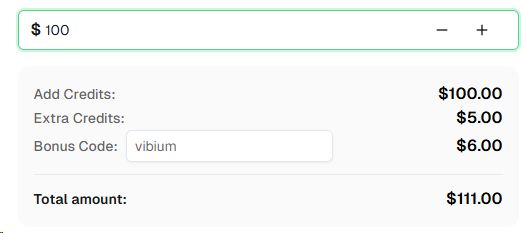
Ready to get started? Sign up for CapSolver and use bonus code VIBIUM for an extra 6% bonus on your first recharge!
Vibium's Go launcher hardcodes --disable-extensions when spawning Chrome. There is no configuration option or flag override to change this behavior. The extension approach used by tools like Playwright and OpenClaw simply does not work with Vibium. The API approach is the correct integration method.
Instead of relying on a browser extension to detect and solve CAPTCHAs automatically, you call the CapSolver REST API directly from your script. You detect the CAPTCHA on the page via JavaScript evaluation, send the site key and URL to CapSolver's createTask endpoint, poll getTaskResult until the solution is ready, then inject the token back into the page.
CapSolver supports reCAPTCHA v2 (checkbox and invisible), reCAPTCHA v3, reCAPTCHA Enterprise, Cloudflare Turnstile, AWS WAF CAPTCHA, GeeTest, DataDome, and many more. See the full list.
CapSolver offers competitive pricing based on CAPTCHA type and volume. Visit capsolver.com for current pricing. Use bonus code VIBIUM for an extra 6% on your first recharge.
Vibium is open-source and free to use. You can download the Go binary from GitHub. For CAPTCHA solving, you will need a CapSolver account with credits.
Yes. The API approach works with any browser automation tool that supports JavaScript evaluation, regardless of whether it uses WebDriver BiDi, CDP, or another protocol. The only requirement is the ability to run JavaScript on the page to detect the CAPTCHA and inject the solved token.
Typical solve times depend on the CAPTCHA type: reCAPTCHA v2 takes 5-15 seconds, reCAPTCHA v3 takes 3-10 seconds, and Cloudflare Turnstile takes 3-10 seconds. Your total wall time includes the polling interval (2 seconds per poll).
Yes. reCAPTCHA tokens typically expire after 90-120 seconds. Turnstile tokens last up to 300 seconds. Always inject and submit as soon as the token is received.
/userverify after submitting the form?No. Treat /userverify as reCAPTCHA's internal network traffic, not as your primary success signal. After submission, check the visible result page, confirmation text, or destination URL instead.
Use it as a smoke test only. Create dedicated testing keys for automated test flows instead of relying on any public demo page.
The site key is embedded in the page HTML. For reCAPTCHA, look for the data-sitekey attribute on the .g-recaptcha element. For Turnstile, check the data-sitekey attribute on .cf-turnstile. The detection helper functions in this guide extract it automatically.
Yes. When using Vibium through its MCP server with an AI agent, the agent can call the CapSolver API as a tool, then use browser_evaluate to inject the token. The flow is identical — detect, solve, inject, submit — whether driven by a script or an AI agent.
Lucas Mitchell
Automation Engineer
Helping browser automation recover and continue.
ABOUT THE AUTHOR
Discover how AI agents transform web scraping and competitive intelligence. Learn about automated data collection, anti-bot challenges, and CAPTCHA solutions for scalable workflows.

Discover the key differences between AI agent vs chatbot. Learn how agentic AI outperforms traditional AI in automation, decision-making, and complex workflows.