🎉NEWCapSolver for AI agents-MCP, agent tools, and SDK integrations

Nikolai Smirnov
Software Development Lead
Published Apr 08, 2026
Updated Apr 08, 2026 · min read
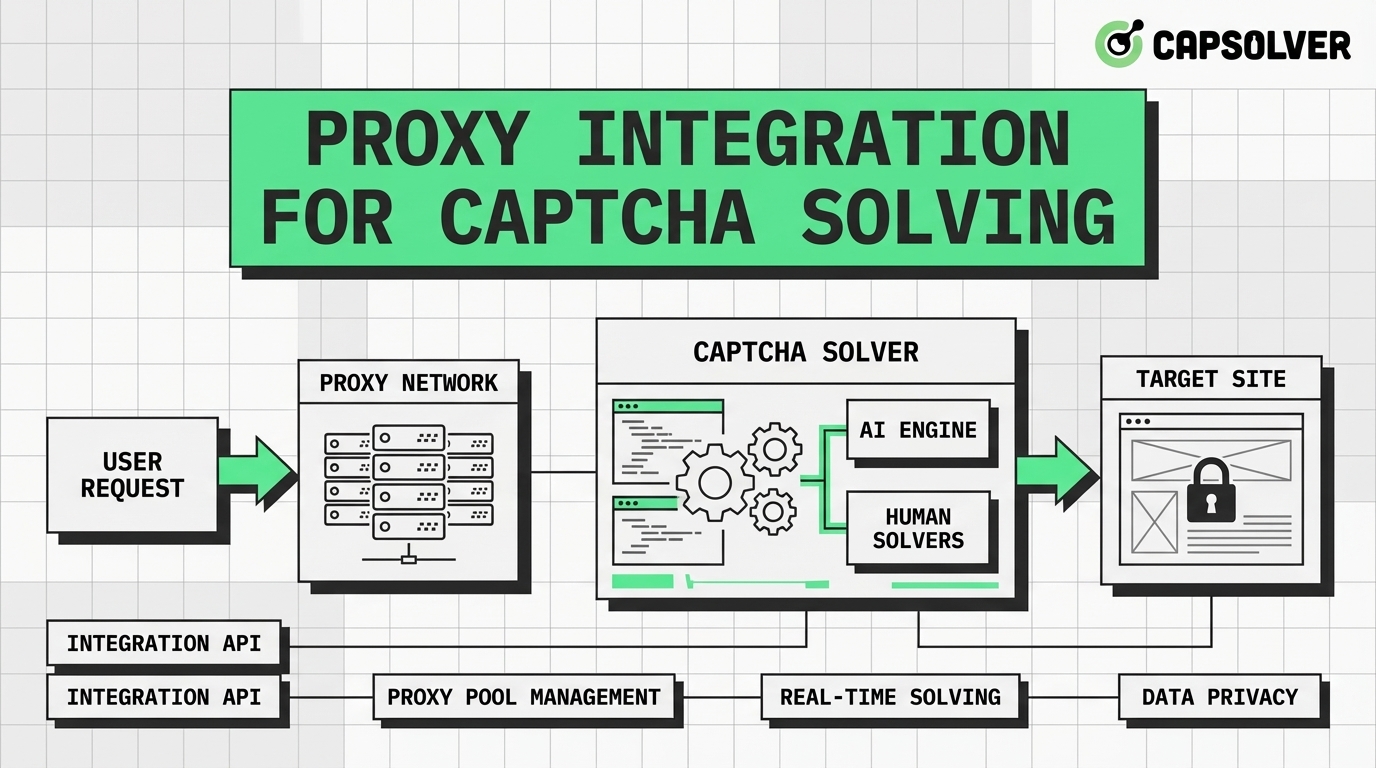
proxyType, proxyAddress, and proxyPort is critical for seamless integration.Automation developers often face significant hurdles when dealing with security challenges on modern websites. One of the most effective ways to maintain a high success rate is through proper proxy integration for CAPTCHA solving. This guide is designed for developers and data scientists who need to scale their operations while ensuring reliability. By the end of this article, you will understand how to set up a robust environment, integrate proxies with CapSolver, and optimize your requests for maximum efficiency. Our goal is to provide a clear, actionable roadmap that prioritizes compliance and technical excellence.
When you send a request to a CAPTCHA solving service, the IP address used to solve the challenge matters. Many websites track the reputation of the IP address that submits the solution. If the IP is flagged as a data center or has a history of suspicious activity, the solution might be rejected even if it is technically correct. This is where proxy integration for CAPTCHA solving becomes a game-changer. By using your own high-quality proxies, you can ensure that the solving process happens from an IP that matches your target audience's profile. Many advanced workflows also combine proxies with antidetect browsers to create separate browser fingerprints and maintain more consistent browsing environments during CAPTCHA solving.
| Proxy Type | Success Rate | Cost | Best Use Case |
|---|---|---|---|
| Residential | High | Premium | High-security sites, localized content |
| Datacenter | Medium | Low | High-speed tasks, low-security sites |
| Mobile | Very High | High | Mobile-specific apps, strict IP filtering |
| ISP/Static | High | Medium | Long-term sessions, account management |
Before diving into the code, you must ensure your environment is correctly configured. This involves selecting a reliable proxy provider and obtaining your CapSolver API key. A stable environment is the foundation of any successful automation project.
The first step in proxy integration for CAPTCHA solving is choosing a provider that offers the right protocol and location coverage. Ensure your provider supports HTTP, HTTPS, or SOCKS5 protocols.
You will need an account at CapSolver to access their advanced solving capabilities.
clientKey.Integrating proxies with CapSolver is a straightforward process if you follow the official documentation. We will focus on the createTask method, which is the core of the integration.
When creating a task, you must include the proxy details within the task object. This tells CapSolver to use your specific IP for the solving process.
proxyType, proxyAddress, proxyPort, and authentication details.type field does not have the ProxyLess suffix if you intend to use your own proxies.Based on the official CapSolver documentation, here is how you can implement proxy integration for CAPTCHA solving using Python.
import requests
import time

# Configuration
api_key = "YOUR_CAPSOLVER_API_KEY"
site_key = "6Le-wvkSAAAAAPBMRTvw0Q4Muexq9bi0DJwx_mJ-"
site_url = "https://www.google.com/recaptcha/api2/demo"

def create_task_with_proxy():
    payload = {
        "clientKey": api_key,
        "task": {
            "type": "ReCaptchaV2Task",
            "websiteURL": site_url,
            "websiteKey": site_key,
            "proxyType": "http",
            "proxyAddress": "1.2.3.4",
            "proxyPort": 8080,
            "proxyLogin": "username",
            "proxyPassword": "password"
        }
    }

    # Send request to create task
    response = requests.post("https://api.capsolver.com/createTask", json=payload)
    result = response.json()

    if result.get("errorId") == 0:
        return result.get("taskId")
    else:
        print(f"Error: {result.get('errorDescription')}")
        return None

def get_solution(task_id):
    while True:
        payload = {
            "clientKey": api_key,
            "taskId": task_id
        }
        response = requests.post("https://api.capsolver.com/getTaskResult", json=payload)
        result = response.json()

        if result.get("status") == "ready":
            return result.get("solution").get("gRecaptchaResponse")
        elif result.get("status") == "failed":
            print("Task failed")
            break

        time.sleep(2)

# Execution
task_id = create_task_with_proxy()
if task_id:
    print(f"Task Created: {task_id}")
    solution = get_solution(task_id)
print(f"Solution: {solution}")Once the task is complete, you will receive a token. This token must be submitted to the target website to complete the verification.
gRecaptchaResponse from the API response and inject it into the target form.To achieve the best results with proxy integration for CAPTCHA solving, you should consider several optimization strategies. These will help you scale your operations without triggering security alerts.
Using a single proxy for thousands of requests is a recipe for failure. Implement a rotation strategy to distribute the load across multiple IPs. High-quality residential proxies are highly recommended for sites with strict security measures. You can learn more about how to avoid IP bans to keep your automation running smoothly.
While it is tempting to run as many threads as possible, doing so can lead to rapid IP flagging. Start with a low concurrency level and gradually increase it while monitoring your success rate. Balancing speed and reliability is key to long-term success. Choosing the right CAPTCHA solving API is also crucial for handling high-volume traffic.
Modern security systems look at more than just your IP. Ensure your request headers, such as User-Agent and Accept-Language, match the profile of your proxy's location. This creates a more consistent and human-like footprint. According to the IETF HTTP Semantics (RFC 9110), maintaining proper header structure is essential for standard-compliant communication.
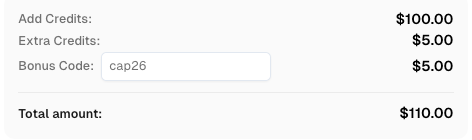
Use code
CAP26when signing up at CapSolver to receive bonus credits!
Even with a perfect setup, you might encounter issues. Here are some common problems and their solutions.
| Issue | Possible Cause | Solution |
|---|---|---|
| Connection Timeout | Proxy server is down or slow | Check proxy status or switch to a different provider |
| Invalid Token | Proxy IP is blacklisted | Use residential proxies or rotate your IP pool |
| Authentication Error | Incorrect API key or proxy credentials | Double-check your clientKey and proxy login details |
| IP Whitelisting Error | CapSolver IPs not allowed | Add CapSolver's official IPs to your proxy's whitelist |
If you are still facing difficulties, it might be time to evaluate if you are using the best captcha solver for your specific needs. For a deeper understanding of how proxies function at a technical level, the MDN Proxy Servers and Tunneling documentation provides excellent insights into server-side configurations.
When implementing proxy integration for CAPTCHA solving, it is vital to remain compliant with the terms of service of the websites you are interacting with. Automation should be used responsibly and ethically. Always respect robots.txt files and avoid overwhelming servers with excessive requests. Using tools like CapSolver should be part of a legitimate data collection or testing strategy that adds value without causing harm. Furthermore, adhering to the W3C CAPTCHA Accessibility guidelines ensures that your automation practices remain mindful of broader web standards and inclusivity.
Mastering proxy integration for CAPTCHA solving is a fundamental skill for any developer involved in web automation. By following the steps outlined in this guide—from environment preparation to performance optimization—you can significantly improve your success rates and build more resilient systems. Remember that the quality of your proxies and the reliability of your solving service, such as CapSolver, are the two most important factors in your success.
1. Why do I need a proxy for CAPTCHA solving?
A proxy allows you to solve challenges using an IP address that matches your target site's expectations, which is crucial for maintaining a high success rate and avoiding IP-based restrictions.
2. Can I use SOCKS5 proxies with CapSolver?
Yes, CapSolver supports SOCKS5, HTTP, and HTTPS protocols. You can specify the protocol in the proxyType field or as a prefix in the proxy string.
3. What is the difference between Proxy and ProxyLess tasks?
Proxy tasks use your own provided IP address for solving, while ProxyLess tasks use CapSolver's internal infrastructure. Proxy tasks are generally better for sites with strict IP tracking.
4. How do I improve my success rate for reCAPTCHA v3?
For reCAPTCHA v3, using high-score residential proxies and ensuring your browser fingerprinting is consistent are the most effective ways to improve results.
5. Is it necessary to whitelist CapSolver IPs?
If your proxy provider uses IP-based authentication instead of username/password, you must whitelist CapSolver's official IP addresses to allow their servers to connect to your proxy.
Nikolai Smirnov
Software Development Lead
Building dependable software for complex automation.
ABOUT THE AUTHOR
Learn scalable Rust web scraping architecture with reqwest, scraper, async scraping, headless browser scraping, proxy rotation, and compliant CAPTCHA handling.

Learn the best techniques to scrape job listings without getting blocked. Master Indeed scraping, Google Jobs API, and web scraping API with CapSolver.