
🎉NEWCapSolver for AI agents-MCP, agent tools, and SDK integrations

Ethan Collins
AI Agent Workflow Engineer
Published Feb 24, 2026
Updated Feb 26, 2026 · min read
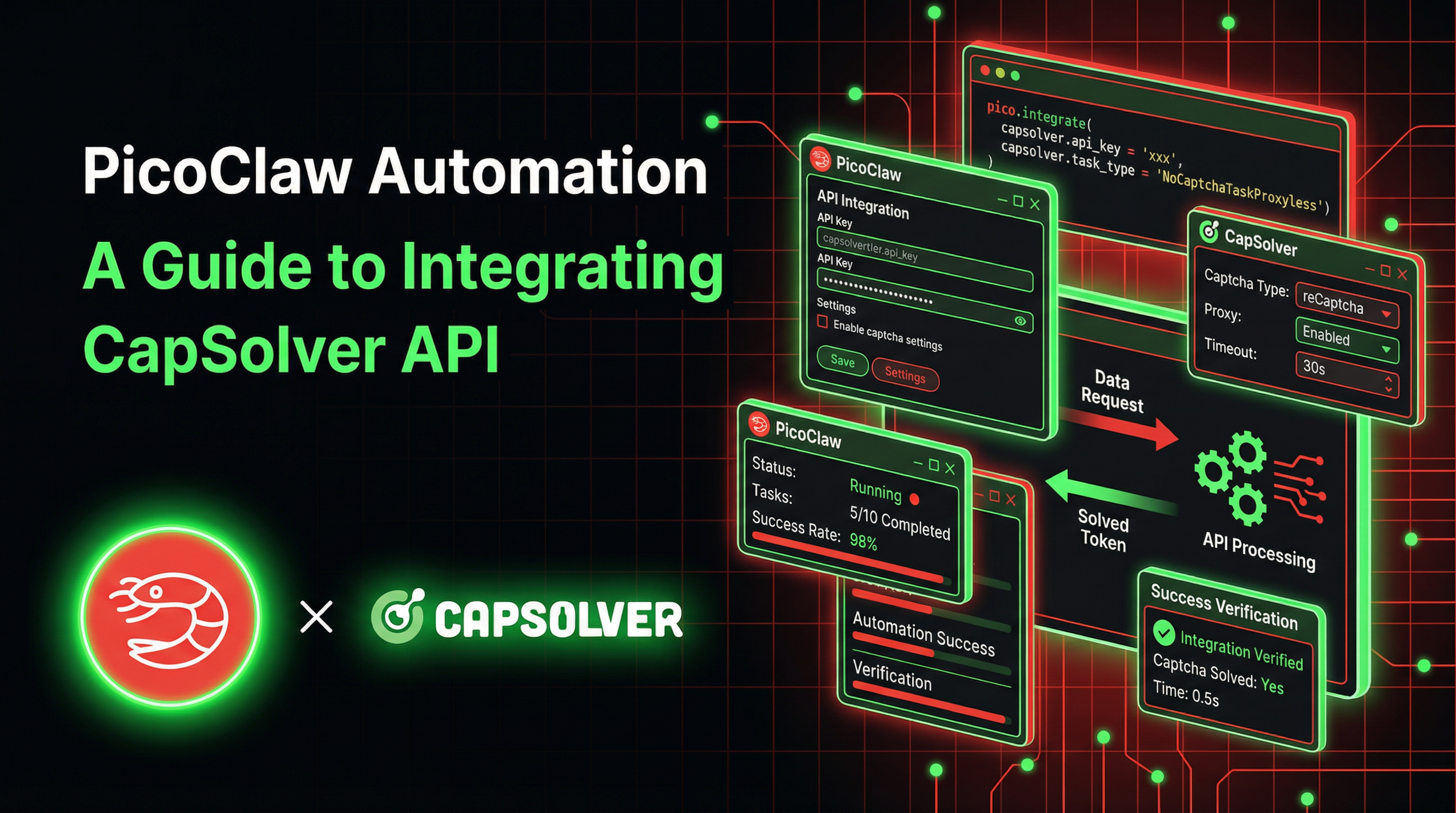
When your AI assistant automates web tasks, CAPTCHAs are the number one blocker. Protected pages refuse to submit, login flows stall, and the entire automation pipeline halts waiting for a human to click a checkbox or identify traffic lights.
PicoClaw is an ultra-lightweight personal AI assistant written in Go that runs on $10 hardware with under 10MB of RAM. It connects to the messaging platforms you already use, and includes a built-in exec tool that lets the agent write and run scripts autonomously.
CapSolver provides an AI-powered CAPTCHA solving API. By combining PicoClaw's script execution capabilities with CapSolver's REST API, your agent can detect CAPTCHAs, solve them, inject tokens, and submit forms — all without human intervention.
The best part? You just tell the agent what you want done in plain language. It writes a Playwright script, extracts the sitekey, calls CapSolver, injects the token, and submits the form — all autonomously. And because PicoClaw is compiled Go, the entire orchestration layer fits inside 10MB of RAM on a $10 RISC-V board.
PicoClaw is an ultra-lightweight personal AI assistant built in Go 1.25.7 through a remarkable self-bootstrapping process: the AI agent itself drove the entire architectural migration from Python, producing 95% of the core code autonomously with human-in-the-loop refinement.
| Metric | PicoClaw | Typical AI Assistants |
|---|---|---|
| Language | Go | Python / TypeScript |
| RAM | < 10MB | 100MB – 1GB+ |
| Boot Time (0.8GHz core) | < 1 second | 30 – 500+ seconds |
| Hardware Cost | As low as $10 | $50 – $599 |
| Binary | Single static binary | Runtime + dependencies |
PicoClaw's tagline says it all: $10 Hardware. 10MB RAM. 1s Boot.
PicoClaw's ExecTool (defined in pkg/tools/shell.go) is what makes browser automation possible. It's a carefully sandboxed shell execution environment with 27+ security deny patterns compiled as Go regexps, a 60-second default timeout, workspace path restriction, and path traversal detection.
When you ask the agent to interact with a web page, it:
write_file toolexec tool (which calls sh -c on Linux)The tool's guardCommand() method checks every command against compiled regexp deny patterns before execution, enforces workspace path restrictions, and detects path traversal attempts. Think of it as sandboxed command-line access — the agent can run Node.js scripts and local package installs, but cannot rm -rf, sudo, or docker run.
The core logic lives in pkg/tools/toolloop.go — a tight cycle: LLM Call -> Extract Tool Calls -> Execute Tools -> Append Results -> repeat until a final text response (or MaxIterations, default 20). This loop is shared between the main agent (pkg/agent/loop.go) and background subagents via spawn.
CapSolver is a leading CAPTCHA solving service that provides AI-powered solutions for bypassing various CAPTCHA challenges. With support for multiple CAPTCHA types and fast response times, CapSolver integrates seamlessly into automated workflows.
Most CAPTCHA-solving integrations fall into two camps: code-level API integration where you write a dedicated service class, or browser extension where a Chrome extension handles everything invisibly. PicoClaw takes a third approach: agent-driven API integration on edge hardware.
The AI agent itself orchestrates the entire solve flow autonomously — writing a Playwright script, extracting the sitekey, calling the CapSolver API, and injecting the solution token — all through scripts it writes and executes on the fly. And critically, the Go-based orchestrator doing all of this coordination consumes under 10MB of RAM.
You can run CAPTCHA-busting automation on hardware that costs less than a coffee. A $9.90 LicheeRV-Nano running PicoClaw can receive a Telegram message, coordinate with CapSolver's cloud API, inject the token, and submit the form — all while using a fraction of the board's 64MB RAM. The heavy lifting (CAPTCHA recognition) happens on CapSolver's servers; PicoClaw just orchestrates. Always-on, 24/7, on a device the size of a postage stamp.
| Browser Extension Approach | PicoClaw's Agent-Driven Approach |
|---|---|
| Requires Chrome extension installed | No extension needed — just an API key |
| Needs a compatible Chrome build | Works with any headless browser |
| Extension detects CAPTCHAs automatically | Agent extracts sitekey from page DOM |
| Extension calls API in the background | Agent calls CapSolver REST API directly |
| Requires a display (Xvfb on servers) | Runs fully headless, no display needed |
| Heavy runtime (1GB+ RAM) | Ultra-light orchestrator (< 10MB RAM) |
| Requires x86_64 or ARM64 desktop | Runs on RISC-V, ARM, x86 — even $10 boards |
The key insight: PicoClaw's Go binary is so lightweight it runs on hardware most frameworks can't even boot on — yet it can orchestrate the full CAPTCHA-solving pipeline through Playwright scripts and CapSolver's REST API.
Note: The examples below are tested on Ubuntu 22.04 / 24.04. Commands use
aptandbash— adjust for your distro if needed. For edge devices (RISC-V, ARM), cross-compile PicoClaw on your build machine or download a prebuilt binary from the releases page.
Before setting up the integration, make sure you have:
make build)exec tool)Option A: Prebuilt Binary (Fastest)
# Download the latest release for your platform
# Replace v0.1.1 with the latest version from the Releases page
wget https://github.com/sipeed/picoclaw/releases/download/v0.1.1/picoclaw-linux-amd64
chmod +x picoclaw-linux-amd64
sudo mv picoclaw-linux-amd64 /usr/local/bin/picoclaw

# Run the interactive onboarding wizard
picoclaw onboard
Option B: Build From Source
git clone https://github.com/sipeed/picoclaw.git
cd picoclaw
make deps
make build
make install

# Initialize config and workspace
picoclaw onboard
This creates ~/.picoclaw/config.json, ~/.picoclaw/workspace/ (scripts, skills, and memory).
Add your CapSolver API key as an environment variable:
export CAPSOLVER_API_KEY="CAP-XXXXXXXXXXXXXXXXXXXXXXXXXXXXXXXX"You can get your API key from your CapSolver dashboard.
For persistent configuration, add it to ~/.bashrc or ~/.zshrc.
Install Playwright and its system dependencies on Ubuntu:
# Install Playwright browser dependencies (Ubuntu)
sudo apt install -y libnss3 libatk-bridge2.0-0 libdrm2 libxcomposite1 \
  libxdamage1 libxrandr2 libgbm1 libpango-1.0-0 libasound2t64

# Install Playwright in your PicoClaw workspace
cd ~/.picoclaw/workspace
npm init -y
npm install playwright
npx playwright install chromium
Edge device note: On resource-constrained boards, you may want to install Chromium on a more powerful machine and point PicoClaw to a remote browser via Playwright's
browserType.connect(). The PicoClaw agent itself needs only ~10MB RAM; the browser is the heavy part.
PicoClaw's ExecTool has built-in deny patterns for safety. The defaults work well for CAPTCHA automation: node, npx, and local npm install are all allowed. Only npm install -g, sudo, docker run, and similar dangerous commands are blocked. No configuration changes are needed for the standard workflow.
# Start channel services (Telegram, Discord, etc.)
picoclaw gateway

# Or for interactive testing
picoclaw agentSend a test message to your agent through any connected channel:
What tools do you have available?The agent should list exec among its tools — this is what it uses to run browser automation scripts. You can also verify Node.js access:
Run: node --versionThe agent should execute this via the exec tool and return the Node.js version.
PicoClaw uses a skill system based on SKILL.md files with frontmatter metadata. Skills are loaded from three locations in priority order (defined in pkg/skills/loader.go):
~/.picoclaw/workspace/skills/{name}/SKILL.md (project-level, highest priority)~/.picoclaw/skills/{name}/SKILL.md (user-level)skills/{name}/SKILL.md (bundled with the binary)Workspace skills override global skills, which override built-in ones. The loader reads frontmatter as JSON or YAML and builds an XML summary for the system prompt.
~/.picoclaw/workspace/skills/capsolver/SKILL.md)---
name: capsolver
description: "Solve CAPTCHAs using the CapSolver REST API with Playwright. Supports reCAPTCHA v2, reCAPTCHA v3, and Cloudflare Turnstile. Use when automating form submissions or page interactions that encounter CAPTCHA challenges."
metadata: {"picoclaw":{"emoji":"🔓","always":true,"requires":{"bins":["node"],"env":["CAPSOLVER_API_KEY"]}}}
---
# CapSolver
## IMPORTANT: Execution Required
When a user asks you to solve a CAPTCHA, you MUST immediately call a tool. Do NOT respond with text like "Running..." or "I'll start..." or "I've started the automation...".
Your FIRST action must be one of:
1. Call `write_file` to save a Node.js script, then call `exec` to run it
2. Call `spawn` with a detailed task description for background execution
If you respond with only text and no tool call, the user will see nothing happen. Always execute.
## API Endpoints
- **Create task**: `POST https://api.capsolver.com/createTask`
- **Get result**: `POST https://api.capsolver.com/getTaskResult`
## Task Types
| CAPTCHA | Task Type | Sitekey Location |
|---|---|---|
| reCAPTCHA v2 | `ReCaptchaV2TaskProxyLess` | `data-sitekey` attribute |
| reCAPTCHA v3 | `ReCaptchaV3TaskProxyLess` | `grecaptcha.execute` call or page source |
| Cloudflare Turnstile | `AntiTurnstileTaskProxyLess` | `data-sitekey` on Turnstile div |
Enterprise variants: `ReCaptchaV2EnterpriseTaskProxyLess`, `ReCaptchaV3EnterpriseTaskProxyLess`.
## Workflow
1. Navigate to the page with Playwright (headless Chromium)
2. Extract the sitekey from the DOM (`[data-sitekey]` attribute)
3. Call `createTask` with the sitekey and page URL
4. Poll `getTaskResult` every 2 seconds until `status: "ready"`
5. Inject the token into the page (hidden form field)
6. Submit the form
## Core Code Pattern
```javascript
const CAPSOLVER_API_KEY = process.env.CAPSOLVER_API_KEY;
// Step 1: Create task
const createRes = await fetch('https://api.capsolver.com/createTask', {
method: 'POST',
headers: { 'Content-Type': 'application/json' },
body: JSON.stringify({
clientKey: CAPSOLVER_API_KEY,
task: {
type: 'ReCaptchaV2TaskProxyLess', // or ReCaptchaV3TaskProxyLess, AntiTurnstileTaskProxyLess
websiteURL: pageUrl,
websiteKey: siteKey
}
})
});
const { taskId } = await createRes.json();
// Step 2: Poll for result
let token;
while (true) {
await new Promise(r => setTimeout(r, 2000));
const res = await fetch('https://api.capsolver.com/getTaskResult', {
method: 'POST',
headers: { 'Content-Type': 'application/json' },
body: JSON.stringify({ clientKey: CAPSOLVER_API_KEY, taskId })
});
const result = await res.json();
if (result.status === 'ready') { token = result.solution.gRecaptchaResponse || result.solution.token; break; }
if (result.status === 'failed') throw new Error('Solve failed');
}
// Step 3: Inject token (reCAPTCHA)
await page.evaluate((t) => {
document.querySelectorAll('textarea[name="g-recaptcha-response"]')
.forEach(el => { el.value = t; el.innerHTML = t; });
}, token);
```
For Turnstile, the token field is typically `input[name="cf-turnstile-response"]` and the solution is in `result.solution.token`.
## API Reference
All task types require `type`, `websiteURL`, `websiteKey`. Optional fields vary by type:
- **reCAPTCHA v2**: `isInvisible`, `pageAction`, `enterprisePayload`, `apiDomain`
- **reCAPTCHA v3**: `pageAction` (from `grecaptcha.execute(key, {action: "..."})`)
- **Cloudflare Turnstile**: `metadata.action`, `metadata.cdata`Key points:
pkg/skills/loader.go tries JSON first, falls back to YAML)metadata contains PicoClaw-specific config: emoji for display, always to auto-load, requires for dependency checksSkillsLoader.BuildSkillsSummary() generates XML summaries injected into the system promptAfter creating the skill, verify with picoclaw skills — you should see capsolver listed.
When you ask PicoClaw to interact with a CAPTCHA-protected page, here's the complete flow from message to result:
  Your message                     PicoClaw Agent (Go, ~10MB RAM)
  ─────────────────────────────────────────────────────────────
  "Go to that page,           ──►  Agent receives via MessageBus
   fill the form,                  │ (pkg/bus/bus.go)
   solve the captcha,              ▼
   and submit it"             ContextBuilder injects skills
                                   │ (pkg/agent/context.go)
                                   ▼
                              RunToolLoop starts
                                   │ (pkg/tools/toolloop.go)
                                   ▼
                              Agent writes Node.js script
                                   │ via write_file tool
                                   ▼
                              ExecTool runs the script
                              ┌────────────────────────────┐
                              │ pkg/tools/shell.go          │
                              │ guardCommand() → 27+ checks │
                              │ sh -c "node script.js"      │
                              │                             │
                              │  Headless Chromium          │
                              │  1. Navigate to page        │
                              │  2. Extract sitekey         │
                              │  3. POST /createTask ────────── CapSolver API
                              │  4. Poll /getTaskResult ─────── (cloud)
                              │  5. Inject token            │
                              │  6. Submit form             │
                              │  7. Screenshot              │
                              └────────────────────────────┘
                                   │
                                   ▼ stdout returned (max 10KB)
                              Agent reads output
                                   │
                                   ▼
                              "Form submitted successfully!
                               Verification Success!"
The core of the integration is two API calls:
1. Create a task — Send the CAPTCHA sitekey and page URL to CapSolver:
const response = await fetch('https://api.capsolver.com/createTask', {
  method: 'POST',
  headers: { 'Content-Type': 'application/json' },
  body: JSON.stringify({
    clientKey: CAPSOLVER_API_KEY,
    task: {
      type: 'ReCaptchaV2TaskProxyLess',
      websiteURL: pageUrl,
      websiteKey: siteKey
    }
  })
});
2. Poll for the result — Check every 2 seconds until CapSolver returns the solved token:
const result = await fetch('https://api.capsolver.com/getTaskResult', {
  method: 'POST',
  headers: { 'Content-Type': 'application/json' },
  body: JSON.stringify({
    clientKey: CAPSOLVER_API_KEY,
    taskId: taskId
  })
});
// result.solution.gRecaptchaResponse contains the token
3. Inject the token — Set it in the hidden form field that reCAPTCHA expects:
await page.evaluate((token) => {
  const textarea = document.querySelector('textarea[name="g-recaptcha-response"]');
  if (textarea) {
    textarea.value = token;
    textarea.innerHTML = token;
  }
}, captchaToken);Here's the actual Node.js script that PicoClaw's agent generates and executes to solve reCAPTCHA on the Google demo page. The agent writes this via write_file, then runs it with exec — all autonomously from a single Telegram message:
const { chromium } = require('playwright');
const https = require('https');

const CAPSOLVER_API_KEY = process.env.CAPSOLVER_API_KEY;
const PAGE_URL = '';

function httpsPost(url, data) {
  return new Promise((resolve, reject) => {
    const req = https.request(url, {
      method: 'POST',
      headers: { 'Content-Type': 'application/json' }
    }, (res) => {
      let body = '';
      res.on('data', chunk => body += chunk);
      res.on('end', () => resolve(JSON.parse(body)));
    });
    req.on('error', reject);
    req.write(JSON.stringify(data));
    req.end();
  });
}

async function solveRecaptcha(siteKey, pageUrl) {
  console.log('Creating CapSolver task...');

  const createRes = await httpsPost('https://api.capsolver.com/createTask', {
    clientKey: CAPSOLVER_API_KEY,
    task: {
      type: 'ReCaptchaV2TaskProxyLess',
      websiteURL: pageUrl,
      websiteKey: siteKey
    }
  });

  if (createRes.errorId) {
    throw new Error(`CapSolver error: ${createRes.errorDescription}`);
  }

  const { taskId } = createRes;
  console.log(`Task ID: ${taskId}`);

  let token;
  while (true) {
    await new Promise(r => setTimeout(r, 2000));

    const res = await httpsPost('https://api.capsolver.com/getTaskResult', {
      clientKey: CAPSOLVER_API_KEY,
      taskId
    });

    if (res.status === 'ready') {
      token = res.solution.gRecaptchaResponse;
      console.log(`Token received! Length: ${token.length}`);
      break;
    }
    if (res.status === 'failed') {
      throw new Error(`CapSolver task failed: ${res.errorDescription}`);
    }

    console.log('Polling... status:', res.status);
  }

  if (!token) throw new Error('Failed to get token');
  return token;
}

async function main() {
  const browser = await chromium.launch({
    headless: true,
    args: ['--no-sandbox', '--disable-setuid-sandbox']
  });
  const page = await browser.newPage();

  try {
    await page.goto(PAGE_URL, { waitUntil: 'domcontentloaded', timeout: 30000 });
    const siteKey = await page.locator('[data-sitekey]').getAttribute('data-sitekey');
    console.log(`Sitekey: ${siteKey}`);

    const token = await solveRecaptcha(siteKey, PAGE_URL);

    await page.evaluate((t) => {
      document.querySelectorAll('textarea[name="g-recaptcha-response"]')
        .forEach(el => { el.value = t; el.innerHTML = t; });
    }, token);

    await page.locator('input[type="submit"]').click();
    await page.waitForTimeout(3000);

    const body = await page.textContent('body');
    console.log(body.includes('Success') ? 'SUCCESS!' : 'Result:', body.slice(0, 200));
    await page.screenshot({ path: 'recaptcha_result.png' });
  } finally {
    await browser.close();
  }
}

main().catch(err => {
  console.error('Error:', err.message);
  process.exit(1);
});
Run it directly:
CAPSOLVER_API_KEY=CAP-XXX node solve_recaptcha.jsOr let PicoClaw's agent handle everything — just send a message on Telegram:
Solve the reCAPTCHA at https://example.com and submit the form.The agent reads its capsolver skill, writes the script, runs it via exec, reads the output, and reports back.
Once the setup is complete, using CapSolver with PicoClaw is as simple as sending a message on any connected channel.
Send this to your agent via Telegram, Discord, WhatsApp, or any connected channel:
Go to https://example.com and solve
the reCAPTCHA using the CapSolver API, then submit the form
and tell me if it succeeded.
What happens: The agent reads the capsolver skill, writes a Playwright script, runs it via exec (which passes guardCommand() checks and executes with a 60s timeout), and the script navigates the page, extracts the sitekey, calls CapSolver, injects the token, and submits. The result flows back to you through the MessageBus.
Go to https://example.com/login, fill in the email with
"me@example.com" and password with "mypassword", detect and
solve any CAPTCHA on the page, then click Sign In and tell me
what happens.Open https://example.com/contact, fill in the name, email, and
message fields, solve the CAPTCHA, submit the form, and tell me
the confirmation message.For longer-running tasks, use the spawn tool (pkg/tools/spawn.go) to delegate to a background subagent:
In the background, go to https://example.com/register, create
an account with my details, solve any CAPTCHAs you encounter,
and let me know when it's done.If PicoClaw is running on a LicheeRV-Nano or similar edge device, combine with the cron tool:
Every hour, check https://example.com/status — if there's a
CAPTCHA gate, solve it and report the status page content.PicoClaw's agent has all the tools needed for autonomous CAPTCHA solving:
exec (pkg/tools/shell.go) — sandboxed shell execution with 27+ security deny patternswrite_file / read_file (pkg/tools/filesystem.go) — script management in the workspacespawn (pkg/tools/spawn.go) — background subagent delegation for long tasksweb_fetch (pkg/tools/web.go) — page content fetching for DOM analysispkg/skills/loader.go) — capsolver skill provides API docs in contextpkg/agent/memory.go) — persists successful approaches across sessionsWe tested the integration on Google's reCAPTCHA v2 demo page via a live Discord bot on Ubuntu 24.04. The PicoClaw agent (using glm-4.7 via z.ai) received a Discord message, autonomously wrote a Playwright script, solved the CAPTCHA, and reported back — all without human intervention:
| Metric | Value |
|---|---|
| PicoClaw agent memory usage | ~8 MB |
| LLM model | glm-4.7 (Zhipu AI via z.ai) |
| Agent iterations | 5 (understand → write script → execute → screenshot → encode) |
| Script generation (write_file) | < 1 second |
| Script execution (Playwright + CapSolver) | 24.2 seconds |
| Screenshot capture + base64 encoding | 16ms |
| Generated artifacts | solve_recaptcha_random.js (6KB), before_submit.png (22KB), after_submit.png (6KB) |
| End-to-end (Discord message to response) | ~30 seconds |
| Result | Verification Success |
Edge device note: On boards with limited RAM (e.g., the $9.90 LicheeRV-Nano with 64MB), PicoClaw itself fits easily (~8MB) but Chromium needs 100-300MB. Use Playwright's
connect()to offload the browser to a more capable machine while keeping PicoClaw's lightweight agent on the edge device.
Playwright isn't installed in the workspace. Run:
cd ~/.picoclaw/workspace && npm install playwright && npx playwright install chromiumIf Chromium fails to launch with errors about missing shared libraries, install the system dependencies:
sudo apt install -y libnss3 libatk-bridge2.0-0 libdrm2 libxcomposite1 \
libxdamage1 libxrandr2 libgbm1 libpango-1.0-0 libasound2t64PicoClaw's deny patterns block npm install -g (global installs), sudo, and apt install, but allow local npm install, node script.js, and npx playwright install. If you see "Command blocked by safety guard", you can either disable deny patterns or provide custom ones in ~/.picoclaw/config.json:
{ "tools": { "exec": { "enable_deny_patterns": false } } }Or use a custom allowlist that excludes only the patterns you want blocked.
ready or failedexec tool's 60-second timeout is not enough, the script will be killed. You can increase it programmatically or use the spawn tool for longer tasks (subagents have their own timeout)The default timeout in pkg/tools/shell.go is 60 seconds. For CAPTCHA automation, this can be tight. Use the spawn tool for longer tasks (subagents run independently), or modify the timeout in NewExecToolWithConfig() in the source (timeout: 120 * time.Second).
The script extracts the sitekey from the data-sitekey attribute. If no element is found, the agent can adapt and extract it from iframe URLs or page source.
Add --no-sandbox, --disable-setuid-sandbox, and --disable-dev-shm-usage to the Playwright launch args.
Verify: (1) CAPSOLVER_API_KEY env var is set before starting PicoClaw, (2) skill file exists at ~/.picoclaw/workspace/skills/capsolver/SKILL.md, (3) picoclaw skills shows it listed.
Don't hardcode the key in scripts. Use process.env.CAPSOLVER_API_KEY so the agent can pick it up automatically. PicoClaw passes the parent process's environment to all exec tool invocations.
PicoClaw's API-based approach works in fully headless environments — no Xvfb or virtual display needed. This is a significant advantage over extension-based approaches, especially on edge devices where display hardware doesn't exist.
Each CAPTCHA solve costs credits. Check your balance at capsolver.com/dashboard regularly.
CAPTCHA providers evolve. Keep Playwright and Chromium updated:
cd ~/.picoclaw/workspace && npm update playwright && npx playwright install chromiumBrowser automation can take 30-60 seconds. Use spawn instead of relying on the agent's primary loop to avoid timeouts and keep the main agent responsive to other messages.
After a successful CAPTCHA solve, the agent saves the approach to ~/.picoclaw/workspace/memory/MEMORY.md. Next time, it recalls the exact pattern that worked.
On $10 boards with limited RAM, connect to a remote Chromium instance via chromium.connect('ws://server:9222'). This keeps PicoClaw's ~8MB footprint on the edge while the browser runs elsewhere.
PicoClaw's restrict_to_workspace setting limits file and exec operations to the workspace directory. Ensure your scripts and Playwright installation are within ~/.picoclaw/workspace/.
The PicoClaw + CapSolver integration represents a fundamentally different approach to CAPTCHA solving. Instead of heavy browser extensions on desktop machines, a Go-compiled agent running on $10 hardware orchestrates the entire solve flow:
data-sitekey attributeThis gives you:
Save the complete working example from above to ~/.picoclaw/workspace/solve_captcha.js and run:
CAPSOLVER_API_KEY=CAP-XXX node ~/.picoclaw/workspace/solve_captcha.jsOr simply send a Telegram message to your PicoClaw agent and let it handle everything autonomously.
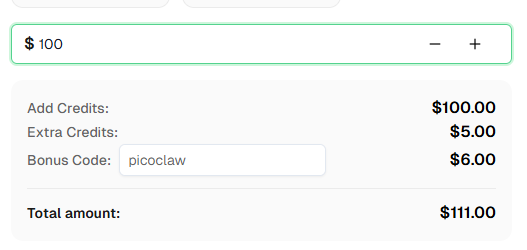
Ready to get started? Sign up for CapSolver and use bonus code PICOCLAW for an extra 6% bonus on your first recharge!
PicoClaw uses the CapSolver REST API directly. The agent writes and executes Node.js/Playwright scripts that call createTask and getTaskResult to obtain solution tokens, then injects them into the page DOM. No browser extension is needed. The entire orchestration happens through PicoClaw's ExecTool (pkg/tools/shell.go), which runs sh -c "node script.js" with 27+ security deny patterns, workspace path restriction, and a configurable timeout.
No. Unlike extension-based approaches that require Chrome for Testing (since branded Chrome 137+ disabled extension loading), PicoClaw works with any Chromium build — including Playwright's bundled Chromium, standard Chromium packages, or headless Chrome. This is especially important on edge devices where you may only have access to distro-packaged Chromium.
Yes. PicoClaw uses under 10MB RAM and boots in under 1 second on a 0.6GHz core. It supports RISC-V, ARM64, and x86_64. CapSolver's cloud API handles the heavy work; PicoClaw just coordinates. Note: Chromium needs 100-300MB RAM, so sub-256MB boards should connect to a remote browser.
CapSolver supports reCAPTCHA v2 (checkbox and invisible), reCAPTCHA v3, reCAPTCHA Enterprise, Cloudflare Turnstile, AWS WAF CAPTCHA, and more. The PicoClaw integration uses ReCaptchaV2TaskProxyLess in the example, but the skill file documents all task types. The agent can adapt to any supported CAPTCHA type by modifying the task type parameter.
Yes — and this is where PicoClaw's approach shines. Since there's no browser extension involved, you don't need Xvfb or a virtual display. Playwright runs in fully headless mode out of the box. Combined with PicoClaw's tiny footprint, this makes it ideal for always-on server deployments.
CapSolver offers competitive pricing based on CAPTCHA type and volume. Visit capsolver.com for current pricing. Use bonus code PICOCLAW for an extra 6% on your first recharge.
PicoClaw is open-source (MIT license) and free to run on your own hardware. You'll need API keys for the AI model provider of your choice and, for CAPTCHA solving, a CapSolver account with credits. The PicoClaw binary itself has zero runtime cost.
In our Discord bot integration test with reCAPTCHA v2, the agent's Playwright script (including CapSolver API polling) executed in 24.2 seconds. The full end-to-end time from Discord message to response was ~30 seconds, including 5 LLM iterations for script generation, execution, and visual verification.
No. The deny patterns in pkg/tools/shell.go block dangerous system commands (rm -rf, sudo, docker run), not regular Node.js execution. Running node script.js and local npm install are fully allowed. Only global installs (npm install -g) and package management commands are blocked.
Yes. Use PicoClaw's spawn tool to create multiple background subagents, each handling a different CAPTCHA task. The SubagentManager (pkg/tools/subagent.go) runs each independently and reports results back through the MessageBus.
PicoClaw was inspired by Nanobot (Python), rewritten in Go for extreme efficiency. Both use agent-driven CAPTCHA solving — the key difference is resources. Nanobot needs 100MB+ RAM and Python; PicoClaw needs under 10MB and ships as a single binary. For edge devices, PicoClaw is the clear choice.
Ethan Collins
AI Agent Workflow Engineer
Building clearer handoffs between AI agents and tools.
ABOUT THE AUTHOR
Learn scalable Rust web scraping architecture with reqwest, scraper, async scraping, headless browser scraping, proxy rotation, and compliant CAPTCHA handling.

Learn the best techniques to scrape job listings without getting blocked. Master Indeed scraping, Google Jobs API, and web scraping API with CapSolver.