🎉NEWCapSolver for AI agents-MCP, agent tools, and SDK integrations

Anh Tuan
Data Science Expert
Published Apr 08, 2026
Updated Apr 08, 2026 · min read
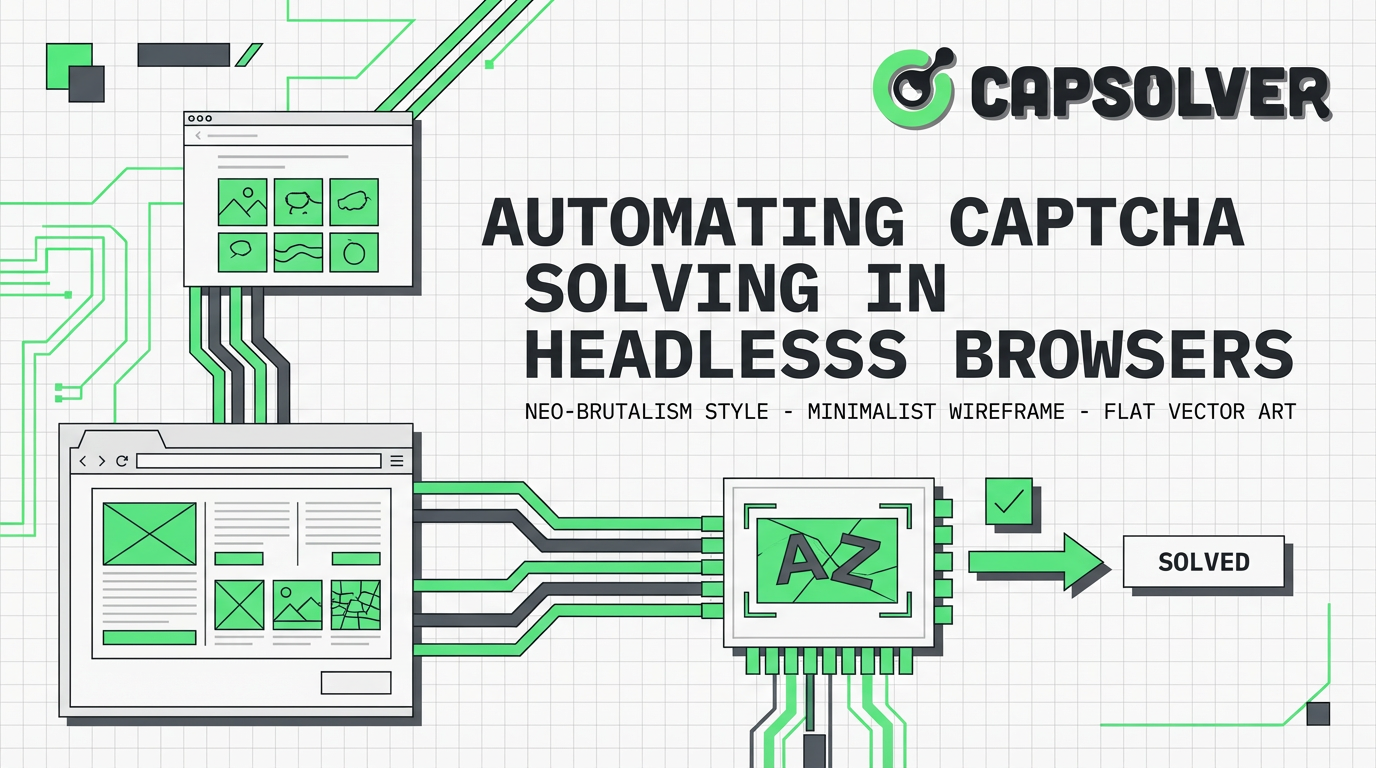
Web automation often encounters CAPTCHAs, which are designed to differentiate human users from automated bots. When operating headless browsers for tasks like data scraping, monitoring, or testing, these challenges can halt progress. This guide provides a comprehensive, step-by-step workflow for automating CAPTCHA solving in headless browsers, ensuring your automation processes run smoothly and efficiently. We will cover everything from setting up your environment to integrating a reliable CAPTCHA solving service like CapSolver, processing results, and troubleshooting common issues. By the end of this tutorial, you will have the knowledge and tools to effectively manage CAPTCHAs in your headless browser projects, enhancing the reliability and scalability of your web automation efforts.
Headless browsers are web browsers without a graphical user interface, commonly used for automated testing, web scraping, and server-side rendering. Popular examples include Puppeteer for Chrome and Playwright for various browsers. While powerful, their automated nature makes them susceptible to detection by websites employing CAPTCHAs. CAPTCHAs serve as a critical security layer, preventing automated access and misuse of web resources. The challenge lies in integrating a solution that can reliably solve these puzzles without compromising the efficiency of your headless browser operations. This is where automating CAPTCHA solving in headless browsers becomes essential.
Websites use various techniques to detect automated activity, such as analyzing browser fingerprints, user behavior patterns, and IP addresses. When these systems flag a headless browser as non-human, a CAPTCHA is often presented. This mechanism is designed to protect against spam, credential stuffing, and data extraction. For effective web automation, a robust strategy for automating CAPTCHA solving in headless browsers is indispensable.
This section outlines the complete process for integrating a CAPTCHA solving service into your headless browser automation. We will use CapSolver as an example due to its comprehensive API and support for various CAPTCHA types.
Before you begin, ensure your development environment is set up with the necessary tools. This involves installing a headless browser library and a Python environment for interacting with the CAPTCHA solving API.
Purpose: To establish a functional base for running headless browser scripts and interacting with external services.
Operation:
pip install playwright
playwright installpip install requestsPrecautions: Always keep your API key secure and avoid hardcoding it directly into public repositories. Use environment variables for better security practices.
With your environment ready, the next step is to integrate the CapSolver API into your automation script. This involves sending CAPTCHA details to CapSolver and receiving the solved token.
Purpose: To programmatically send CAPTCHA challenges to CapSolver and obtain their solutions.
Operation: The integration typically involves two main API calls: createTask to submit the CAPTCHA and getTaskResult to retrieve the solution. Below is a Python example using the requests library.
import requests
import time

# TODO: set your config
api_key = "YOUR_CAPSOLVER_API_KEY"  # Replace with your CapSolver API key
site_key = "6Le-wvkSAAAAAPBMRTvw0Q4Muexq9bi0DJwx_mJ-"  # Example site key for reCAPTCHA v2 demo
site_url = "https://www.google.com/recaptcha/api2/demo"  # Example page URL with reCAPTCHA v2 demo

def solve_recaptcha_v2_capsolver():
    print("Creating CAPTCHA task...")
    payload = {
        "clientKey": api_key,
        "task": {
            "type": 'ReCaptchaV2TaskProxyLess', # Using server's built-in proxy
            "websiteKey": site_key,
            "websiteURL": site_url
        }
    }
    try:
        res = requests.post("https://api.capsolver.com/createTask", json=payload)
        resp = res.json()
        task_id = resp.get("taskId")
        if not task_id:
            print(f"Failed to create task: {res.text}")
            return None
        print(f"Task created with ID: {task_id}. Waiting for result...")

        while True:
            time.sleep(3)  # Wait for 3 seconds before checking the result
            payload = {"clientKey": api_key, "taskId": task_id}
            res = requests.post("https://api.capsolver.com/getTaskResult", json=payload)
            resp = res.json()
            status = resp.get("status")

            if status == "ready":
                print("CAPTCHA solved successfully!")
                return resp.get("solution", {}).get('gRecaptchaResponse')
            elif status == "processing":
                print("CAPTCHA still processing...")
            elif status == "failed" or resp.get("errorId"):
                print(f"CAPTCHA solving failed! Response: {res.text}")
                return None
    except requests.exceptions.RequestException as e:
        print(f"API request failed: {e}")
        return None

# Example usage in a headless browser script (conceptual)
# from playwright.sync_api import sync_playwright

# with sync_playwright() as p:
#     browser = p.chromium.launch(headless=True)
#     page = browser.new_page()
#     page.goto(site_url)

#     # Trigger CAPTCHA (e.g., by clicking a button or navigating to a protected page)
#     # When CAPTCHA appears, call the solver
#     captcha_token = solve_recaptcha_v2_capsolver()

#     if captcha_token:
#         print(f"Received CAPTCHA token: {captcha_token[:30]}...")
#         # Inject the token into the page (e.g., via JavaScript or filling a hidden input field)
#         # page.evaluate(f"document.getElementById(\'g-recaptcha-response\').value = \'{captcha_token}\';")
#         # Submit the form
#     else:
#         print("Failed to get CAPTCHA token.")

#     browser.close()
Precautions: Adjust the time.sleep() duration based on the typical solving time for the CAPTCHA type. Excessive polling can lead to rate limiting. Always handle potential API errors and network issues gracefully.
Once CapSolver returns a solution, you need to inject this token back into your headless browser session to complete the CAPTCHA challenge.
Purpose: To submit the CAPTCHA solution to the target website and proceed with automation.
Operation: The method of injecting the token depends on the CAPTCHA type and how the website expects the solution. For reCAPTCHA v2, the token is typically placed in a hidden textarea with the ID g-recaptcha-response.
# ... (previous code for solve_recaptcha_v2_capsolver function)

from playwright.sync_api import sync_playwright

# Example usage
with sync_playwright() as p:
    browser = p.chromium.launch(headless=True)
    page = browser.new_page()
    page.goto(site_url)

    # Wait for the reCAPTCHA iframe to load and become visible (adjust selectors as needed)
    page.wait_for_selector("iframe[title='reCAPTCHA challenge']", timeout=30000)

    captcha_token = solve_recaptcha_v2_capsolver()

    if captcha_token:
        print(f"Received CAPTCHA token: {captcha_token[:30]}...")
        # Inject the token into the hidden input field
        page.evaluate(f"document.getElementById('g-recaptcha-response').value = '{captcha_token}';")
        print("CAPTCHA token injected. Attempting to submit form...")
        # Assuming there's a submit button, click it. Adjust selector as needed.
        # page.click("button[type='submit']")
        # Or, if the form submits automatically after token injection, no click is needed.
        page.wait_for_timeout(5000) # Give some time for the form to process
    else:
        print("Failed to get CAPTCHA token. Automation halted.")

    browser.close()
Precautions: Ensure your selectors for the CAPTCHA iframe and the hidden input field are accurate. Websites may change their structure, requiring updates to your selectors. Always verify that the form submission is successful after injecting the token.
Even with a robust setup, you might encounter issues. Here are some common problems and their solutions when automating CAPTCHA solving in headless browsers.
taskId Not Returned or API ErrorsProblem: The createTask API call does not return a taskId, or returns an error message.
Solution:
api_key is correct and has sufficient balance.websiteURL, websiteKey, and type are correctly specified according to CapSolver API documentation for the specific CAPTCHA type.Problem: CapSolver returns a token, but the target website rejects it.
Solution:
websiteKey and websiteURL: These parameters must exactly match those on the target website. Even minor discrepancies can cause rejection.ReCaptchaV2Task (e.g., ReCaptchaV2Task with proxy parameter) that matches the headless browser's IP address. CapSolver offers proxy options.websiteKey or other parameters might have changed. Use the CapSolver Extension to automatically get the required parameters if you are unsure.Problem: Despite solving CAPTCHAs, the website still detects the headless browser and blocks access.
Solution:
puppeteer-extra-plugin-stealth for Puppeteer, or similar Playwright configurations) to mimic human browser behavior. This includes modifying User-Agent, disabling automation flags, and handling common browser properties that reveal automation (refer to MDN Web Docs on Headless Browsers).Optimizing your CAPTCHA solving workflow is crucial for efficient and scalable web automation. Consider these suggestions for automating CAPTCHA solving in headless browsers.
Using high-quality proxies is vital. Residential or mobile proxies are often more effective than datacenter proxies, as they appear more like legitimate user traffic. Rotate your proxies to avoid IP bans and distribute your requests across different IP addresses. CapSolver supports proxy integration directly within its task creation API.
Balance concurrency with request frequency. While running multiple headless browser instances concurrently can speed up tasks, sending too many CAPTCHA solving requests too quickly can lead to rate limiting from the CAPTCHA service or detection by the target website. Implement exponential backoff for retries and dynamic delays based on observed website behavior.
For certain CAPTCHA types or website sessions, solutions might be reusable for a short period. If applicable, cache valid CAPTCHA tokens and reuse them within their validity window to reduce redundant solving requests and costs.
Choosing the right CAPTCHA solving method depends on various factors, including cost, reliability, and complexity. Here's a comparison of common approaches:
| Feature | Manual Solving | OCR-Based Solving | API-Based Solving (e.g., CapSolver) | Machine Learning (Self-Hosted) |
|---|---|---|---|---|
| Reliability | High (human) | Low to Medium | High | Medium to High |
| Speed | Variable | Fast | Fast | Fast |
| Cost | Human labor | Low (setup) | Per-solve fee | High (setup, maintenance) |
| Complexity | None | High (development) | Low (API integration) | Very High (ML expertise) |
| Maintenance | None | High | Low | Very High |
| CAPTCHA Types | All | Simple image | All major types | Specific types (trained on) |
| Scalability | Low | Medium | High | Medium |
API-based solutions like CapSolver offer a balance of high reliability, speed, and ease of integration, making them ideal for automating CAPTCHA solving in headless browsers without significant development overhead.
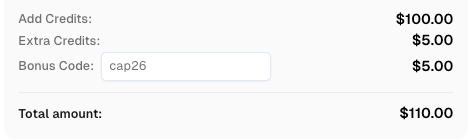
Use code
CAP26when signing up at CapSolver to receive bonus credits!
Automating CAPTCHA solving in headless browsers is a critical skill for anyone involved in web automation. By following the structured workflow outlined in this guide—from environment setup and API integration to result handling and troubleshooting—you can significantly improve the efficiency and robustness of your automated tasks. Services like CapSolver provide a powerful and reliable way to overcome CAPTCHA challenges, allowing your headless browsers to operate seamlessly. Remember to prioritize ethical considerations and adhere to website terms of service when implementing automation solutions. For further insights into web automation challenges, explore articles like Why Web Automation Keeps Failing on CAPTCHA and How to Scrape CAPTCHA Protected Sites.
A1: The legality of automating CAPTCHA solving in headless browsers depends heavily on the website's terms of service and local regulations. While the act of solving a CAPTCHA itself isn't inherently illegal, using automation to access content or perform actions that violate a website's policies could be. Always review the terms of service of the websites you interact with.
A2: CapSolver supports a wide range of CAPTCHA types, including reCAPTCHA v2, reCAPTCHA v3, ImageToText, and various enterprise CAPTCHAs. This broad support makes it a versatile tool for automating CAPTCHA solving in headless browsers across different platforms.
A3: To reduce costs, optimize your automation scripts to only request CAPTCHA solutions when absolutely necessary. Implement caching for reusable tokens, use efficient polling intervals for results, and ensure your headless browser stealth techniques are robust to minimize CAPTCHA triggers in the first place. Regularly monitor your CapSolver usage and explore their pricing tiers.
A4: Yes, CapSolver provides a RESTful API, which means it can be integrated with virtually any programming language capable of making HTTP requests. While this guide used Python, you can easily adapt the concepts to Node.js, Java, C#, Go, or other languages. Refer to the CapSolver API documentation for language-specific examples or general API specifications.
A5: Ethical web automation involves respecting website terms of service, avoiding excessive request rates that could overload servers, and not engaging in activities that could be considered malicious or harmful. Always strive for transparency where appropriate and consider the impact of your automation on the website's resources and user experience. Focus on legitimate use cases like data collection for research or personal use, rather than disruptive activities.
Anh Tuan
Data Science Expert
Turning task outcomes into actionable insights.
ABOUT THE AUTHOR
Learn scalable Rust web scraping architecture with reqwest, scraper, async scraping, headless browser scraping, proxy rotation, and compliant CAPTCHA handling.

Learn the best techniques to scrape job listings without getting blocked. Master Indeed scraping, Google Jobs API, and web scraping API with CapSolver.