🎉NEWCapSolver for AI agents-MCP, agent tools, and SDK integrations

Emma Foster
Machine Learning Engineer
Published Oct 23, 2025
Updated Oct 23, 2025 · min read
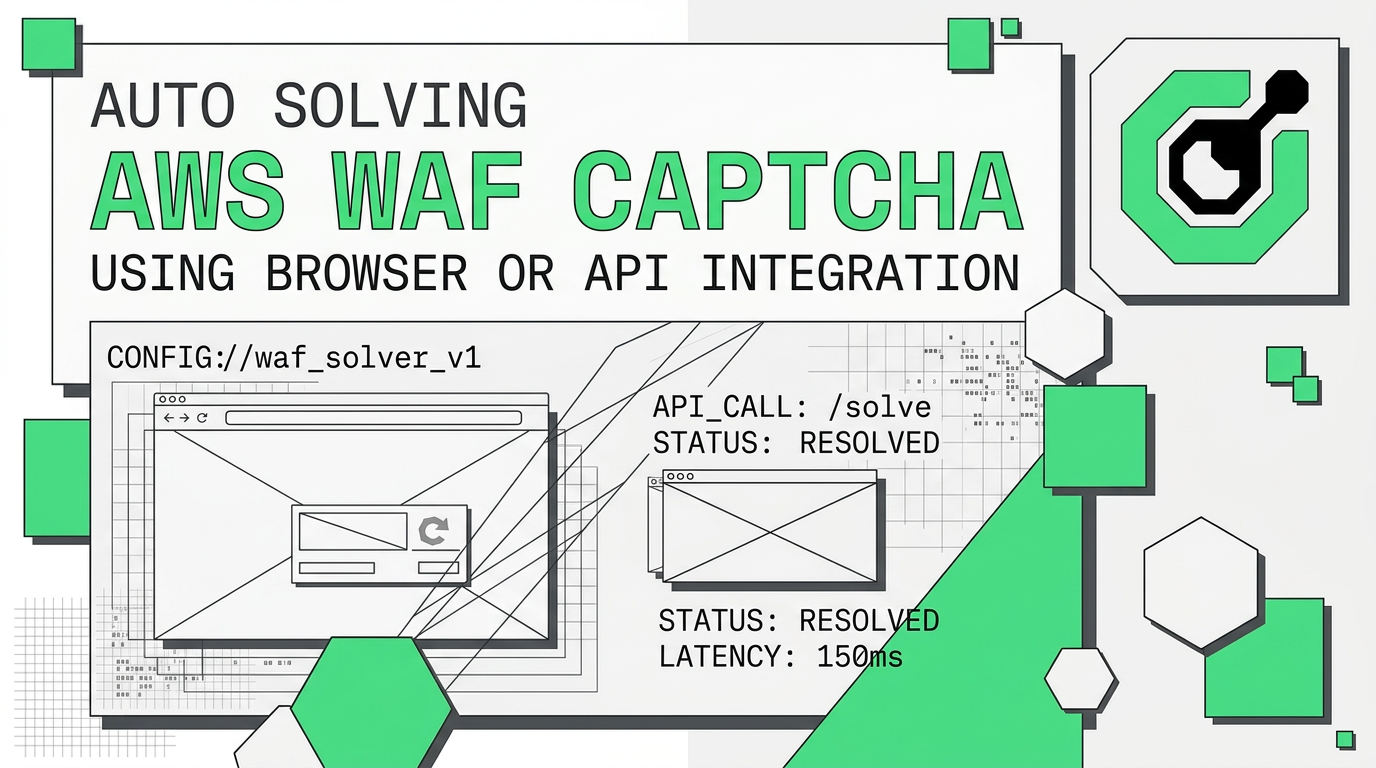
As a tech blogger focused on automation and web security, I often encounter challenges that demand innovative solutions. One such persistent hurdle is the AWS WAF CAPTCHA, a robust defense mechanism designed to protect web applications from bots and automated threats. In this comprehensive guide, I will demonstrate how to effectively auto-solve AWS WAF CAPTCHA using both browser-based extensions and direct API integration, ensuring seamless automation for your projects. This article is tailored for developers, web scrapers, and automation engineers seeking reliable methods to navigate these challenges.
AWS WAF (Web Application Firewall) CAPTCHA is a security feature that helps protect web applications from malicious traffic. It presents a challenge to users suspected of being bots, requiring them to solve a puzzle before accessing the protected resource. This mechanism is crucial for maintaining website integrity and preventing activities like web scraping, credential stuffing, and DDoS attacks. However, for legitimate automation tasks, these CAPTCHAs become a significant barrier.
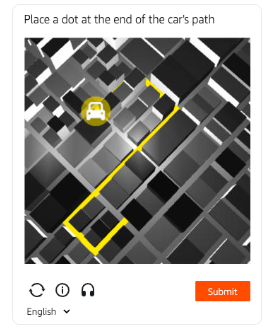
AWS WAF CAPTCHA presents two primary types of challenges: image recognition and token-based verification. Image recognition tasks typically involve identifying specific objects within a grid, similar to reCAPTCHA. Token-based verification, on the other hand, relies on a hidden token that needs to be acquired and submitted with the request. Both require sophisticated approaches to bypass effectively.
For those who prefer a more visual or less code-intensive approach, browser extensions offer a convenient way to handle AWS WAF CAPTCHAs. CapSolver provides a powerful browser extension that can automate the process of recognizing and solving various CAPTCHA types, including AWS WAF. This method is particularly useful for debugging and smaller-scale automation tasks.
Redeem Your CapSolver Bonus Code
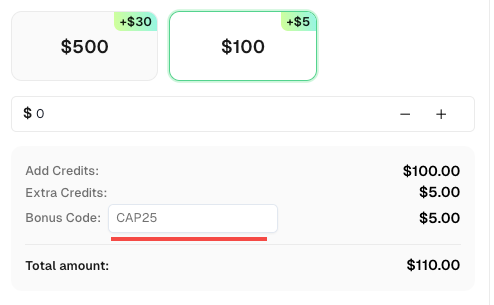
Don’t miss the chance to further optimize your operations! Use the bonus code CAP25 when topping up your CapSolver account and receive an extra 5% bonus on each recharge, with no limits. Visit the CapSolver Dashboard to redeem your bonus now!
config.js file within the extracted extension folder and open it. Here, you will input your CapSolver API key. This key authenticates your requests with the CapSolver service.config.js file, ensure that enabledForAwsCaptcha is set to true. This activates the extension's capability to detect and solve AWS WAF CAPTCHAs.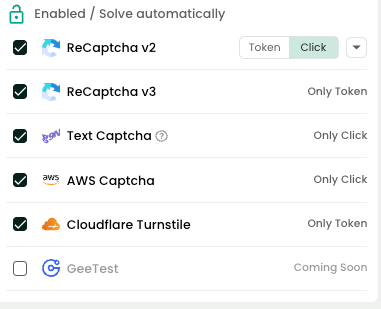
feature that automatically recognizes CAPTCHA parameters on a webpage. To use it, open your browser's developer tools (F12) and navigate to the Capsolver Captcha Detector tab. When a CAPTCHA appears, the extension will display the necessary parameters, which you can then use for API-based solving.
The CapSolver extension can also be integrated into your automation scripts using tools like Puppeteer (for Node.js) and Selenium (for Python). This allows you to combine the power of browser automation with seamless CAPTCHA solving.
Puppeteer (Node.js) Example:
const puppeteer = require("puppeteer");

(async () => {
  const pathToExtension = "/path/to/your/capsolver_extension_folder"; // Update with the correct path
  const browser = await puppeteer.launch({
    headless: false,
    args: [`--disable-extensions-except=${pathToExtension}`, `--load-extension=${pathToExtension}`],
  });
  const page = await browser.newPage();
  await page.goto("https://your-target-website.com"); // Replace with the website protected by AWS WAF
})();
Selenium (Python) Example:
from selenium import webdriver

chrome_options = webdriver.ChromeOptions()
chrome_options.add_extension("./capsolver_extension.zip")  # Path to the zipped extension file
driver = webdriver.Chrome(options=chrome_options)
driver.get("https://your-target-website.com") # Replace with the website protected by AWS WAF
These code snippets demonstrate how to load the CapSolver extension directly into your browser automation scripts, enabling it to handle AWS WAF CAPTCHAs automatically as they appear.
For more robust and scalable automation, direct API integration with CapSolver is the recommended approach. This method offers greater control and flexibility, allowing you to build high-performance solutions for web scraping and other data-intensive tasks. The CapSolver API supports both image-based and token-based AWS WAF challenges.
Image-based challenges require you to identify and select specific objects from a set of images. CapSolver's AwsWafClassification task type is designed for this purpose. The process involves sending the image data (as a base64 string) and the question to the CapSolver API, which then returns the solution.
API Request Structure:
{
  "clientKey": "YOUR_API_KEY",
  "task": {
    "type": "AwsWafClassification",
    "websiteURL": "https://your-target-website.com",
    "images": ["/9j/4AAQSkZJRgAB..."], // Base64 encoded image
    "question": "aws:grid:chair" // The question to be answered
  }
}
The API response will provide the coordinates or indices of the correct images, which you can then use to programmatically solve the CAPTCHA.
Token-based challenges are more complex, as they involve obtaining a valid aws-waf-token. CapSolver simplifies this with its AntiAwsWafTask and AntiAwsWafTaskProxyLess task types. You need to provide various parameters extracted from the CAPTCHA page, such as awsKey, awsIv, and awsContext.
API Request Structure:
{
  "clientKey": "YOUR_API_KEY",
  "task": {
    "type": "AntiAwsWafTaskProxyLess",
    "websiteURL": "https://your-target-website.com",
    "awsKey": "...",
    "awsIv": "...",
    "awsContext": "..."
  }
}
After submitting the task, you will receive a taskId. You then poll the getTaskResult endpoint until the solution is ready. The response will contain the aws-waf-token in the cookie field, which you can then include in your subsequent requests to bypass the WAF.
More docs can be found:
| Feature | Browser Extension | API Integration |
|---|---|---|
| Ease of Use | High (less code) | Medium (requires programming) |
| Scalability | Low to Medium | High |
| Flexibility | Medium | High |
| Use Case | Debugging, small-scale automation | Large-scale web scraping, enterprise solutions |
When it comes to solving AWS WAF CAPTCHAs, CapSolver offers a distinct advantage. Its AI-powered engine is specifically trained to handle the complexities of AWS challenges, delivering high accuracy and speed. Furthermore, its comprehensive documentation and support for various programming languages make integration straightforward.
For those looking to get started quickly, the CapSolver dashboard provides an intuitive interface to manage your API key and monitor your usage. The service is designed to be both developer-friendly and cost-effective, making it an ideal choice for projects of all sizes.
Automating the process of solving AWS WAF CAPTCHAs is essential for any serious web scraping or automation project. By using a reliable service like CapSolver, you can overcome these challenges with ease, whether you prefer the simplicity of a browser extension or the power of direct API integration. The methods outlined in this guide provide a clear path to building robust and efficient automation solutions.
Ready to get started? Try CapSolver today and experience seamless CAPTCHA solving for your AWS WAF automation needs.
AwsWafClassification) and token-based (AntiAwsWafTask) AWS WAF challenges.1. Is it legal to bypass AWS WAF CAPTCHA?
Bypassing CAPTCHA for legitimate purposes like web scraping publicly available data is generally acceptable, but you should always respect the website's terms of service. For more details, you can refer to our article on the 3 Ways to Solve CAPTCHA While Scraping.
2. How accurate is CapSolver in solving AWS WAF CAPTCHAs?
CapSolver uses advanced AI and machine learning models to achieve a high success rate for solving various CAPTCHA types, including AWS WAF.
3. Can I use my own proxies with CapSolver?
Yes, the CapSolver API allows you to use your own proxies when solving CAPTCHAs. This is particularly useful for tasks that require IP rotation. Our guide on What is the best AWS WAF Solver while web scraping in 2025 provides more context on this.
4. What programming languages does CapSolver support?
CapSolver provides SDKs and code examples for various languages, including Python, Node.js, and Go, making it easy to integrate into your existing projects.
5. How does the pricing for CapSolver work?
CapSolver offers a pay-as-you-go pricing model, where you are charged per successfully solved CAPTCHA. This makes it a cost-effective solution for both small and large-scale projects.
Emma Foster
Machine Learning Engineer
Where machine learning meets practical AI tooling.
ABOUT THE AUTHOR
Use the official Go SDK for an AWS WAF CAPTCHA task, set HTTPS explicitly, supply documented parameters, and check the returned cookie before continuing.

Build an authorized AWS WAF LangChain workflow with CapSolver tools, response detection, policy gates, session handling, retries, and verification.