🎉NEWCapSolver for AI agents-MCP, agent tools, and SDK integrations

Aloísio Vítor
Image Processing Expert
Published Apr 07, 2026
Updated Apr 07, 2026 · min read
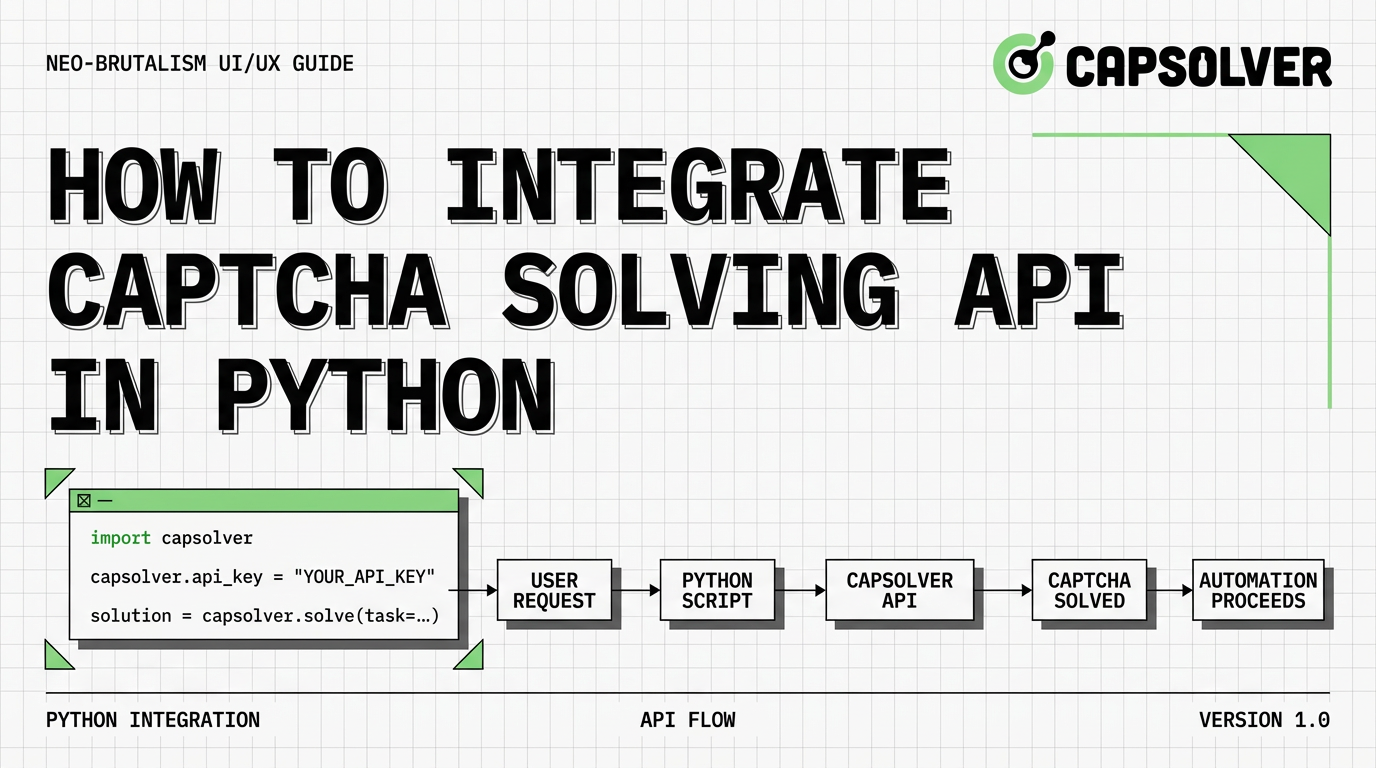
Automating web interactions often hits a wall when security measures appear. For developers, knowing how to integrate CAPTCHA solving API in Python is a critical skill for maintaining stable automation pipelines. Whether you are building a price monitor or a research tool, manual intervention is not an option. This guide provides a comprehensive walkthrough on connecting your Python scripts to a high-performance recognition service like CapSolver, ensuring your workflows remain uninterrupted and efficient.
requests library is the industry standard for making API calls to recognition services.Modern websites use advanced verification systems to distinguish between humans and automated scripts. While basic OCR might have worked years ago, today's challenges require AI-driven solutions. When you integrate CAPTCHA solving API in Python, you essentially outsource the complex mathematical and behavioral analysis to a specialized infrastructure.
Using a service like CapSolver allows your Python applications to focus on data processing rather than fighting security blocks. This approach is significantly more scalable than trying to build a local solver, which often fails against evolving security algorithms. By choosing to integrate CAPTCHA solving API in Python, you gain access to high success rates and low latency, which are vital for production-grade scrapers.
| Feature | Manual Solving | Local OCR | CAPTCHA Solving API |
|---|---|---|---|
| Speed | Very Slow | Fast | Very Fast (<10s) |
| Success Rate | High | Low (Modern challenges) | Extremely High (>99%) |
| Scalability | Non-existent | Limited | Unlimited |
| Maintenance | None | Very High | Low |
Before we dive into the code, you need to ensure your Python environment is correctly configured. Stability starts with the right dependencies.
The most reliable way to integrate CAPTCHA solving API in Python is using the requests library, a tool often referred to as HTTP for Humans™. It handles HTTP sessions and JSON payloads with minimal boilerplate. Adhering to the Python PEP 8 style guide will also ensure your code is readable and maintainable.
pip install requestsYou must have a valid API key to authenticate your requests.
API Key in the overview panel.Every time you integrate CAPTCHA solving API in Python, you need two pieces of information from the target site:
div or a script tag).The process to integrate CAPTCHA solving API in Python follows a structured request-response cycle. We will use reCAPTCHA v2 as our primary example, as it is the most common challenge encountered.
The first step is sending the site details to the API. This creates a "task" that the service will begin processing.
Purpose: To notify the solver about the challenge type and location.
Operation: Send a POST request to the /createTask endpoint with your API key and task details, following the standard HTTP/1.1 protocol.
Caution: Ensure the type matches the specific challenge you are facing (e.g., ReCaptchaV2TaskProxyLess).
import requests

def create_task(api_key, site_key, site_url):
    endpoint = "https://api.capsolver.com/createTask"
    payload = {
        "clientKey": api_key,
        "task": {
            "type": "ReCaptchaV2TaskProxyLess",
            "websiteKey": site_key,
            "websiteURL": site_url
        }
    }
    response = requests.post(endpoint, json=payload)
    result = response.json()

    if result.get("errorId") == 0:
        return result.get("taskId")
    else:
        print(f"Error creating task: {result.get('errorDescription')}")
return NoneAfter creating the task, your script must poll the API to check if the solution is ready. Most challenges are resolved within 5 to 15 seconds.
Purpose: To fetch the resulting token once the AI has finished the recognition process.
Operation: Continuously poll the /getTaskResult endpoint until the status is ready.
Caution: Always implement a timeout and a reasonable delay between polls to avoid rate limiting your own API key.
import time

def get_task_result(api_key, task_id):
    endpoint = "https://api.capsolver.com/getTaskResult"
    payload = {
        "clientKey": api_key,
        "taskId": task_id
    }

    start_time = time.time()
    timeout = 120  # 2 minutes timeout

    while time.time() - start_time < timeout:
        response = requests.post(endpoint, json=payload).json()
        status = response.get("status")

        if status == "ready":
            print("Task resolved successfully!")
            return response.get("solution", {}).get("gRecaptchaResponse")

        if status == "failed" or response.get("errorId") != 0:
            print(f"Task failed: {response.get('errorDescription')}")
            return None

        print("Task still processing, waiting 3 seconds...")
        time.sleep(3)

    print("Task timed out.")
return NoneThe final step is using the token you retrieved to pass the verification on the target website.
Purpose: To prove to the website that the challenge has been solved.
Operation: Include the token in your form submission or AJAX request, which is a key part of modern web accessibility as outlined by the W3C Web Accessibility Initiative.
Caution: Tokens have a very short lifespan (usually 120 seconds). Submit them immediately.
def submit_to_site(target_url, token):
    # This is a conceptual example. The actual implementation depends on the site's form structure.
    data = {
        "g-recaptcha-response": token,
        "other_field": "value"
    }
    response = requests.post(target_url, data=data)
return response.status_code == 200To truly integrate CAPTCHA solving API in Python at scale, you must consider performance and reliability. Standard implementations often fail under heavy load or strict detection.
When you integrate CAPTCHA solving API in Python for enterprise-level sites, using your own proxies ensures that the solver sees the same network environment as your scraper. This is crucial for "invisible" challenges that analyze IP reputation.
According to research on Web Scraping Security, matching your scraper's IP with the solver's IP can increase success rates by up to 30%. When using proxies, switch the task type to ReCaptchaV2Task and include the proxy parameter in your request.
If you are running multiple scrapers, do not wait for one task to finish before starting another. Use Python's asyncio to integrate CAPTCHA solving API in Python asynchronously. This drastically reduces the total execution time of your automation by allowing multiple challenges to be solved in parallel.
import asyncio
import aiohttp

async def async_create_task(session, api_key, site_key, site_url):
    payload = {
        "clientKey": api_key,
        "task": {"type": "ReCaptchaV2TaskProxyLess", "websiteKey": site_key, "websiteURL": site_url}
    }
    async with session.post("https://api.capsolver.com/createTask", json=payload) as resp:
        return await resp.json()

# This allows handling hundreds of tasks without blocking your main script.Choosing the right method to integrate CAPTCHA solving API in Python depends on your project's complexity and scale.
| Method | Best For | Pros | Cons |
|---|---|---|---|
| Simple Requests | Small scripts, beginners | Easy to implement, low overhead | Blocking, slow for multiple tasks |
| Async/Await | Large scale scraping | High performance, non-blocking | More complex code structure |
| Official SDK | Standard workflows | Built-in error handling, cleaner code | Less control over low-level HTTP |
| Browser Automation | Complex SPA sites | Handles dynamic content easily | High resource usage (RAM/CPU) |
Even the best integrations encounter issues. Here is how to handle them when you integrate CAPTCHA solving API in Python:
ProxyLess to a Task that uses your own high-quality residential proxies.When you integrate CAPTCHA solving API in Python, it is essential to remain compliant with the target website's Terms of Service and local regulations. Automation should be used for legitimate data collection, research, and testing, a principle also highlighted in the OWASP Automated Threat Handbook. High-quality providers like CapSolver emphasize ethical AI usage and data privacy. Always ensure your scripts include proper User-Agent headers and respect robots.txt where applicable.
For those looking to Optimize CAPTCHA Solving API Response Time, choosing a provider that uses machine learning rather than manual labor is the most effective strategy. This not only speeds up the process but also provides a more consistent CAPTCHA Solving API vs Manual Solving experience. Furthermore, understanding What Is a CAPTCHA Solving API helps in selecting the right features for your specific use case.
Learning to integrate CAPTCHA solving API in Python transforms your automation scripts from fragile tools into robust enterprise solutions. By following the structured approach of environment preparation, task management, and result optimization, you can overcome almost any security hurdle.
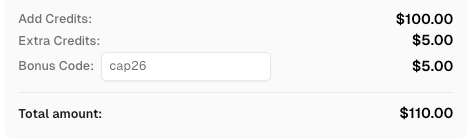
The key to success lies in choosing a reliable partner. CapSolver's AI-driven infrastructure provides the speed and accuracy required for modern web scraping. Ready to streamline your automation? Sign up for CapSolver today and use the code CAP26 for an exclusive bonus on your first deposit. Start building smarter, faster Python applications now.
Use code
CAP26when signing up at CapSolver to receive bonus credits!
1. How long does it take to solve a CAPTCHA via API?
Most AI-powered services resolve standard reCAPTCHA v2 in 3-8 seconds. More complex challenges like reCAPTCHA v3 Enterprise or AWS WAF may take up to 15 seconds.
2. Is it better to use a Python SDK or direct API calls?
While SDKs offer convenience, direct API calls using requests provide better control over headers and error handling when you integrate CAPTCHA solving API in Python.
3. Why is my retrieved token being rejected?
Tokens usually have a very short lifespan (60-120 seconds). Ensure your script submits the token to the target website immediately after the API returns it. Also, check if the websiteURL provided matches exactly where the challenge was generated.
4. Can I solve multiple CAPTCHAs at once?
Yes. By using Python's threading or asynchronous libraries, you can integrate CAPTCHA solving API in Python to handle hundreds of tasks simultaneously, which is ideal for large-scale data extraction.
5. Do I need a proxy to use a CAPTCHA solving API?
For many sites, "proxyless" tasks work perfectly. However, for high-security targets, providing your own residential proxy helps the solver mimic a real user's environment more accurately, increasing the pass rate.
Aloísio Vítor
Image Processing Expert
Interpreting the visual signals behind web workflows.
ABOUT THE AUTHOR
Explore how AI detects and solves CAPTCHA challenges, from image recognition to behavioral analysis. Understand the technology behind AI CAPTCHA solvers and how CapSolver aids automated workflows. Learn about the evolving battle between AI and human verification.

Compare top CAPTCHA solving APIs by speed, accuracy, uptime, and pricing. See how CapSolver, 2Captcha, CapMonster Cloud, and others stack up in our detailed performance comparison.