🎉NEWCapSolver for AI agents-MCP, agent tools, and SDK integrations

Lucas Mitchell
Automation Engineer
Published Sep 24, 2025
Updated Sep 26, 2025 · min read
Web automation and data extraction are vital for many applications, but CAPTCHAs often interrupt these processes, causing delays and failures.
To address this, Crawl4AI and CapSolver have partnered. Crawl4AI offers advanced, adaptive web crawling and browser control, while CapSolver provides highly accurate and fast CAPTCHA solving. This collaboration enables developers to achieve seamless, uninterrupted web automation and data collection.
The core objectives of the Crawl4AI and CapSolver integration are:
Crawl4AI is an open-source, LLM-friendly web crawler and data extraction tool designed to meet the needs of modern AI applications. It can transform complex web page content into clean, structured Markdown format, greatly simplifying subsequent data processing and analysis.
Crawl4AI is suitable for large-scale data scraping such as market research, news aggregation, or e-commerce product collection. It handles dynamic, JavaScript-heavy websites and serves as a reliable data source for AI agents and automated data pipelines.
Crawl4AI envisions a future where digital data becomes a true capital asset. Their whitepaper outlines a shared data economy, empowering individuals and enterprises to structure, value, and optionally monetize their authentic data—aligning closely with CapSolver’s mission to unlock the value of human-generated data through seamless CAPTCHA solving and automated data access.
💡 Exclusive Bonus for Crawl4AI Integration Users:
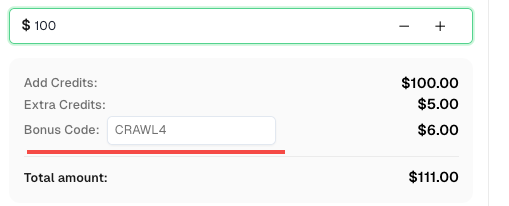
To celebrate this integration, we’re offering an exclusive 6% bonus code —CRAWL4for all CapSolver users who register through this tutorial.
Simply enter the code during recharge in Dashboard to receive an extra 6% credit instantly.
CapSolver is a leading automated CAPTCHA solving service that uses advanced AI technology to provide fast and accurate solutions for various complex CAPTCHA challenges. It aims to help developers and businesses overcome CAPTCHA barriers and ensure the smooth operation of automated processes.
Before integrating CapSolver, even with its powerful crawling capabilities, Crawl4AI often faced the following pain points when encountering CAPTCHAs:
The integration of Crawl4AI and CapSolver provides an elegant and powerful solution that completely addresses the above pain points. The overall idea is: when Crawl4AI detects a CAPTCHA during the crawling process, it automatically triggers the CapSolver service for recognition and resolution, and seamlessly injects the solution into the crawling process, thereby achieving automated CAPTCHA bypass.
Integration Value:
The integration of Crawl4AI and CapSolver primarily involves two methods: API integration and browser extension integration. API integration is recommended as it is more flexible and precise, avoiding potential issues with injection timing and accuracy that browser extensions might encounter on complex pages.
API integration requires combining Crawl4AI's js_code functionality. The basic steps are as follows:
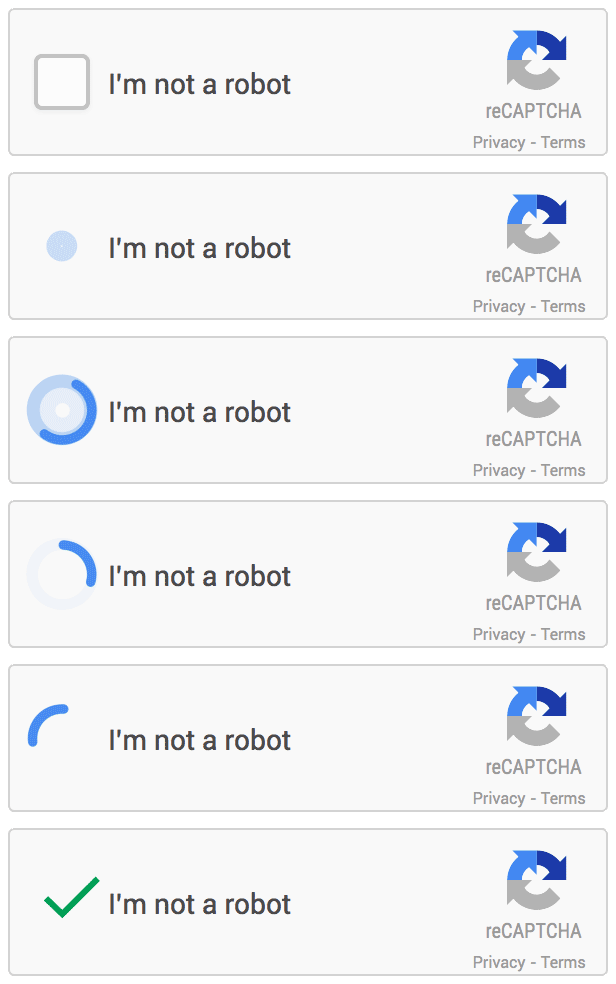
siteKey, websiteURL) to the CapSolver service to obtain the CAPTCHA solution (usually a Token).CrawlerRunConfig: Use the js_code parameter of the CrawlerRunConfig method to inject the Token returned by CapSolver into the corresponding element on the target page. For example, for reCAPTCHA v2, the Token usually needs to be injected into the g-recaptcha-response element.reCAPTCHA v2 is a common "I'm not a robot" checkbox CAPTCHA. To solve it, obtain the gRecaptchaResponse token via CapSolver and inject it into the page. If you’re unsure how to set parameters, check the tutorial blog to automatically detect the CAPTCHA and extract the configuration.
Example Code Analysis:
The user-provided code demonstrates how to use the capsolver.solve method to obtain the reCAPTCHA v2 Token and assign it to the g-recaptcha-response textarea via js_code, then simulate clicking the submit button. This method ensures that the CAPTCHA Token is correctly carried when submitting the form.
import asyncio
import capsolver
from crawl4ai import *


# TODO: set your config
# Docs: https://docs.capsolver.com/guide/captcha/ReCaptchaV2/
api_key = "CAP-xxxxxxxxxxxxxxxxxxxxx"                                      # your api key of capsolver
site_key = "6LfW6wATAAAAAHLqO2pb8bDBahxlMxNdo9g947u9"                      # site key of your target site
site_url = "https://recaptcha-demo.appspot.com/recaptcha-v2-checkbox.php"  # page url of your target site
captcha_type = "ReCaptchaV2TaskProxyLess"                                  # type of your target captcha
capsolver.api_key = api_key


async def main():
    browser_config = BrowserConfig(
        verbose=True,
        headless=False,
        use_persistent_context=True,
    )

    async with AsyncWebCrawler(config=browser_config) as crawler:
        await crawler.arun(
            url=site_url,
            cache_mode=CacheMode.BYPASS,
            session_id="session_captcha_test"
        )

        # get recaptcha token using capsolver sdk
        solution = capsolver.solve({
            "type": captcha_type,
            "websiteURL": site_url,
            "websiteKey": site_key,
        })
        token = solution["gRecaptchaResponse"]
        print("recaptcha token:", token)

        js_code = """
            const textarea = document.getElementById(\'g-recaptcha-response\');
            if (textarea) {
                textarea.value = \"""" + token + """\";
                document.querySelector(\'button.form-field[type="submit"]\').click();
            }
        """

        wait_condition = """() => {
            const items = document.querySelectorAll(\'h2\');
            return items.length > 1;
        }"""

        run_config = CrawlerRunConfig(
            cache_mode=CacheMode.BYPASS,
            session_id="session_captcha_test",
            js_code=js_code,
            js_only=True,
            wait_for=f"js:{wait_condition}"
        )

        result_next = await crawler.arun(
            url=site_url,
            config=run_config,
        )
        print(result_next.markdown)


if __name__ == "__main__":
    asyncio.run(main())
If a v2 token is invalid, get the JSON configuration via the extension and send it to our support to improve the token score: Solve reCAPTCHA v2, invisible v2, v3, v3 Enterprise ≥0.9 score.
reCAPTCHA v3 is an invisible CAPTCHA that typically runs in the background and returns a score. And Before solving reCAPTCHA v3, please read CapSolver's reCAPTCHA v3 documentation to understand the required parameters and how to obtain them. We will use the reCAPTCHA v3 Demo as an example.
Unlike v2, reCAPTCHA v3 is invisible, so token injection can be tricky. Injecting the token too early may be overwritten by the original token, and injecting too late may miss the verification step. On this demo site, visiting the page automatically triggers token generation and verification.
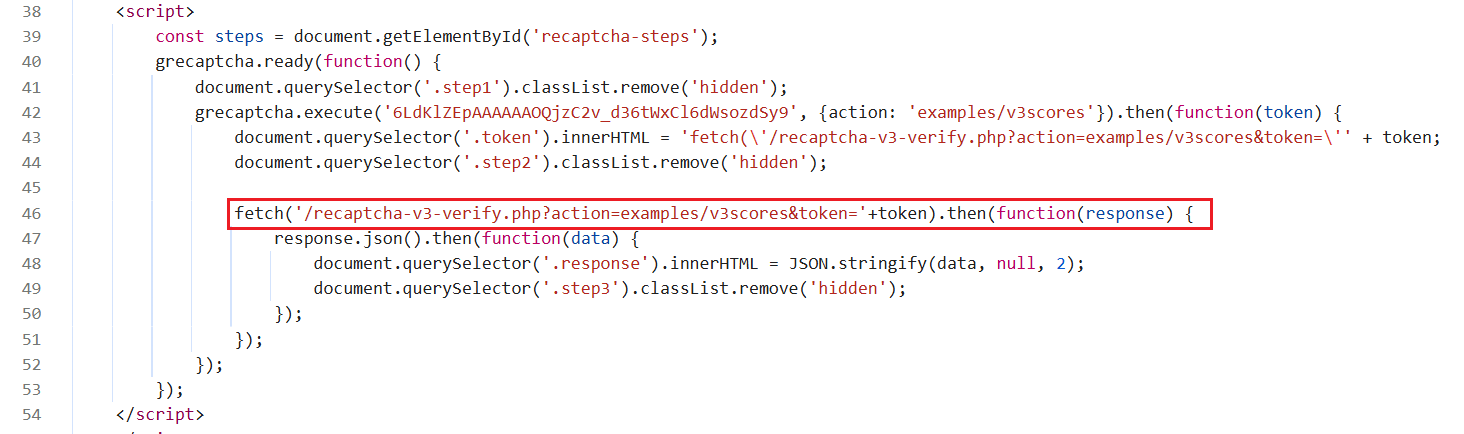
By observing the page, we see that solving reCAPTCHA triggers a fetch request to verify the token. The solution is to obtain the token from CapSolver in advance and hook the fetch request to replace the original token at the right moment.
Example Code Analysis:
The code hooks the window.fetch method, and when a request is sent to /recaptcha-v3-verify.php, it replaces the original request's Token with the Token pre-obtained from CapSolver. This advanced interception technique ensures that even dynamically generated v3 CAPTCHAs, which are difficult to manipulate directly, can be effectively bypassed.
import asyncio
import capsolver
from crawl4ai import *


# TODO: set your config
# Docs: https://docs.capsolver.com/guide/captcha/ReCaptchaV3/
api_key = "CAP-xxxxxxxxxxxxxxxxxxxxx"                                            # your api key of capsolver
site_key = "6LdKlZEpAAAAAAOQjzC2v_d36tWxCl6dWsozdSy9"                            # site key of your target site
site_url = "https://recaptcha-demo.appspot.com/recaptcha-v3-request-scores.php"  # page url of your target site
page_action = "examples/v3scores"                                                # page action of your target site
captcha_type = "ReCaptchaV3TaskProxyLess"                                        # type of your target captcha
capsolver.api_key = api_key


async def main():
    browser_config = BrowserConfig(
        verbose=True,
        headless=False,
        use_persistent_context=True,
    )

    # get recaptcha token using capsolver sdk
    solution = capsolver.solve({
        "type": captcha_type,
        "websiteURL": site_url,
        "websiteKey": site_key,
        "pageAction": page_action,
    })
    token = solution["gRecaptchaResponse"]
    print("recaptcha token:", token)

    async with AsyncWebCrawler(config=browser_config) as crawler:
        await crawler.arun(
            url=site_url,
            cache_mode=CacheMode.BYPASS,
            session_id="session_captcha_test"
        )

        js_code = """
            const originalFetch = window.fetch;

            window.fetch = function(...args) {
              if (typeof args[0] === 'string' && args[0].includes('/recaptcha-v3-verify.php')) {
                const url = new URL(args[0], window.location.origin);
                url.searchParams.set('action', '""" + token + """');
                args[0] = url.toString();
                document.querySelector('.token').innerHTML = "fetch('/recaptcha-v3-verify.php?action=examples/v3scores&token=""" + token + """')";
                console.log('Fetch URL hooked:', args[0]);
              }
              return originalFetch.apply(this, args);
            };
        """

        wait_condition = """() => {
            return document.querySelector('.step3:not(.hidden)');
        }"""

        run_config = CrawlerRunConfig(
            cache_mode=CacheMode.BYPASS,
            session_id="session_captcha_test",
            js_code=js_code,
            js_only=True,
            wait_for=f"js:{wait_condition}"
        )

        result_next = await crawler.arun(
            url=site_url,
            config=run_config,
        )
        print(result_next.markdown)


if __name__ == "__main__":
    asyncio.run(main())
If a v3 token is invalid, get the JSON configuration via the extension and send it to our support to improve the token score: Solve reCAPTCHA v2, invisible v2, v3, v3 Enterprise ≥0.9 score.
Before starting to solve Cloudflare turnstile, please carefully read CapSolver's cloudflare turnstile documentation to ensure you understand which parameters need to be passed when creating a task and how to obtain their values. Next, we will use Turnstile Demo as an example to demonstrate how to solve cloudflare turnstile.
After turnstile is solved, the token will be injected into an input element named cf-turnstile-response. Therefore, our js_code also needs to simulate this operation. When proceeding to the next step, such as clicking login, this token will be automatically carried for verification.
import asyncio
import capsolver
from crawl4ai import *


# TODO: set your config
# Docs: https://docs.capsolver.com/guide/captcha/cloudflare_turnstile/
api_key = "CAP-xxxxxxxxxxxxxxxxxxxxx"                       # your api key of capsolver
site_key = "0x4AAAAAAAGlwMzq_9z6S9Mh"                       # site key of your target site
site_url = "https://clifford.io/demo/cloudflare-turnstile"  # page url of your target site
captcha_type = "AntiTurnstileTaskProxyLess"                 # type of your target captcha
capsolver.api_key = api_key


async def main():
    browser_config = BrowserConfig(
        verbose=True,
        headless=False,
        use_persistent_context=True,
    )

    async with AsyncWebCrawler(config=browser_config) as crawler:
        await crawler.arun(
            url=site_url,
            cache_mode=CacheMode.BYPASS,
            session_id="session_captcha_test"
        )

        # get turnstile token using capsolver sdk
        solution = capsolver.solve({
            "type": captcha_type,
            "websiteURL": site_url,
            "websiteKey": site_key,
        })
        token = solution["token"]
        print("turnstile token:", token)

        js_code = """
            document.querySelector(\'input[name="cf-turnstile-response"]\').value = \'"""+token+"""\';
            document.querySelector(\'button[type="submit"]\').click();
        """

        wait_condition = """() => {
            const items = document.querySelectorAll(\'h1\');
            return items.length === 0;
        }"""

        run_config = CrawlerRunConfig(
            cache_mode=CacheMode.BYPASS,
            session_id="session_captcha_test",
            js_code=js_code,
            js_only=True,
            wait_for=f"js:{wait_condition}"
        )

        result_next = await crawler.arun(
            url=site_url,
            config=run_config,
        )
        print(result_next.markdown)


if __name__ == "__main__":
asyncio.run(main())Cloudflare Challenge usually requires more complex handling, including matching browser fingerprints and User-Agent. CapSolver provides the AntiCloudflareTask type to solve such challenges. And before solving a Cloudflare challenge, please review CapSolver's Cloudflare Challenge Documentation to understand the required parameters and how to obtain them when creating a task.
Notes:
import asyncio
import capsolver
from crawl4ai import *


# TODO: set your config
# Docs: https://docs.capsolver.com/guide/captcha/cloudflare_challenge/
api_key = "CAP-xxxxxxxxxxxxxxxxxxxxx"          # your api key of capsolver
site_url = "https://gitlab.com/users/sign_in"  # page url of your target site
captcha_type = "AntiCloudflareTask"            # type of your target captcha
# your http proxy to solve cloudflare challenge
proxy_server = "proxy.example.com:8080"
proxy_username = "myuser"
proxy_password = "mypass"
capsolver.api_key = api_key


async def main():
    # get challenge cookie using capsolver sdk
    solution = capsolver.solve({
        "type": captcha_type,
        "websiteURL": site_url,
        "proxy": f"{proxy_server}:{proxy_username}:{proxy_password}",
    })
    cookies = solution["cookies"]
    user_agent = solution["userAgent"]
    print("challenge cookies:", cookies)

    cookies_list = []
    for name, value in cookies.items():
        cookies_list.append({
            "name": name,
            "value": value,
            "url": site_url,
        })

    browser_config = BrowserConfig(
        verbose=True,
        headless=False,
        use_persistent_context=True,
        user_agent=user_agent,
        cookies=cookies_list,
        proxy_config={
            "server": f"http://{proxy_server}",
            "username": proxy_username,
            "password": proxy_password,
        },
    )

    async with AsyncWebCrawler(config=browser_config) as crawler:
        result = await crawler.arun(
            url=site_url,
            cache_mode=CacheMode.BYPASS,
            session_id="session_captcha_test"
        )
        print(result.markdown)


if __name__ == "__main__":
asyncio.run(main())AWS WAF is a Web Application Firewall that typically verifies requests by setting specific Cookies. For more information on tackling AWS WAF, refer to our guide on AWS WAF documentation to ensure you know what kinds parameters need to be submitted when creating a task and how to obtain their values. And the key to solving AWS WAF is to obtain the aws-waf-token Cookie returned by CapSolver.
Example Code Analysis:
The code obtains the aws-waf-token via CapSolver, then uses js_code to set it as a page Cookie and refreshes the page. After refreshing, Crawl4AI will access the page with the correct Cookie, thereby bypassing AWS WAF detection.
import asyncio
import capsolver
from crawl4ai import *


# TODO: set your config
# Docs: https://docs.capsolver.com/guide/captcha/awsWaf/
api_key = "CAP-xxxxxxxxxxxxxxxxxxxxx"              # your api key of capsolver
site_url = "https://nft.porsche.com/onboarding@6"  # page url of your target site
cookie_domain = ".nft.porsche.com"                 # the domain name to which you want to apply the cookie
captcha_type = "AntiAwsWafTaskProxyLess"           # type of your target captcha
capsolver.api_key = api_key


async def main():
    browser_config = BrowserConfig(
        verbose=True,
        headless=False,
        use_persistent_context=True,
    )

    async with AsyncWebCrawler(config=browser_config) as crawler:
        await crawler.arun(
            url=site_url,
            cache_mode=CacheMode.BYPASS,
            session_id="session_captcha_test"
        )

        # get aws waf cookie using capsolver sdk
        solution = capsolver.solve({
            "type": captcha_type,
            "websiteURL": site_url,
        })
        cookie = solution["cookie"]
        print("aws waf cookie:", cookie)

        js_code = """
            document.cookie = \'aws-waf-token=""" + cookie + """;domain=""" + cookie_domain + """;path=/\';
            location.reload();
        """

        wait_condition = """() => {
            return document.title === \'Join Porsche’s journey into Web3\';
        }"""

        run_config = CrawlerRunConfig(
            cache_mode=CacheMode.BYPASS,
            session_id="session_captcha_test",
            js_code=js_code,
            js_only=True,
            wait_for=f"js:{wait_condition}"
        )

        result_next = await crawler.arun(
            url=site_url,
            config=run_config,
        )
        print(result_next.markdown)


if __name__ == "__main__":
asyncio.run(main())Integrating a browser extension with crawl4ai requires specifying the browser's launch directory, then installing the extension to solve captchas. You can choose to have the extension solve them automatically or use js_code for active resolution. The general steps are as follows:
user_data_dir.chrome://extensions, click on "Developer mode" in the top right corner, then select "Load unpacked extension" and choose the local extension project directory.apiKey directly in /CapSolver/assets/config.js within the extension project.config.js parameter description:
useCapsolver: Whether to automatically use CapSolver to detect and solve captchas.manualSolving: Whether to manually initiate captcha solving.useProxy: Whether to configure a proxy.enabledForBlacklistControl: Whether to enable blacklist control.- ...
js_code to choose when to solve the captcha.The following examples will demonstrate how to solve reCAPTCHA v2/v3, Cloudflare Turnstile, AWS WAF,hrough browser extension integration.
Before solving reCAPTCHA v2, please ensure that you have correctly configured the extension. Next, we will use the demo api used as an example to demonstrate how to solve reCAPTCHA v2.
After reCAPTCHA is solved, when proceeding to the next step, such as clicking login, verification will automatically occur.
import time
import asyncio
from crawl4ai import *


# TODO: the user data directory that includes the capsolver extension
user_data_dir = "/browser-profile/Default1"

"""
The capsolver extension supports more features, such as:
    - Telling the extension when to start solving captcha.
    - Calling functions to check whether the captcha has been solved, etc.
Reference blog: https://docs.capsolver.com/guide/automation-tool-integration/
"""

browser_config = BrowserConfig(
    verbose=True,
    headless=False,
    user_data_dir=user_data_dir,
    use_persistent_context=True,
)

async def main():
    async with AsyncWebCrawler(config=browser_config) as crawler:
        result_initial = await crawler.arun(
            url="https://recaptcha-demo.appspot.com/recaptcha-v2-checkbox.php",
            cache_mode=CacheMode.BYPASS,
            session_id="session_captcha_test"
        )

        # do something later
        time.sleep(300)


if __name__ == "__main__":
    asyncio.run(main())
If you need to actively choose when to solve the captcha, please use the following code:
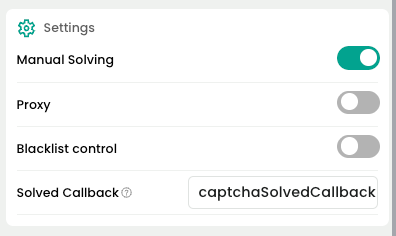
You need to configure the extension's manualSolving parameter to true. Otherwise, the extension will automatically trigger captcha solving.
import time
import asyncio
from crawl4ai import *


# TODO: the user data directory that includes the capsolver extension
user_data_dir = "/browser-profile/Default1"

"""
The capsolver extension supports more features, such as:
    - Telling the extension when to start solving captcha.
    - Calling functions to check whether the captcha has been solved, etc.
Reference blog: https://docs.capsolver.com/guide/automation-tool-integration/
"""

browser_config = BrowserConfig(
    verbose=True,
    headless=False,
    user_data_dir=user_data_dir,
    use_persistent_context=True,
)

async def main():
    async with AsyncWebCrawler(config=browser_config) as crawler:
        result_initial = await crawler.arun(
            url="https://recaptcha-demo.appspot.com/recaptcha-v2-checkbox.php",
            cache_mode=CacheMode.BYPASS,
            session_id="session_captcha_test"
        )

        # do something later
        time.sleep(6)

        js_code = """
            let solverButton = document.querySelector(\'#capsolver-solver-tip-button\');
            if (solverButton) {
            // click event
                const clickEvent = new MouseEvent(\'click\', {
                    bubbles: true,
                    cancelable: true,
                    view: window
                });

                solverButton.dispatchEvent(clickEvent);
            }
        """

        run_config = CrawlerRunConfig(
            cache_mode=CacheMode.BYPASS,
            session_id="session_captcha_test",
            js_code=js_code,
            js_only=True,
        )
        result_next = await crawler.arun(
            url="https://recaptcha-demo.appspot.com/recaptcha-v2-checkbox.php",
            config=run_config
        )
        print("JS Execution results:", result_next.js_execution_result)


if __name__ == "__main__":
asyncio.run(main())Before solving reCAPTCHA v3, please ensure that you have correctly configured the extension. Next, we will use the demo api used as an example to demonstrate how to solve reCAPTCHA v3.
After reCAPTCHA is solved, when proceeding to the next step, such as clicking login, verification will automatically occur.
- reCAPTCHA v3 is recommended to be solved automatically by the extension, usually triggered when visiting the website.
import time
import asyncio
from crawl4ai import *


# TODO: the user data directory that includes the capsolver extension
user_data_dir = "/browser-profile/Default1"

"""
The capsolver extension supports more features, such as:
    - Telling the extension when to start solving captcha.
    - Calling functions to check whether the captcha has been solved, etc.
Reference blog: https://docs.capsolver.com/guide/automation-tool-integration/
"""

browser_config = BrowserConfig(
    verbose=True,
    headless=False,
    user_data_dir=user_data_dir,
    use_persistent_context=True,
)

async def main():
    async with AsyncWebCrawler(config=browser_config) as crawler:
        result_initial = await crawler.arun(
            url="https://recaptcha-demo.appspot.com/recaptcha-v3-request-scores.php",
            cache_mode=CacheMode.BYPASS,
            session_id="session_captcha_test"
        )

        # do something later
        time.sleep(300)


if __name__ == "__main__":
asyncio.run(main())Before solving Cloudflare Turnstile, please ensure that you have correctly configured the extension. Next, we will use Turnstile Demo as an example to demonstrate how to solve Cloudflare Turnstile.
After Turnstile is solved, a token will be injected into an input element named cf-turnstile-response. When proceeding to the next step, such as clicking login, this token will automatically be carried for verification.
import time
import asyncio
from crawl4ai import *


# TODO: the user data directory that includes the capsolver extension
user_data_dir = "/browser-profile/Default1"

"""
The capsolver extension supports more features, such as:
    - Telling the extension when to start solving captcha.
    - Calling functions to check whether the captcha has been solved, etc.
Reference blog: https://docs.capsolver.com/guide/automation-tool-integration/
"""

browser_config = BrowserConfig(
    verbose=True,
    headless=False,
    user_data_dir=user_data_dir,
    use_persistent_context=True,
)

async def main():
    async with AsyncWebCrawler(config=browser_config) as crawler:
        result_initial = await crawler.arun(
            url="https://clifford.io/demo/cloudflare-turnstile",
            cache_mode=CacheMode.BYPASS,
            session_id="session_captcha_test"
        )

        # do something later
        time.sleep(300)


if __name__ == "__main__":
asyncio.run(main())Before solving AWS WAF, ensure that the CapSolver extension is correctly configured. In this example, we will use AWS WAF demo to demonstrate the process.
Once AWS WAF is solved, a cookie named aws-waf-token will be obtained. This cookie is automatically carried over for verification in subsequent operations.
import time
import asyncio
from crawl4ai import *


# TODO: the user data directory that includes the capsolver extension
user_data_dir = "/browser-profile/Default1"

"""
The capsolver extension supports more features, such as:
    - Telling the extension when to start solving captcha.
    - Calling functions to check whether the captcha has been solved, etc.
Reference blog: https://docs.capsolver.com/guide/automation-tool-integration/
"""

browser_config = BrowserConfig(
    verbose=True,
    headless=False,
    user_data_dir=user_data_dir,
    use_persistent_context=True,
)

async def main():
    async with AsyncWebCrawler(config=browser_config) as crawler:
        result_initial = await crawler.arun(
            url="https://nft.porsche.com/onboarding@6",
            cache_mode=CacheMode.BYPASS,
            session_id="session_captcha_test"
        )

        # do something later
        time.sleep(300)


if __name__ == "__main__":
asyncio.run(main())The official partnership between Crawl4AI and CapSolver marks a significant milestone in the field of web data scraping. By combining Crawl4AI's efficient crawling capabilities with CapSolver's powerful CAPTCHA solving services, developers can now build more stable, efficient, and robust automated crawler systems.
Whether dealing with complex dynamic content or various anti-bot mechanisms, this integrated solution offers excellent performance and flexibility. API integration provides fine-grained control and higher accuracy, while browser extension integration simplifies the configuration process, catering to the needs of different scenarios.
Q1: What is Crawl4AI and CapSolver integration, and how does it solve CAPTCHAs?
A1: The integration combines Crawl4AI's advanced web crawling with CapSolver's automated CAPTCHA solving. It bypasses CAPTCHAs like reCAPTCHA v2/v3, Cloudflare Turnstile, and AWS WAF, enabling uninterrupted, efficient web data extraction without manual intervention.
Q2: What are the main benefits for web scraping?
A2: Key benefits include automated CAPTCHA handling, faster and more reliable crawling, improved robustness against anti-bot mechanisms, and lower operational costs by reducing manual CAPTCHA resolution.
Q3: How does it handle different CAPTCHA types?
A3: Using both API and browser extension methods, it solves:
Q4: What are Crawl4AI’s core features for AI and data extraction?
A4: Crawl4AI provides structured Markdown content for AI agents, advanced browser control with proxy and session management, adaptive high-performance crawling, stealth mode to avoid bot detection, and identity-aware crawling for logged-in sessions.
Lucas Mitchell
Automation Engineer
Helping browser automation recover and continue.
ABOUT THE AUTHOR
Incogniton builds isolated browser profiles for safe, scalable multi-account automation with CapSolver.
Solve CAPTCHAs easily in Automa RPA with CapSolver — seamless integration, high accuracy, and no-code automation support.