🎉NEWCapSolver for AI agents-MCP, agent tools, and SDK integrations

Lucas Mitchell
Automation Engineer
Published Sep 18, 2024
Updated Sep 18, 2024 · min read

Navigating the complexities of CAPTCHA challenges can be a formidable task, especially when it comes to Cloudflare's Turnstile. As a seasoned developer, I’ve encountered numerous CAPTCHA systems over the years, but Cloudflare Turnstile presents a unique challenge due to its sophisticated algorithms designed to thwart automated systems. In this guide, I'll walk you through how to tackle Cloudflare Turnstile CAPTCHA challenges using C#, providing you with practical insights and techniques to enhance your automation efforts.
Table of Content
- Introduction to Cloudflare Turnstile
- Setting Up the C# Development Environment
- Download and Install .NET
- Configure VS Code for C# Development
- Obtain API Usage Prerequisites
- Register for CapSolver
- Retrieve SiteKey for Turnstile
- Using CapSolver API to Obtain a Turnstile Token
- Full Code Example
- Error Handling and Troubleshooting
- Request Failed Errors
- Explanation of Code
- Conclusion
Cloudflare Turnstile is an advanced CAPTCHA system designed to protect websites from automated bots while ensuring minimal friction for legitimate users. Unlike traditional CAPTCHAs, which often involve solving puzzles or identifying objects, Turnstile operates through a more nuanced approach. It analyzes user behavior and various web interactions to determine whether the visitor is a human or a bot.
Turnstile employs a range of signals, including mouse movements, click patterns, and interaction times, to generate a challenge that is difficult for automated systems to solve. This makes it a powerful tool for website security but also a challenging obstacle for automation.
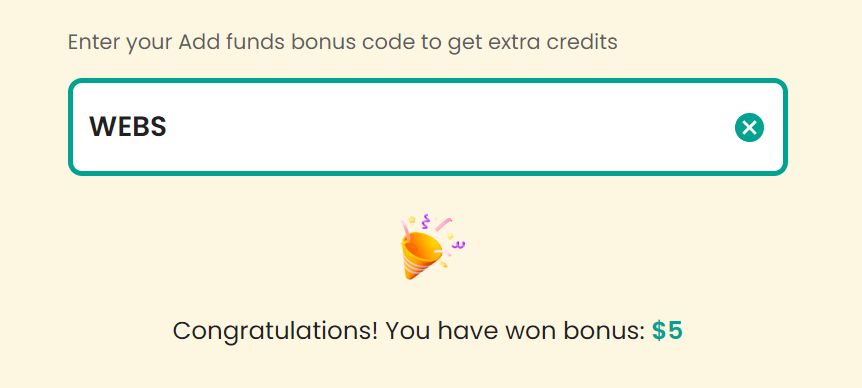
Claim Your Bonus Code for top captcha solutions; CapSolver: WEBS. After redeeming it, you will get an extra 5% bonus after each recharge, Unlimited
Newtonsoft.Json for handling JSON data.
dotnet add package Newtonsoft.JsonsiteKey for the target website is essential. The siteKey is required to use the decoding API and solve the CAPTCHA.siteKey using the CapSolver Extension, which simplifies the process.Here's the code to interact with the CapSolver API, request CAPTCHA solving, and retrieve the Turnstile token.
public static async Task<string> CallCapsolver()
{
    // // Send GET request
    // var todoItem = await GetTodoItemAsync(API_URL);
    // Console.WriteLine("GET Request Result:");
    // Console.WriteLine(todoItem);

    var data = new
    {
        clientKey = CAPSOLVER_API_KEY,
        task = new
        {
            type = "AntiTurnstileTaskProxyLess",
            websiteURL = PAGE_URL,
            websiteKey = SITE_KEY,
            metadata = new { action = "login" }
        }
    };

    // Send POST request
    var response = await PostTodoItemAsync("https://api.capsolver.com/createTask", data);
    Console.WriteLine("POST Request Result:");
    var responseString = await response.Content.ReadAsStringAsync();
    Console.WriteLine(responseString);
    JObject taskResp = JsonConvert.DeserializeObject<JObject>(responseString);
    var taskId = taskResp["taskId"].ToString();
    if (string.IsNullOrEmpty(taskId))
    {
        Console.WriteLine("No task ID received.");
        return "";
    }
    Console.WriteLine($"Created task ID: {taskId}");

    while (true)
    {
        await Task.Delay(1000); // Sleep for 1 second
        var resultData = new
        {
            clientKey = CAPSOLVER_API_KEY,
            taskId = taskId
        };

        // content = new StringContent(JsonConvert.SerializeObject(data), System.Text.Encoding.UTF8, "application/json");
        // response = await httpClient.PostAsync(uri, content);

        response = await PostTodoItemAsync("https://api.capsolver.com/getTaskResult", resultData);
        responseString = await response.Content.ReadAsStringAsync();
        Console.WriteLine(responseString);
        if (!response.IsSuccessStatusCode)
        {
            Console.WriteLine($"Failed to get task result: {responseString}");
            return "";
        }

        taskResp = JsonConvert.DeserializeObject<JObject>(responseString);
        Console.WriteLine(taskResp);
        var status = taskResp["status"].ToString();

        if (status == "ready")
        {
            Console.WriteLine("Successfully => " + responseString);
            return taskResp["solution"]["token"].ToString();
        }

        if (status == "failed")
        {
            Console.WriteLine("Failed! => " + responseString);
            return "";
        }
    }
}using System;
using System.Net.Http;
using System.Threading.Tasks;
using Newtonsoft.Json;
using Newtonsoft.Json.Linq;
namespace HttpExample
{
public class Program
{
private const string CAPSOLVER_API_KEY = "CAI-xxxxxxxxxxxxxxxxxxx";
private const string PAGE_URL = "https://dash.cloudflare.com/login";
private const string SITE_KEY = "0x4AAAAAAAJel0iaAR3mgkjp";
public static async Task Main(string[] args)
{
var token = await CallCapsolver();
Console.WriteLine($"token: {token}");
await Login(token);
}
public static async Task<string> CallCapsolver()
{
// // Send GET request
// var todoItem = await GetTodoItemAsync(API_URL);
// Console.WriteLine("GET Request Result:");
// Console.WriteLine(todoItem);
var data = new
{
clientKey = CAPSOLVER_API_KEY,
task = new
{
type = "AntiTurnstileTaskProxyLess",
websiteURL = PAGE_URL,
websiteKey = SITE_KEY,
metadata = new { action = "login" }
}
};
// Send POST request
var response = await PostTodoItemAsync("https://api.capsolver.com/createTask", data);
Console.WriteLine("POST Request Result:");
var responseString = await response.Content.ReadAsStringAsync();
Console.WriteLine(responseString);
JObject taskResp = JsonConvert.DeserializeObject<JObject>(responseString);
var taskId = taskResp["taskId"].ToString();
if (string.IsNullOrEmpty(taskId))
{
Console.WriteLine("No task ID received.");
return "";
}
Console.WriteLine($"Created task ID: {taskId}");
while (true)
{
await Task.Delay(1000); // Sleep for 1 second
var resultData = new
{
clientKey = CAPSOLVER_API_KEY,
taskId = taskId
};
// content = new StringContent(JsonConvert.SerializeObject(data), System.Text.Encoding.UTF8, "application/json");
// response = await httpClient.PostAsync(uri, content);
response = await PostTodoItemAsync("https://api.capsolver.com/getTaskResult", resultData);
responseString = await response.Content.ReadAsStringAsync();
Console.WriteLine(responseString);
if (!response.IsSuccessStatusCode)
{
Console.WriteLine($"Failed to get task result: {responseString}");
return "";
}
taskResp = JsonConvert.DeserializeObject<JObject>(responseString);
Console.WriteLine(taskResp);
var status = taskResp["status"].ToString();
if (status == "ready")
{
Console.WriteLine("Successfully => " + responseString);
return taskResp["solution"]["token"].ToString();
}
if (status == "failed")
{
Console.WriteLine("Failed! => " + responseString);
return "";
}
}
}
public static async Task Login(string token)
{
using var httpClient = new HttpClient();
// Add request headers
httpClient.DefaultRequestHeaders.TryAddWithoutValidation("Cookie", $"cf_clearance={token}");
httpClient.DefaultRequestHeaders.TryAddWithoutValidation("Host", "dash.cloudflare.com");
var data = new {
cf_challenge_response = token,
email = "1111111@gmail.com",
password = "123456",
};
var json = JsonConvert.SerializeObject(data);
var content = new StringContent(json, System.Text.Encoding.UTF8, "application/json");
var response = await httpClient.PostAsync("https://dash.cloudflare.com/api/v4/login", content);
if (!response.IsSuccessStatusCode)
{
throw new Exception($"Request failed with status code {response.StatusCode}");
}
var responseString = await response.Content.ReadAsStringAsync();
Console.WriteLine(responseString);
}
private static async Task<HttpResponseMessage> GetTodoItemAsync(string url)
{
using var httpClient = new HttpClient();
var response = await httpClient.GetAsync(url);
if (!response.IsSuccessStatusCode)
{
throw new Exception($"Request failed with status code {response.StatusCode}");
}
// var responseString = await response.Content.ReadAsStringAsync();
return response;
}
private static async Task<HttpResponseMessage> PostTodoItemAsync(string url, object item)
{
using var httpClient = new HttpClient();
var json = JsonConvert.SerializeObject(item);
var content = new StringContent(json, System.Text.Encoding.UTF8, "application/json");
var response = await httpClient.PostAsync(url, content);
if (!response.IsSuccessStatusCode)
{
throw new Exception($"Request failed with status code {response.StatusCode}");
}
return response;
}
}
}siteKey matches the one from the target website.CallCapsolver method, you define the task type AntiTurnstileTaskProxyLess, the websiteURL, and websiteKey. These parameters are sent to CapSolver to create the CAPTCHA-solving task.getTaskResult endpoint to check the task's status. If the task is ready, it retrieves the solution (the Turnstile token); if it fails, it returns an error.Login method uses the token received from CapSolver to authenticate the login request on the Cloudflare-protected website.By following this guide, you’ll be able to navigate the complexities of solving Cloudflare Turnstile CAPTCHA challenges using C#. CapSolver’s API provides a reliable and efficient way to automate the process, improving your automation capabilities. For more information and updates, visit CapSolver.
Important: When engaging in web scraping, it's crucial to adhere to legal and ethical guidelines. Always ensure that you have permission to scrape the target website, and respect the site's
robots.txtfile and terms of service. CapSolver firmly opposes the misuse of our services for any non-compliant activities. Misuse of automated tools to bypass CAPTCHAs without proper authorization can lead to legal consequences. Make sure your scraping activities are compliant with all applicable lcaptcha and regulations to avoid potential issues.
Lucas Mitchell
Automation Engineer
Helping browser automation recover and continue.
ABOUT THE AUTHOR
Learn what a Cloudflare Challenge is, how Cloudflare detects bots using JavaScript and machine learning, and why challenges appear during browsing. Complete guide for 2026.

Learn how to fix the "failed to verify cloudflare turnstile token" error. This guide covers causes, troubleshooting steps, and how to defeat cloudflare turnstile with CapSolver.