How to Pass Cloudflare Verifying You Are Human Without Getting Stuck

Ethan Collins
Pattern Recognition Specialist
TL;Dr: Quick Solutions for Cloudflare Verification
- For Users: Clear your browser cache and cookies, disable all non-essential extensions (especially VPNs and User-Agent switchers), and ensure your system clock is synchronized.
- For Automation: Cloudflare uses two main systems: Turnstile and Challenge.
- Turnstile Solution: Use a specialized API task like
AntiTurnstileTaskProxyLesswith your target URL and site key. No proxy is needed. - Challenge Solution: Use
AntiCloudflareTaskwith a static or sticky proxy and the correct User-Agent to receive the necessarycf_clearancecookie. - Key Insight: The "Verifying you are human" message often indicates a fingerprinting mismatch, not a traditional CAPTCHA puzzle.
Introduction
The message "Verifying you are human. This may take a few seconds" is a common hurdle for web users and automation engineers alike. This verification is Cloudflare's security layer, designed to filter out automated traffic and protect websites from malicious activity. When this screen appears, it signals that Cloudflare's security system has flagged your connection as suspicious. This article provides a comprehensive guide to understanding and resolving the Cloudflare verification process, ensuring smooth access for both manual browsing and large-scale data collection. We will explore the common user-side issues that cause you to get stuck on "verifying you are human" and detail the technical solutions for automated systems.
Understanding the Cloudflare Verification Ecosystem
Cloudflare employs a multi-layered security approach, with two primary mechanisms responsible for the "verifying you are human" prompt: the older Cloudflare Challenge and the newer, invisible Cloudflare Turnstile. Recognizing which one you are facing is the first step toward a successful resolution.
Cloudflare Challenge (The "Just a moment..." Screen)
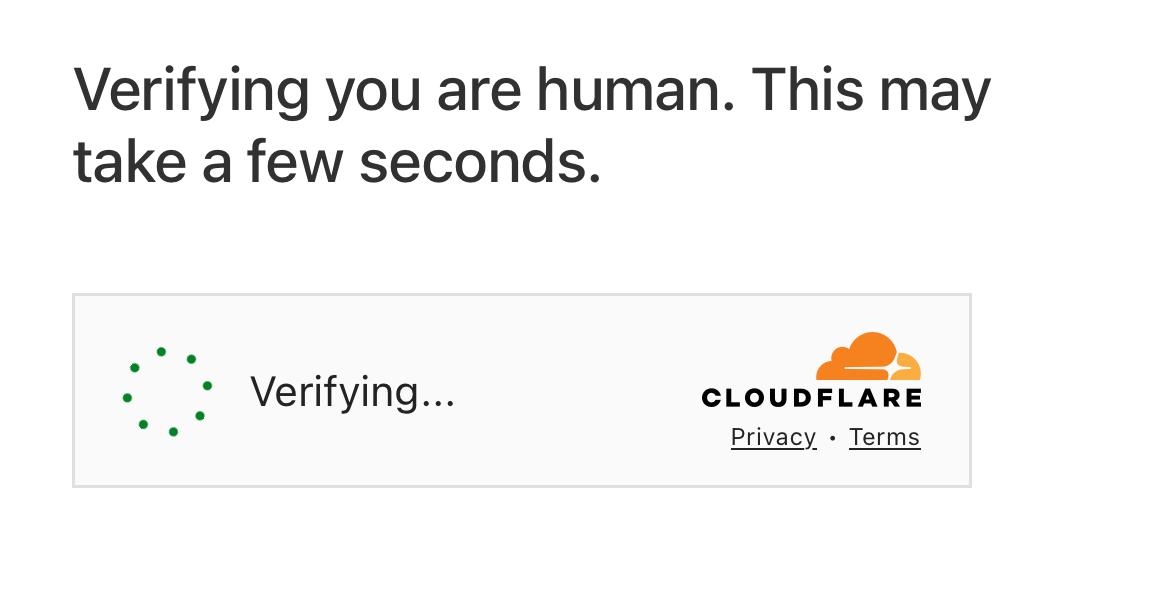
The traditional Cloudflare Challenge often presents a "Please wait..." or "Just a moment..." screen before redirecting you. This challenge relies heavily on JavaScript execution and browser fingerprinting to determine if the visitor is legitimate. If your browser fails these checks, you will be stuck on the verifying you are human page.
Cloudflare Turnstile (The Invisible Check)
Cloudflare Turnstile is a modern, privacy-preserving replacement for CAPTCHAs. It runs non-intrusive checks in the background, analyzing browser behavior and connection characteristics without requiring the user to solve a puzzle. If Turnstile's analysis is inconclusive or suspicious, it may still present a visible challenge or, more commonly, simply hang on the verifying you are human message.
Troubleshooting: Why You Are Stuck on "Verifying You Are Human"
If you are a regular user encountering the "verifying you are human" screen repeatedly, the problem is likely on your end. Automation engineers should also review these points, as they highlight the very signals Cloudflare is looking for.
1. Browser Extensions and Configuration
Browser extensions are a frequent cause of being stuck on the verification screen. Extensions that modify your browser's behavior, such as User-Agent switchers, privacy tools, or ad-blockers, can inadvertently trigger Cloudflare's bot detection.
- Action: Disable all non-essential browser extensions. Test the website in a clean, incognito window.
- Specific Culprit: User-Agent Switcher extensions, even when set to a default value, have been reported to cause issues because they signal a non-standard browser environment.
2. Time Synchronization and System Settings
An incorrect system clock can cause cryptographic failures in the security handshake, leading to a persistent "verifying you are human" loop. Cloudflare's security checks rely on precise timing.
- Action: Ensure your computer's date and time are set to synchronize automatically with an internet time server. This simple fix has resolved the issue for many users.
3. VPNs and IP Reputation
Your IP address's reputation is a major factor in Cloudflare's decision to present a challenge. If your IP is associated with a high volume of suspicious traffic, you will be flagged.
- Action: If you are using a VPN, try switching to a different server or temporarily disabling the VPN. Data centers and shared VPN IPs often have poor reputations, making it harder to pass the Cloudflare Challenge.
4. Browser Fingerprinting and TLS Configuration
For advanced users and automation, the underlying technology of your request matters. Cloudflare checks your TLS/SSL handshake and browser fingerprint (e.g., HTTP headers, JavaScript features) against known patterns. Non-standard libraries or older browser versions will struggle to pass the verifying you are human check.
- Action: Ensure your browser is up-to-date. For automation, use modern, well-maintained HTTP clients that mimic a real browser's TLS fingerprint.
Automated Solutions for Cloudflare Verification
For web scraping and automation, manually troubleshooting is not feasible. The most reliable method to pass the "verifying you are human" check is to use a specialized CAPTCHA solving service that handles the complex fingerprinting and token generation.
Comparison Summary: Turnstile vs. Challenge
The approach to solving the verification differs significantly between the two Cloudflare mechanisms.
| Feature | Cloudflare Turnstile | Cloudflare Challenge |
|---|---|---|
| Primary Goal | Invisible human verification | Block automated traffic, generate cf_clearance cookie |
| Key Output | A single response token (cf-turnstile-response) |
A security cookie (cf_clearance) |
| Proxy Requirement | Not required (ProxyLess) | Required (Static or Sticky Proxy) |
| Complexity | Lower, focuses on behavioral analysis | Higher, involves complex JavaScript execution and fingerprinting |
| CapSolver Task Type | AntiTurnstileTaskProxyLess |
AntiCloudflareTask |
Solution 1: Solving Cloudflare Turnstile
Cloudflare Turnstile is designed to be easy for humans and difficult for bots. The solution involves requesting a valid token from a service that can successfully emulate a human browser environment. This is the most common form of verifying you are human today.
The CapSolver API provides a dedicated task type for this.
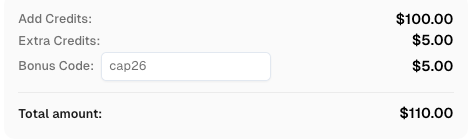
Use code
CAP26when signing up at CapSolver to receive bonus credits!
Python Code Example for Turnstile
This example demonstrates how to obtain the necessary token using the AntiTurnstileTaskProxyLess task.
python
# CapSolver Python SDK Example for Cloudflare Turnstile
import requests
import time

# Replace with your actual credentials and target information
API_KEY = "YOUR_CAPSOLVER_API_KEY"
SITE_KEY = "0x4XXXXXXXXXXXXXXXXX"  # The data-sitekey from the target page
SITE_URL = "https://www.yourwebsite.com"  # The URL where the Turnstile appears

def solve_turnstile():
    # 1. Create the task
    create_task_payload = {
        "clientKey": API_KEY,
        "task": {
            "type": "AntiTurnstileTaskProxyLess",
            "websiteKey": SITE_KEY,
            "websiteURL": SITE_URL,
            # metadata is optional, but can be helpful
            "metadata": {
                "action": "login"
            }
        }
    }

    response = requests.post("https://api.capsolver.com/createTask", json=create_task_payload).json()
    task_id = response.get("taskId")

    if not task_id:
        print(f"Failed to create task: {response}")
        return None

    print(f"Task created with ID: {task_id}. Waiting for result...")

    # 2. Get the result
    while True:
        time.sleep(5) # Wait for 5 seconds before checking
        get_result_payload = {"clientKey": API_KEY, "taskId": task_id}
        result_response = requests.post("https://api.capsolver.com/getTaskResult", json=get_result_payload).json()

        status = result_response.get("status")

        if status == "ready":
            # The token is the solution needed to submit the form
            return result_response.get("solution", {}).get('token')
        elif status == "failed" or result_response.get("errorId"):
            print(f"Solving failed: {result_response}")
            return None

token = solve_turnstile()
if token:
    print(f"Successfully obtained Turnstile Token: {token[:30]}...")
    # Use this token in your subsequent request to the protected website.
Solution 2: Solving Cloudflare Challenge
The Cloudflare Challenge is a more demanding verification, often resulting in the "verifying you are human" message when the initial request fails the security checks. The goal here is to obtain the cf_clearance cookie, which grants access to the site for a set period.
This task requires a high-quality, static, or sticky proxy to maintain session consistency, as Cloudflare tracks the IP address throughout the challenge process.
Python Code Example for Cloudflare Challenge
The AntiCloudflareTask is specifically designed to handle the full challenge process and return the necessary cookies.
python
# CapSolver Python SDK Example for Cloudflare Challenge
import requests
import time

# Replace with your actual credentials and target information
API_KEY = "YOUR_CAPSOLVER_API_KEY"
SITE_URL = "https://www.yourwebsite.com"  # The URL protected by the Challenge
PROXY = "ip:port:user:pass"  # Static or Sticky Proxy is REQUIRED
USER_AGENT = "Mozilla/5.0 (Windows NT 10.0; Win64; x64) AppleWebKit/537.36 (KHTML, like Gecko) Chrome/141.0.0.0 Safari/537.36"

def solve_cloudflare_challenge():
    # 1. Create the task
    create_task_payload = {
        "clientKey": API_KEY,
        "task": {
            "type": "AntiCloudflareTask",
            "websiteURL": SITE_URL,
            "proxy": PROXY,
            "userAgent": USER_AGENT,
            # Optional: You can include the initial HTML content if you have it
            # "html": "<!DOCTYPE html><html lang=\"en-US\"><head><title>Just a moment...</title>...",
        }
    }

    response = requests.post("https://api.capsolver.com/createTask", json=create_task_payload).json()
    task_id = response.get("taskId")

    if not task_id:
        print(f"Failed to create task: {response}")
        return None

    print(f"Task created with ID: {task_id}. Waiting for result...")

    # 2. Get the result
    while True:
        time.sleep(5) # Wait for 5 seconds before checking
        get_result_payload = {"clientKey": API_KEY, "taskId": task_id}
        result_response = requests.post("https://api.capsolver.com/getTaskResult", json=get_result_payload).json()

        status = result_response.get("status")

        if status == "ready":
            # The solution contains the cookies needed for subsequent requests
            return result_response.get("solution", {})
        elif status == "failed" or result_response.get("errorId"):
            print(f"Solving failed: {result_response}")
            return None

solution = solve_cloudflare_challenge()
if solution:
    print(f"Successfully obtained solution. Cookies: {solution.get('cookies')}")
    # Use the returned cookies in your subsequent requests to access the protected page.
Advanced Strategies for Consistent Access
Achieving consistent access requires more than just solving the initial verification. It involves maintaining a low profile and understanding the broader context of web security.
1. The Importance of High-Quality Proxies
When dealing with the Cloudflare Challenge, the quality of your proxy is paramount. Residential or mobile proxies are highly recommended because they possess better IP reputation than data center proxies. Using a static or sticky session ensures that the IP address remains the same throughout the verification process, which is crucial for passing the security checks. For more details on this, refer to our guide on How to Avoid IP Bans when Using Captcha Solver in 2026.
2. Maintaining a Consistent Browser Fingerprint
Cloudflare's system is constantly checking for inconsistencies. When you automate, every request header, JavaScript property, and TLS handshake must be consistent with a real browser. Using a modern, consistent User-Agent string (like the one in the example) is a basic requirement. Advanced automation often requires specialized libraries that handle the full spectrum of browser fingerprinting to prevent the "verifying you are human" message from appearing.
3. Integrating the Solution into Your Workflow
Once you receive the token (for Turnstile) or the cf_clearance cookie (for Challenge), you must immediately use it in your next request to the target website.
- Turnstile: The token is typically submitted in a form field named
cf-turnstile-response. - Challenge: The
cf_clearancecookie must be included in theCookieheader of all subsequent requests to the protected domain.
This integration is the final step in passing the Cloudflare Challenge and gaining access to the desired content. Our articles on How to Solve Cloudflare in 2026: Solve Cloudflare Turnstile and Challenge By Using CapSolver and How to Solve Turnstile Captcha: Tools and Techniques in 2026 provide further integration examples.
Conclusion and Call to Action
The "verifying you are human" message is a clear signal that Cloudflare's security is active. For manual users, simple troubleshooting steps like disabling extensions and syncing your clock can often resolve the issue. For automation and data collection, a robust, API-based solution is the only reliable path. By correctly identifying whether you face a Cloudflare Turnstile or a Cloudflare Challenge and applying the corresponding technical solution—AntiTurnstileTaskProxyLess or AntiCloudflareTask—you can efficiently overcome this security barrier.
Ready to streamline your automation and stop getting stuck on verifying you are human? Explore the full capabilities of the CapSolver API to handle all forms of Cloudflare verification with speed and accuracy.
Frequently Asked Questions (FAQ)
Q1: What does "Verifying you are human. This may take a few seconds" actually mean?
This message means Cloudflare is running a series of automated security checks on your connection and browser environment. It is attempting to distinguish between a legitimate human visitor and an automated bot. If the checks are inconclusive, the system will hang or present a further challenge.
Q2: Can a VPN or Proxy cause me to get stuck on the verification screen?
Yes, absolutely. If the IP address provided by your VPN or proxy has a poor reputation due to previous abuse or high traffic volume, Cloudflare is more likely to flag your connection and present the Cloudflare Challenge. Using high-quality residential or mobile proxies is essential for automation.
Q3: Why does the verification screen appear even if I am not using a bot?
The verification can be triggered by several non-bot factors, including an outdated browser, an incorrect system clock, or a browser extension that modifies your user-agent or other browser properties. These modifications make your browser fingerprint appear non-standard, leading Cloudflare to suspect automated activity.
Q4: Is Cloudflare Turnstile easier to solve than the older Challenge?
For humans, Turnstile is much easier as it is often invisible. For automation, Turnstile is generally less resource-intensive to solve than the full Cloudflare Challenge. However, both require specialized services to generate the correct token or cookie, as they both rely on sophisticated browser fingerprinting to pass the verifying you are human check.
More
CloudflareApr 21, 2026
Cloudflare Turnstile Verification Failed? Causes, Fixes & Troubleshooting Guide
Learn how to fix the "failed to verify cloudflare turnstile token" error. This guide covers causes, troubleshooting steps, and how to defeat cloudflare turnstile with CapSolver.

CloudflareApr 20, 2026
Best Cloudflare Challenge Solver Tools: Comparison & Use Cases
Discover the best cloudflare challenge solver tools, compare API vs. manual automation, and find optimal solutions for your web scraping and automation needs. Learn why CapSolver is a top choice.

