
🎉NEWCapSolver for AI agents-MCP, agent tools, and SDK integrations

Aloísio Vítor
Image Processing Expert
Published Jan 29, 2025
Updated Jan 07, 2026 · min read
Let’s face it: if you’ve tried web scraping in the last few years, you’ve probably rage-quit after seeing Cloudflare’s infamous “Checking your browser” screen. By 2026, Cloudflare has doubled down on protecting websites from bots, making scraping feel like a game of whack-a-mole.
But why bother bypassing it? Simple: data is power. Whether you’re tracking prices, aggregating content, or analyzing trends, Cloudflare’s walls can’t stop everyone. Here’s how to navigate the maze without getting stuck in CAPTCHA purgatory.
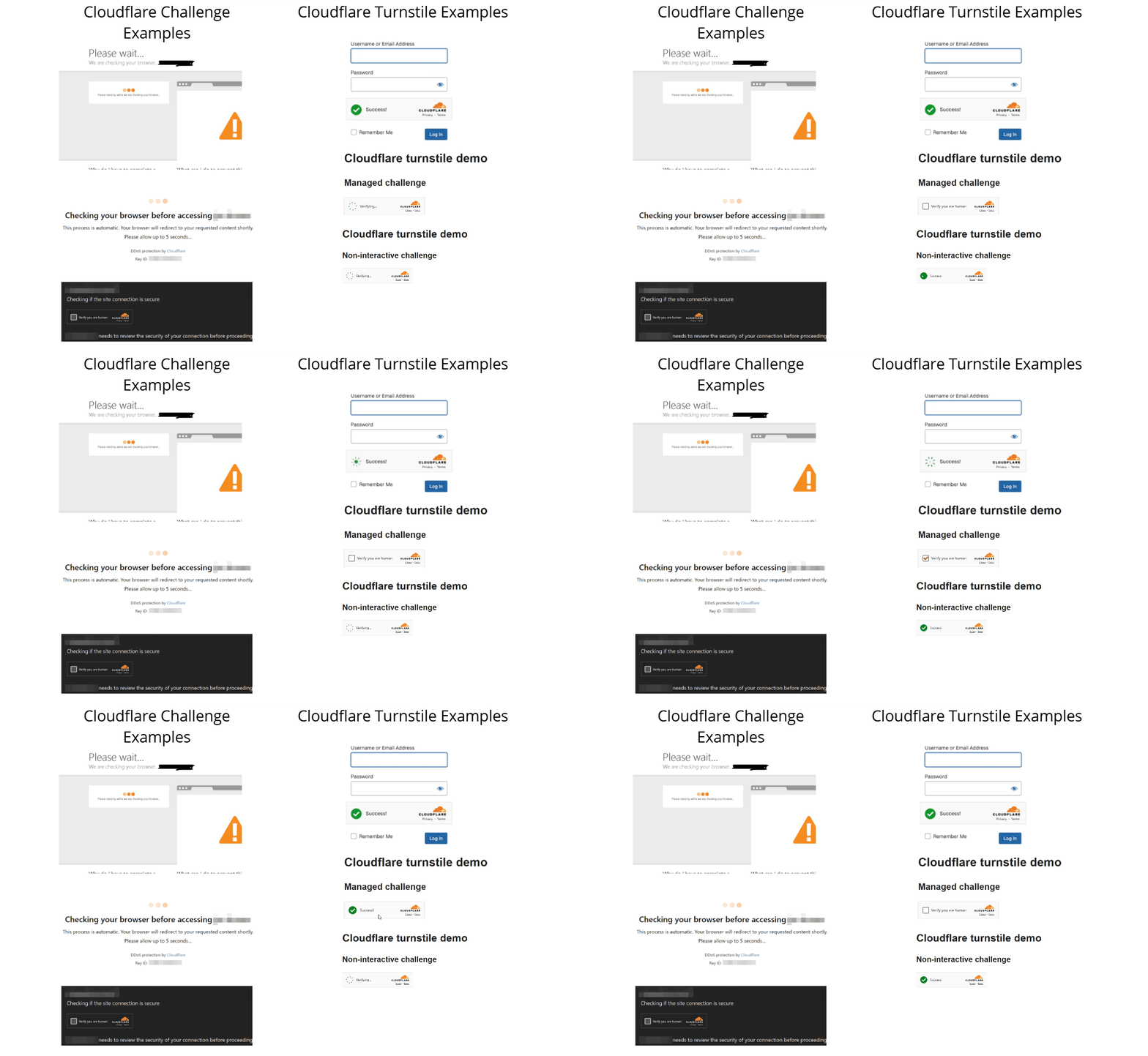
This is the classic “I’m not a robot” checkpoint. It checks your browser’s fingerprints (like cookies, JavaScript support, and IP reputation) and serves CAPTCHAs if something seems off. Think of it as a bouncer checking your ID.
Introduced as a “privacy-preserving alternative,” Turnstile is Cloudflare’s newer, slicker CAPTCHA widget. It runs in the background to verify humans without annoying puzzles—most of the time. But if it suspects bot activity, it’ll still slap you with a challenge.
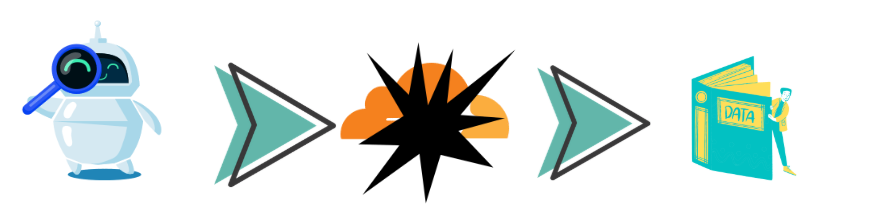
Tools like Puppeteer, Playwright, FlareSolver mimic real browsers. Add stealth plugins to hide automation fingerprints.
This is where Capsolver shines. It automates solving both Cloudflare Challenges and Turnstile.
POST https://api.capsolver.com/createTask
Host: api.capsolver.com
Content-Type: application/json
{
  "clientKey": "YOUR_API_KEY",
  "task": {
    "type": "AntiCloudflareTask",
    "websiteURL": "https://www.yourwebsite.com",
    "proxy": "ip:port:user:pass"
  }
}To ensure the returned solution works as intended, consistency is key. You must adhere to the following:
IP Address
Use the same IP address used during the challenge-solving process. Switching IPs (e.g., proxies, networks) will invalidate the solution.
User-Agent & Headers
TLS Fingerprint
Cloudflare validates TLS fingerprints. To avoid mismatches:
POST https://api.capsolver.com/createTask
Host: api.capsolver.com
Content-Type: application/json
{
  "clientKey": "YOUR_API_KEY",
  "task": {
    "type": "AntiTurnstileTaskProxyLess",
    "websiteURL": "https://www.yourwebsite.com",
    "websiteKey": "0x4XXXXXXXXXXXXXXXXX",
    "metadata": {
       "action": "login",  //optional
       "cdata": "0000-1111-2222-3333-example-cdata"  //optional
    }
  }
}
The token’s placement depends on the target site’s implementation. Inspect network traffic during manual interactions to identify the exact parameter or header requiring the token.
Here’s a polished, professional rephrasing of your content:
Differentiating Cloudflare Challenge and Turnstile
A common pain point for developers is distinguishing between Cloudflare’s Challenge and Turnstile systems, especially when integrating solutions like Capsolver. Here’s how to diagnose and resolve confusion between the two:
Why AntiTurnstileTaskProxyLess Fails with Error 600010
If you’re using Capsolver’s AntiTurnstileTaskProxyLess task type and encounter the error:
callback: error-callback, error: 600010
This indicates a mismatch: You’re attempting to solve a Cloudflare Challenge (which requires a different task type) instead of a Turnstile CAPTCHA.
How to Identify Which System a Site Uses
cf_clearance Cookie
cf_clearance cookie after successful verification.cf_clearance cookie is created.Resolving the Error
Verify the Cloudflare Product
Choose the Correct Capsolver Task Type
AntiCloudflareTask).AntiTurnstileTaskProxyLess.Review Capsolver’s Documentation
Cloudflare blacklists suspicious IP/Headers/UserAgent. Rotate your proxies, user agent, tls settings, headers...
Even with headless browsers, missing details like WebGL rendering or time zones can trigger Cloudflare. Use tools like Puppeteer-Stealth.
Final Tip: If you’re stuck, ask yourself: “Is this data worth the hassle?” Sometimes, paying for an API (if available) saves time, sanity...
Good luck, and may the CAPTCHA gods smile upon you! 🛡️🤖
Cloudflare Challenge is a broader browser verification mechanism that may issue JavaScript challenges, CAPTCHAs, and generate a cf_clearance cookie upon success. Turnstile, on the other hand, is a CAPTCHA widget designed to run silently in the background and does not generate a cf_clearance cookie. Choosing the wrong solving method for each is a common cause of failure.
The most reliable method is to inspect cookies and network traffic:
cf_clearance cookie after verification, the site is using Cloudflare Challenge.cf_clearance cookie is created and a widget key (e.g., 0x4...) is present, it is likely Turnstile.It depends on the Cloudflare product:
AntiTurnstileTaskProxyLess, unless the target site enforces IP-based risk checks.In most cases, failures occur due to environment mismatch. You must keep the same IP address, TLS fingerprint, headers, and User-Agent that were used during the solving phase. Any inconsistency may invalidate the solution.
600010 when solving Turnstile?Error 600010 indicates that you are attempting to solve a Cloudflare Challenge using a Turnstile task type. This is a task-type mismatch. Confirm the Cloudflare protection type and switch to AntiCloudflareTask if a cf_clearance cookie is involved.
In most cases, no. While headless browsers like Puppeteer or Playwright help simulate real user behavior, Cloudflare also evaluates TLS fingerprints, IP reputation, headers, and browser entropy. Headless browsers are most effective when combined with proper proxies and CAPTCHA-solving services.
Bypassing Cloudflare protections must comply with applicable laws, website terms of service, and ethical guidelines. These techniques are typically used for authorized automation, testing, research, or data access where permission is granted.
Aloísio Vítor
Image Processing Expert
Interpreting the visual signals behind web workflows.
ABOUT THE AUTHOR
Learn what a Cloudflare Challenge is, how Cloudflare detects bots using JavaScript and machine learning, and why challenges appear during browsing. Complete guide for 2026.

Learn how to fix the "failed to verify cloudflare turnstile token" error. This guide covers causes, troubleshooting steps, and how to defeat cloudflare turnstile with CapSolver.

