🎉NEWCapSolver for AI agents-MCP, agent tools, and SDK integrations

Rajinder Singh
Deep Learning Researcher
Published Mar 03, 2025
Updated Feb 25, 2025 · min read
If you've ever tried web scraping, you've likely run into CAPTCHAs—those annoying "prove you're human" tests that block automated requests. In this guide, I'll share actionable strategies to minimize CAPTCHA interruptions and show you how to handle them when they appear. Let's dive in!
CAPTCHAs are designed to block bots, which means your scraper might be flagged if:
Pro Tip: Start by mimicking human behavior: slow down your requests, rotate user agents, and use proxies. But if CAPTCHAs still appear, you’ll need a more robust solution.
When avoidance isn’t enough, services like Capsolver can automate CAPTCHA solving. Here's how it works:
# pip install requests
import requests
import time

api_key = "YOUR_API_KEY"  # Replace with your Capsolver key
site_key = ""  # From target site
site_url = ""  # Your target URL

def solve_captcha():
    payload = {
        "clientKey": api_key,
        "task": {
            "type": "ReCaptchaV2TaskProxyLess",
            "websiteKey": site_key,
            "websiteURL": site_url
        }
    }
    response = requests.post("https://api.capsolver.com/createTask", json=payload)
    task_id = response.json().get("taskId")

    # Retrieve the result
    while True:
        time.sleep(3)
        result = requests.post("https://api.capsolver.com/getTaskResult", json={"clientKey": api_key, "taskId": task_id})
        status = result.json().get("status")
        if status == "ready":
            return result.json()["solution"]["gRecaptchaResponse"]
        elif status == "failed":
            print("Failed to solve CAPTCHA")
            return None

captcha_token = solve_captcha()
print(f"Solved CAPTCHA token: {captcha_token}")
How this works:
Struggling with the repeated failure to completely solve the captchas while doing webscraping?
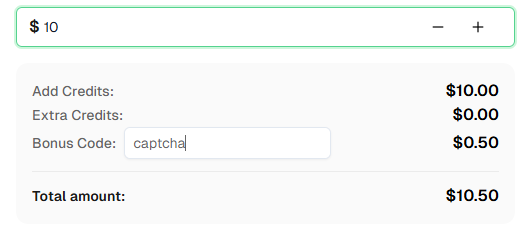
Claim Your Bonus Code for top captcha solutions -CapSolver: CAPTCHA. After redeeming it, you will get an extra 5% bonus after each recharge, Unlimited
Not all sites use CAPTCHA. Let’s scrape books.toscrape.com, a CAPTCHA-free sandbox:
import requests
from bs4 import BeautifulSoup

url = "http://books.toscrape.com/"
response = requests.get(url)
soup = BeautifulSoup(response.text, "html.parser")

# Extract book titles and prices
for book in soup.select("article.product_pod"):
    title = book.h3.a["title"]
    price = book.select(".price_color")[0].get_text()
    print(f"Title: {title}, Price: {price}")
Why this works:
This site doesn’t have anti-bot measures, but always check a website’s robots.txt before scraping.
Before solving a CAPTCHA, you need to know its type (e.g., reCAPTCHA v2, hCaptcha). Use tools like Capsolver’s CAPTCHA Identification Guide to:
sitekey or pageurl.Example parameters for reCAPTCHA v2:
websiteKey: "6Le-wvkSAAAAAPBMRTvw0Q4Muexq9bi0DJwx_mJ-"websiteURL: Your target page’s URL.time.sleep().User-Agent and Accept-Language.They use a mix of AI and human workers to solve CAPTCHAs and return tokens for automation.
Most common types (reCAPTCHA, hCaptcha) can be solved, but advanced ones require more sophisticated methods.
CAPTCHAs are a hurdle, but not a dead end. Combine smart scraping practices with tools like Capsolver to minimize disruptions. Happy scraping! 🚀
Rajinder Singh
Deep Learning Researcher
Making CAPTCHA solving more reliable in automated workflows.
ABOUT THE AUTHOR
Explore three enterprise uses of CAPTCHA solving for SERP API providers: scheduled ranking feeds, market-research batches, and interactive search-data delivery.

Fix common Selenium CAPTCHA integration problems by checking test configuration, extensions, waits, iframe context, solver responses, and application results.