
🎉NEWCapSolver for AI agents-MCP, agent tools, and SDK integrations

Lucas Mitchell
Automation Engineer
Published Sep 30, 2024
Updated Sep 27, 2024 · min read
node-fetch is a lightweight JavaScript library that brings the window.fetch API to Node.js. It is often used for making HTTP requests from a Node.js environment, providing a modern and flexible way to handle network operations asynchronously.
Features:
Before using node-fetch, ensure you have:
To use node-fetch, you need to install it using npm or yarn:
npm install node-fetchor
yarn add node-fetchHere’s how to perform a simple GET request using node-fetch:
const fetch = require('node-fetch');

fetch('https://httpbin.org/get')
  .then(response => response.json())
  .then(data => {
    console.log('Response Body:', data);
  })
  .catch(error => {
    console.error('Error:', error);
});Let’s fetch data from an API and log the results:
const fetch = require('node-fetch');

fetch('https://jsonplaceholder.typicode.com/posts')
  .then(response => response.json())
  .then(posts => {
    posts.forEach(post => {
      console.log(`${post.title} — ${post.body}`);
    });
  })
  .catch(error => {
    console.error('Error:', error);
});node-fetchIn this section, we’ll integrate CapSolver with node-fetch to handle captchas. CapSolver provides APIs for solving captchas like ReCaptcha V3, enabling automation of tasks that require solving such captchas.
node-fetchFirst, install node-fetch and CapSolver:
npm install node-fetch
npm install capsolver
Now, here’s how to solve a ReCaptcha V3 and use the solution in your request:
const fetch = require('node-fetch');
const CAPSOLVER_KEY = 'YourKey';
const PAGE_URL = 'https://antcpt.com/score_detector';
const PAGE_KEY = '6LcR_okUAAAAAPYrPe-HK_0RULO1aZM15ENyM-Mf';
const PAGE_ACTION = 'homepage';

async function createTask(url, key, pageAction) {
  try {
    const apiUrl = 'https://api.capsolver.com/createTask';
    const payload = {
      clientKey: CAPSOLVER_KEY,
      task: {
        type: 'ReCaptchaV3TaskProxyLess',
        websiteURL: url,
        websiteKey: key,
        pageAction: pageAction
      }
    };

    const response = await fetch(apiUrl, {
      method: 'POST',
      headers: { 'Content-Type': 'application/json' },
      body: JSON.stringify(payload)
    });

    const data = await response.json();
    return data.taskId;

  } catch (error) {
    console.error('Error creating CAPTCHA task:', error);
    throw error;
  }
}

async function getTaskResult(taskId) {
  try {
    const apiUrl = 'https://api.capsolver.com/getTaskResult';
    const payload = {
      clientKey: CAPSOLVER_KEY,
      taskId: taskId,
    };

    let result;
    do {
      const response = await fetch(apiUrl, {
        method: 'POST',
        headers: { 'Content-Type': 'application/json' },
        body: JSON.stringify(payload)
      });

      result = await response.json();
      if (result.status === 'ready') {
        return result.solution;
      }

      await new Promise(resolve => setTimeout(resolve, 5000)); // wait 5 seconds
    } while (true);

  } catch (error) {
    console.error('Error fetching CAPTCHA result:', error);
    throw error;
  }
}

async function main() {
  console.log('Creating CAPTCHA task...');
  const taskId = await createTask(PAGE_URL, PAGE_KEY, PAGE_ACTION);
  console.log(`Task ID: ${taskId}`);

  console.log('Retrieving CAPTCHA result...');
  const solution = await getTaskResult(taskId);
  const token = solution.gRecaptchaResponse;
  console.log(`Token Solution: ${token}`);

  const res = await fetch('https://antcpt.com/score_detector/verify.php', {
    method: 'POST',
    headers: { 'Content-Type': 'application/json' },
    body: JSON.stringify({ 'g-recaptcha-response': token })
  });

  const response = await res.json();
  console.log(`Score: ${response.score}`);
}

main().catch(err => {
  console.error(err);
});node-fetchTo route your requests through a proxy with node-fetch, you will need a proxy agent like https-proxy-agent. Here's how to implement it:
npm install https-proxy-agentExample with a proxy:
const fetch = require('node-fetch');
const HttpsProxyAgent = require('https-proxy-agent');

const proxyAgent = new HttpsProxyAgent('http://username:password@proxyserver:8080');

fetch('https://httpbin.org/ip', { agent: proxyAgent })
  .then(response => response.json())
  .then(data => {
    console.log('Response Body:', data);
  })
  .catch(error => {
    console.error('Error:', error);
});node-fetchFor cookie handling in node-fetch, you can use a library like fetch-cookie. Here's how to use it:
npm install fetch-cookieExample:
const fetch = require('node-fetch');
const fetchCookie = require('fetch-cookie');
const cookieFetch = fetchCookie(fetch);

cookieFetch('https://httpbin.org/cookies/set?name=value')
  .then(response => response.json())
  .then(data => {
    console.log('Cookies:', data);
  })
  .catch(error => {
    console.error('Error:', error);
});You can customize headers and perform POST requests with node-fetch:
const fetch = require('node-fetch');

const headers = {
  'User-Agent': 'Mozilla/5.0 (compatible)',
  'Accept-Language': 'en-US,en;q=0.5',
};

const data = {
  username: 'testuser',
  password: 'testpass',
};

fetch('https://httpbin.org/post', {
  method: 'POST',
  headers: headers,
  body: JSON.stringify(data),
})
  .then(response => response.json())
  .then(data => {
    console.log('Response JSON:', data);
  })
  .catch(error => {
    console.error('Error:', error);
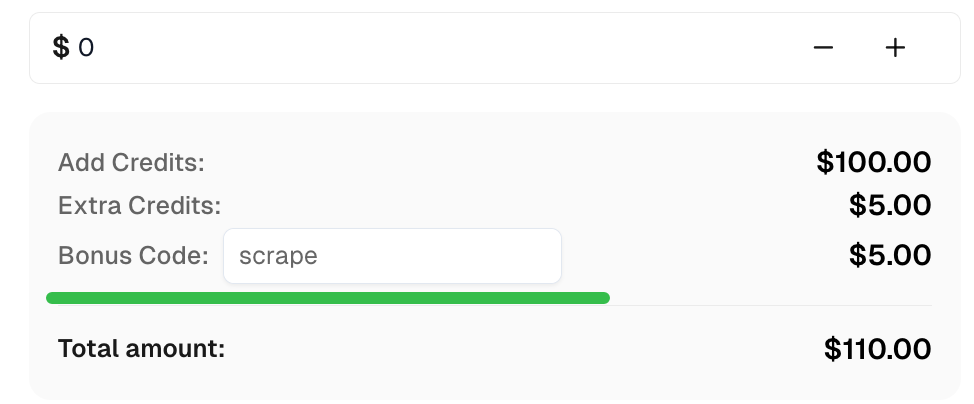
});Claim your Bonus Code for top captcha solutions at CapSolver: scrape. After redeeming it, you will get an extra 5% bonus after each recharge, unlimited times.
With node-fetch, you can effectively manage HTTP requests in Node.js. By integrating it with CapSolver, you can solve captchas such as ReCaptcha V3 and captcha, providing access to restricted content. Additionally, node-fetch offers customization through headers, proxy support, and cookie management, making it a versatile tool for web scraping and automation.
Lucas Mitchell
Automation Engineer
Helping browser automation recover and continue.
ABOUT THE AUTHOR
Explore three enterprise uses of CAPTCHA solving for SERP API providers: scheduled ranking feeds, market-research batches, and interactive search-data delivery.

Fix common Selenium CAPTCHA integration problems by checking test configuration, extensions, waits, iframe context, solver responses, and application results.

